Java零基础学习视频通俗易懂(狂神说Java)
狂神说B站视频:https://www.bilibili.com/video/BV12J41137hu
Java官网:https://www.java.com/
一、Java入门
1.Java的诞生
1972年C语言建立。
问题:
1982年C++诞生。
问题:
1995年建立Java。
(C++—-)
为每台电脑安装JVM(Java虚拟机)。
分类:
三高:高可用,高性能,高并发。
Java帝国的稳固:
2006:Hadoop(大数据端)
2008:Android(手机端)
2.Java的特性和优势
- 简单性
- 面向对象
- 可移植性
- 高性能
- 分布式
- 动态性
- 多线程
- 安全性
- 健壮性
3.Java三大版本
最大优点:跨平台语言;技术:JVM。
Write once , run anywhere!
开发桌面程序,控制台开发
手机程序开发
Web端,服务器开发
4.JDK JRE JVM
- JDK : Java Development Kit
- JRE: Java Runtime Environment
- JVM : JAVA Virtual Machine
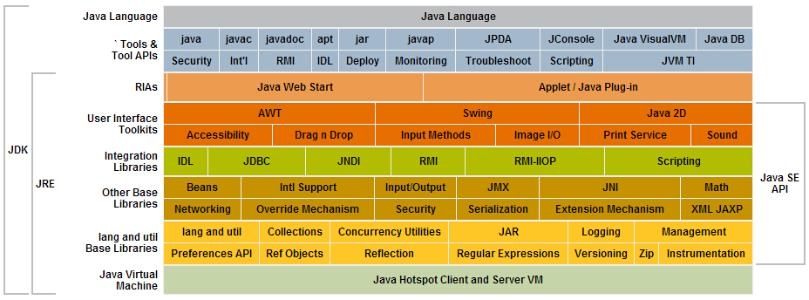
5.Java开发环境搭建
1.卸载JDK
- 删除java安装目录
- 删除JAVA_HOME
- 删除Path下的JAVA目录
- java -version
2.安装JDK
- 百度搜索JDK8,下载电脑对应版本
- 双击安装JDK,设置安装路径
- 配置环境变量:JAVA_HOME
- 配置path变量
java -version查看安装成功
3.JDK目录
bin:存放可执行程序
include:引入c头文件
jre:java运行环境
lib:java库,工具
src:资源文件,类
4.hello world!
1
2
3
4
5
| public class hello{
public static void main(String[] args){
System.out.print("Hello,World!");
}
}
|
结果会在当前目录生成一个hello.class文件
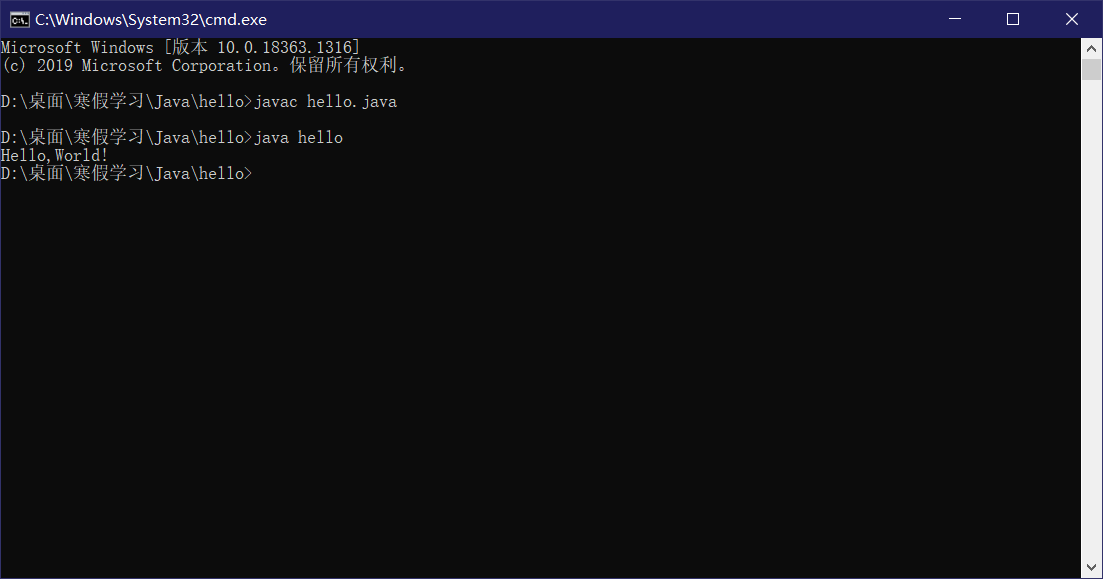
5.可能出现的问题
- java大小写敏感
- 尽量使用英文,防止乱码
- 文件名与类名必须要保持一致
- 要使用英文符号
6.Java程序运行机制
编译型(complie):c c++ 操作系统
解释型:网页 javasprit python
Java既是编译型语言又是解释型语言
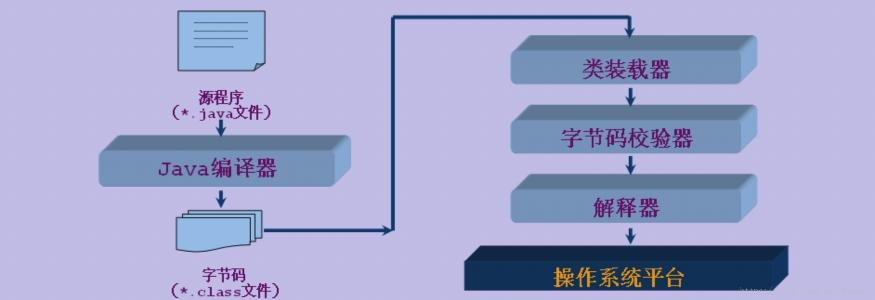
7.IDEA安装
1.什么是IDE?
集成开发环境
2.IDEA介绍
jetbrains公司,公司总部位于捷克。
3.IDEA下载
官网下载地址:https://download.jetbrains.com/idea/ideaIU-2020.3.2.exe
二、Java基本语法
1.注释 标识符 关键字
注释
java中的注释有三种:
1.单行注释
只能注释一行文字
1
2
3
4
5
6
7
| public class hello {
public static void main(String[] args) {
System.out.println("hello world");
}
}
|
2.多行注释
可以注释多行文字
1
2
3
4
5
6
7
8
9
| public class hello {
public static void main(String[] args) {
System.out.println("hello world");
}
}
|
3.文档注释
4.有趣的代码注释
1
2
3
4
5
6
7
8
9
10
11
12
13
14
15
16
17
18
19
20
|
|
标识符
标识符注意点:
- 所有的标识符都应该以字母(A-Z或者a-z),美元符($)、或者下划线(_)开始
- 首字符之后可以是字母(A-Z或者a-z),美元符($)、下划线(_)或数字的任何字符组合不能使用关键字作为变量名或方法名。
- 标识符是大小写敏感的
1
2
3
4
5
6
| public class hello {
public static void main(String[] args) {
String man="banananana";
String Man="orangegege";
}
}
|
- 合法标识符举例: age、$salary._value、_1_value
- 非标识符举例:123abc、-salary、#abc
关键字
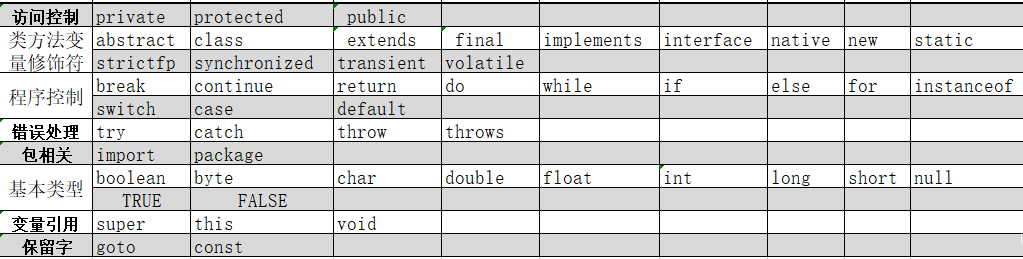
2.数据类型
强类型语言:要求变量的使用严格规定,所有变量必须定义后才能使用。安全性高;速度慢。
弱类型语言:要求变量的使用要符合规定,所有变量都必须先定义后才能使用。
基本数据类型(primitive type)
byte:1个字节;
short:2个字节;
int:4个字节;
long:8个字节;
float:4个字节;
double:8个字节;
char:2个字节;
boolean:1位。
1.数值类型
int其实是一个类,Integer;byte同理Byte。
1
2
3
4
|
int num1 = 10;
short num3 = 30;
long num4 = 30L;
|
1
2
3
4
5
6
7
|
int i = 10;
int i2 = 010;
int i3 = 0x10;
system.out.print1n(i);
system.out.print1n(i2);
System.out.println(i3);
|
1
2
3
|
float num5 = 50.1F;
double num6 = 3.141592653589793238462643;
|
1
2
3
4
5
6
7
8
9
10
11
|
f1oat f = 0.1f;
double d = 1.0/10;
system.out.println(f==d);
system.out.println(f);
system.out.println(d);
f1oat d1 = 23131312312312313f;
f1oat d2 = d1 + 1;
system.out.print1n(d1==d2);
|
1
2
3
4
5
6
7
8
9
10
11
12
13
|
char c1 = 'a';
char c2 = '中;
system.out.println(c1);
system.out.println((int)c1); //强制换行
system.out.println(c2);
system.out.println((int)c2); //强制换行
char c3 = '\u0061';
System.out.println(c3); //a
//所有的字符本质还是数字
//编码 unicode 表:(97 = a 65 =A) 2字节 0 - 65536 Excel 2 16 = 65536
|
1
2
3
4
|
system.out.println("He1lo\twor1d");
system.out.println("He1lo\nwor1d");
|
1
2
3
4
5
6
7
8
| string sa = new String( original: "he11o world");
string sb = new String( original: "he1lo world");
system.out.print1n(sa==sb);
String sc = "he1lo wor1d";
string sd = "he1lo wor1d" ;
system.out.println(sc==sd);/对象从内存分析
|
2.bollean类型
1
2
| /布尔值:是非
boolean f1ag = true;
|
1
2
3
4
5
|
boolean flag = true;
if (flag==true){}
if(flag){}
|
引用类型(reference type)
1.类
2.接口
3.数组
3.类型转换
由于Java是强类型语言,所以要进行有些运算的时候的,需要用到类型转换。
低—————–》》》》》》———————–高
byte,short,char > int > long > float > double
1
2
3
4
5
6
7
8
9
10
| int i = 128;
byte b = (byte)i;
double c = i;
system.out.println(i);
System.out.println(b);
System.out.println(c);
|
注意点
- 不能对布尔值进行转换
- 不能把对象类型转换为不相干的类型
- 在把高容量转换到低容量的时候,强制转换
- 转换的时候可能存在内存溢出,或者精度问题!
1
2
3
4
5
6
7
| system.out.println((int)23.7);
system.out.println((int)-45.89f);
char c = 'a';
int d = c+1;
system.out.println(d);
System.out.println((char)d);
|
1
2
3
4
5
6
7
8
| /操作比较大的数的时候,注意溢出问题
int money = 10_0000_0000;
int years = 20;
int total = money * years;
long total2 = money * years;
long total3 = money * ((long)yeans);
system.out.println(total3);
|
4.变量常量
变量
变量是什么:就是可以变化的量!
Java是一种强类型语言,每个变量都必须声明其类型。
Java变量是程序中最基本的存储单元,其要素包括变量名,变量类型和作用域。
1
2
| type varName [=value] [{,varName[=value]}];
|
注意事项:
每个变量都有类型,类型可以是基本类型,也可以是引用类型。
变量名必须是合法的标识符。
变量声明是一条完整的语句,因此每一个声明都必须以分号结束
1
2
3
4
| int a=1,b=2,c=3;
string name = "baixf";
char x = 'x' ;
double pi = 3.14;
|
变量的作用域
1
2
3
4
5
6
7
8
| public class Variable {
static int allClicks=0;
String str="hello world";
public void method(){
int i=0;
}
}
|
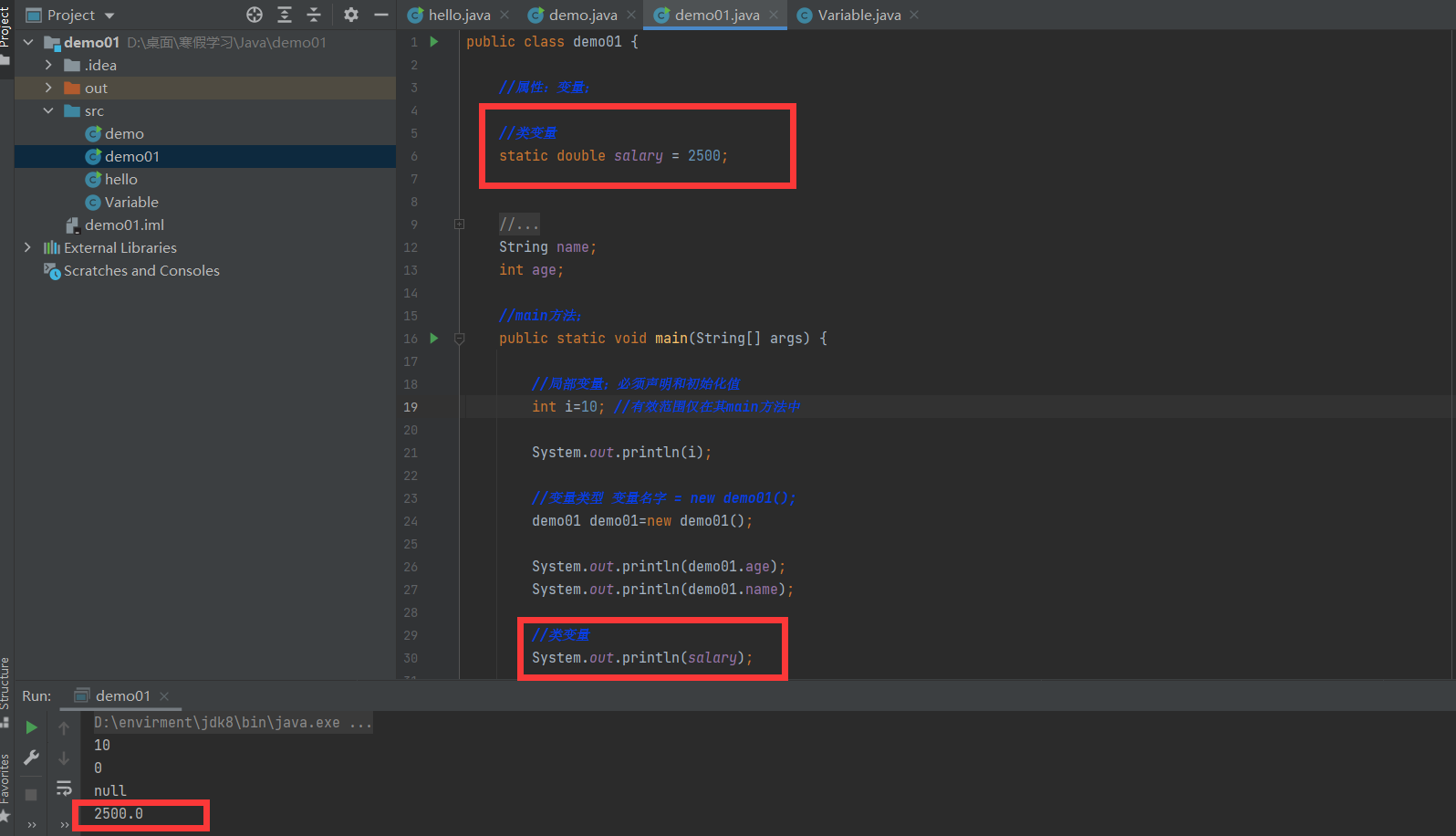
1.类变量
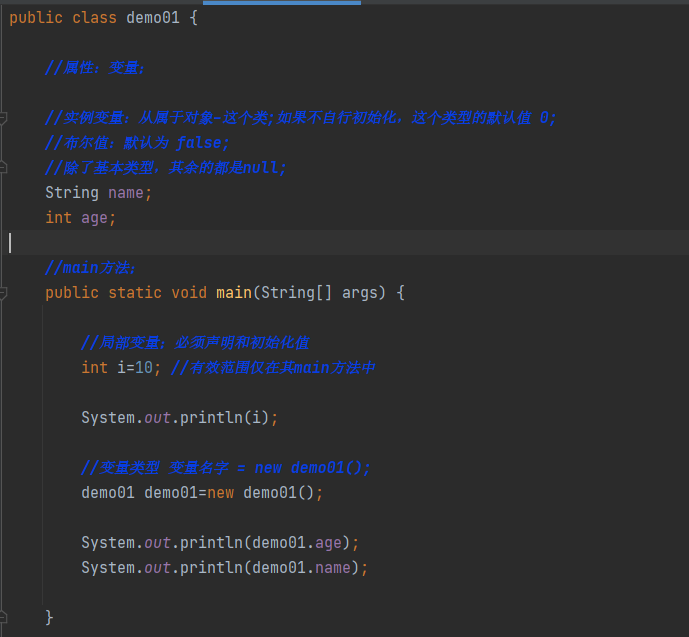
2.实例变量
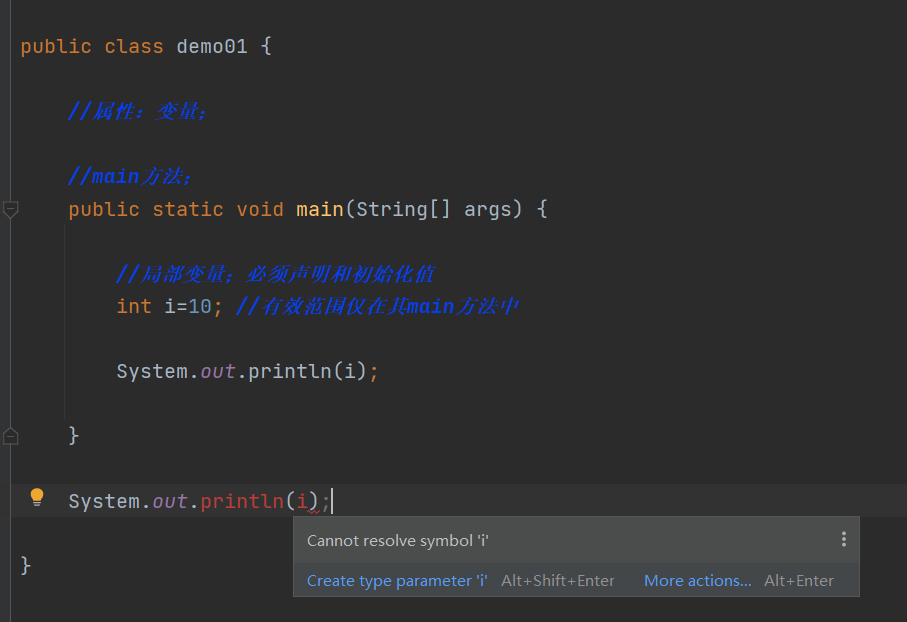
3.局部变量

1
2
3
4
5
6
7
8
9
10
11
12
13
14
15
16
17
18
19
20
21
22
23
24
25
26
27
28
29
30
31
32
33
34
35
36
| public class demo01 {
static double salary = 2500;
String name;
int age;
public static void main(String[] args) {
int i=10;
System.out.println(i);
demo01 demo01=new demo01();
System.out.println(demo01.age);
System.out.println(demo01.name);
System.out.println(salary);
}
}
|
常量
常量(Constant):初始化(initialize)后不能再改变值!不会变动的值。
所谓常量可以理解成一种特殊的变量,它的值被设定后,在程序运行过程中不允许被改变。
常量名一般使用大写字符。
1
2
| final 常量名=值;
final double PI=3.14;
|
1
2
3
4
5
6
7
8
9
10
11
12
13
14
15
| public class demo02 {
static final double pi = 3.14;
final static double PI = 3.14;
public static void main(String[] args) {
System.out.println(pi);
System.out.println(PI);
}
}
|
变量的命名规范
所有变量、方法、类名:见名知意
类成员变量:首字母小写和驼峰原则: monthSalary,lastWeek
局部变量:首字母小写和驼峰原则
常量:大写字母和下划线:MAX_VALUE
类名:首字母大写和驼峰原则: Man, GoodMan
方法名:首字母小写和驼峰原则: run(), runRun()
5.运算符
Java语言支持如下运算符:
- 算术运算符: +,-,,l,%,++,–。
- 赋值运算符: =*
- 关系运算符:>,<,>=,<=,==, !=, instanceof
- 逻辑运算符: &&,|,!
- 位运算符: &,|,^,~,>>,<<,>>>(了解! ! ! )
- 条件运算符: ?∶
- 扩展赋值运算符:+=,-=,*=,/=
example
1
2
3
4
5
6
7
8
9
10
11
12
13
14
15
16
17
| package operator;
public class demo01 {
public static void main(String[] args) {
int a =10;
int b =20;
int c =30;
int d =40;
System.out.println(a+b);
System.out.println(a-b);
System.out.println(a*b);
System.out.println(a/b);
System.out.println(a/(double)b);
}
}
|
1
2
3
4
5
6
7
8
9
10
11
12
13
14
15
16
| package operator;
public class Demo02 {
public static void main(String[] args) {
long a = 12345566l;
int b = 32411230;
short c = 50;
byte d = 8;
System.out.println(a+b+c+d);
System.out.println(b+c+d);
System.out.println(c+d);
}
}
|
1
2
3
4
5
6
7
8
9
10
11
12
13
14
15
16
17
18
19
20
| package operator;
public class Demo03 {
public static void main(String[] args) {
int a = 20;
int b = 60;
int c = 11;
System.out.println(a==b);
System.out.println(a!=b);
System.out.println(a>=b);
System.out.println(a<=b);
System.out.println(a%c);
}
}
|
1
2
3
4
5
6
7
8
9
10
11
12
13
14
15
| package operator;
public class Demo04 {
public static void main(String[] args) {
int a = 3;
System.out.println(a);
System.out.println(a++);
System.out.println(a);
System.out.println(++a);
System.out.println(a);
}
}
|
1
2
3
4
5
6
7
8
9
| package operator;
public class Demo05 {
public static void main(String[] args) {
double pow = Math.pow(3,2);
System.out.println(pow);
}
}
|
1
2
3
4
5
6
7
8
9
10
| package operator;
public class Demo05 {
public static void main(String[] args) {
double pow = Math.pow(3,2);
System.out.println(pow);
}
}
|
1
2
3
4
5
6
7
8
9
10
11
12
13
14
15
16
17
18
19
20
| package operator;
public class Demo06 {
public static void main(String[] args) {
boolean a = true;
boolean b = false;
System.out.println(a && b);
System.out.println(a || b);
System.out.println(!(a && b));
int c = 5;
System.out.println(b && (c++>4));
System.out.println(c);
}
}
|
1
2
3
4
5
6
7
8
9
10
11
12
13
14
15
16
17
18
19
20
21
22
23
24
25
26
27
28
29
30
31
32
33
34
35
36
37
38
39
40
41
42
| package operator;
public class Demo07 {
public static void main(String[] args) {
int a = 0b1001_1100;
int b = 0b1010_1110;
System.out.println(Integer.toBinaryString(a&b));
System.out.println(Integer.toBinaryString(a|b));
System.out.println(Integer.toBinaryString(a^b));
System.out.println(Integer.toBinaryString(~b));
System.out.println(2<<3);
}
}
|
1
2
3
4
5
6
7
8
9
10
11
12
13
14
15
16
17
18
19
20
21
| package operator;
public class Demo08 {
public static void main(String[] args) {
int a = 10;
int b = 20;
int c = 10;
a+=b;
c-=b;
System.out.println(""+a+b);
System.out.println(a+b+"");
System.out.println(a);
System.out.println(c);
}
}
|
1
2
3
4
5
6
7
8
9
10
11
12
13
14
15
16
| package operator;
public class Demo09 {
public static void main(String[] args) {
int a = 5;
int b = 6;
int c = 10;
System.out.println((a>70?b:c));
}
}
|
运算符的优先级

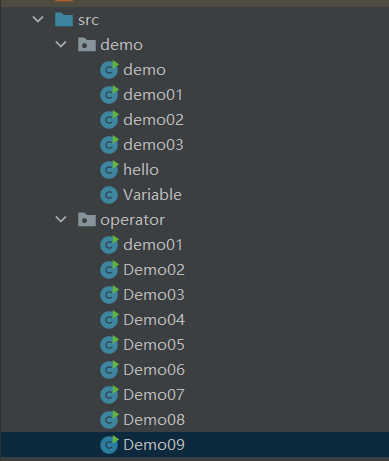
6.包机制
- 为了更好地组织类,Java 提供了包机制,用于区别类名的命名空间。
1
| package pkg1[. pkg2[. pkg3...]];
|
1
2
| tk.baixf.www
tk.baixf.blog
|
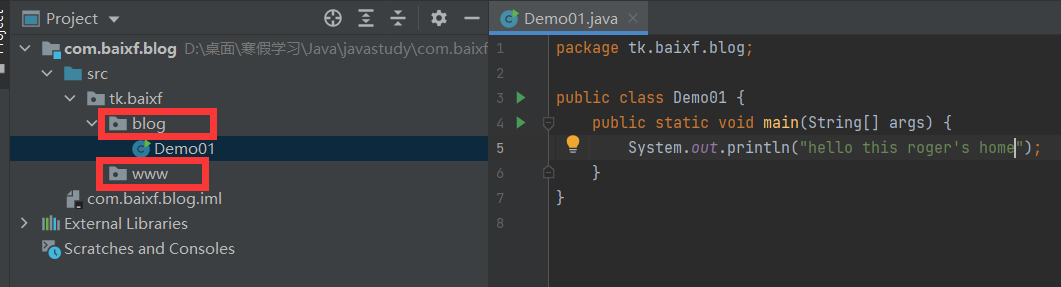
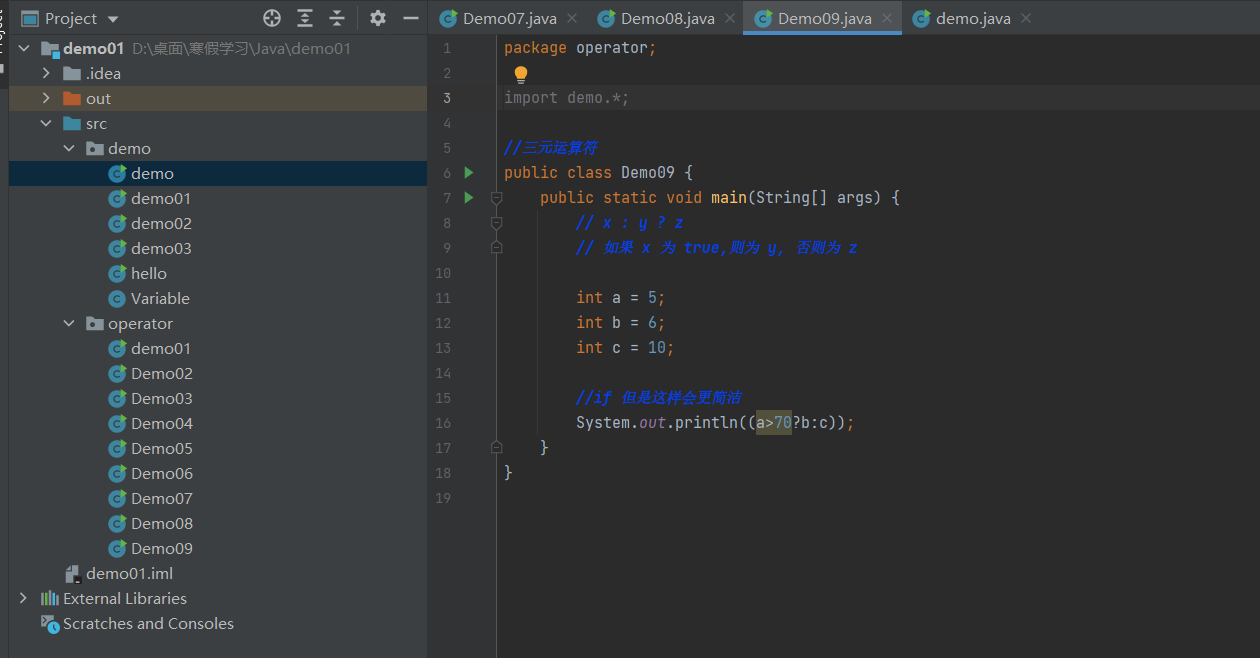
- 为了能够使用某一个包的成员,我们需要在Java程序中明确导入该包。使用”import”语句可完成此功能
1
| import package1[.package2……].(classname|*)
|
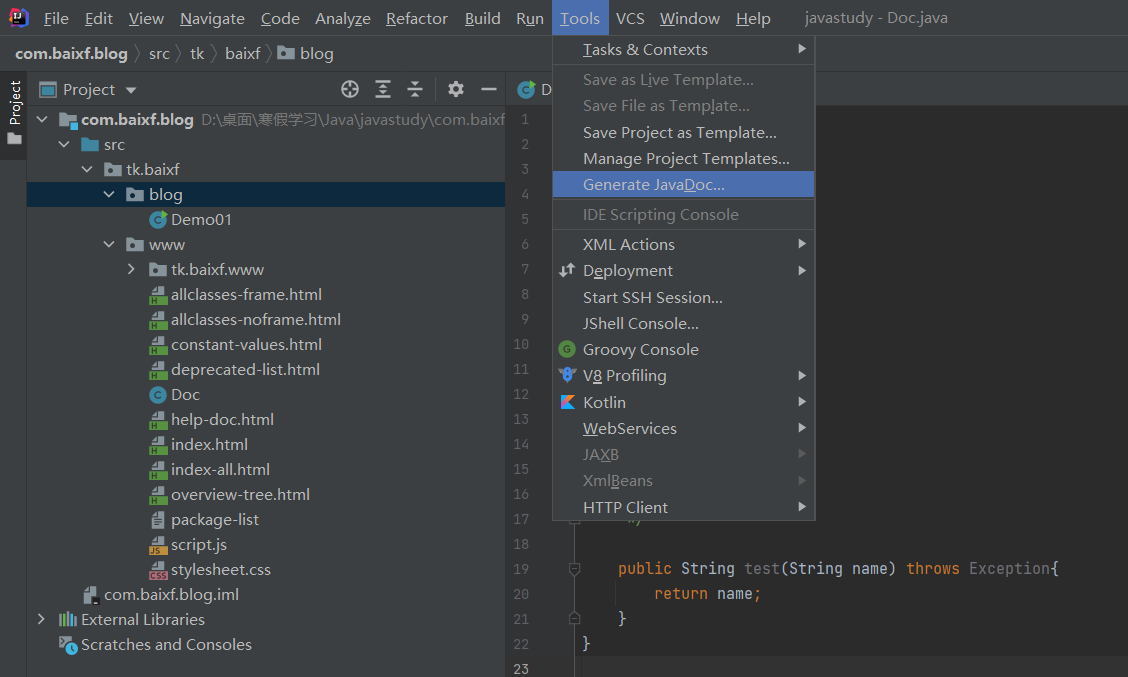
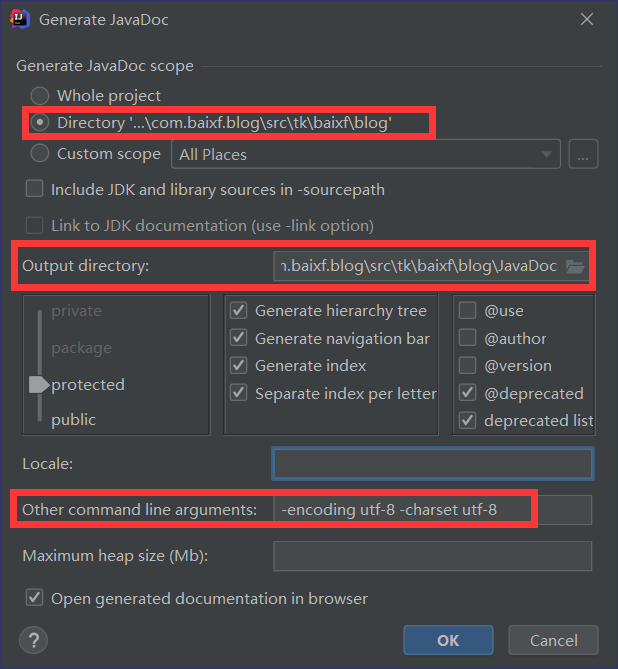
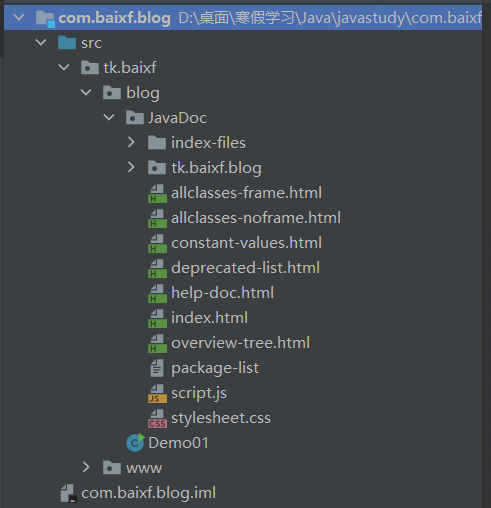
7.JavaDoc
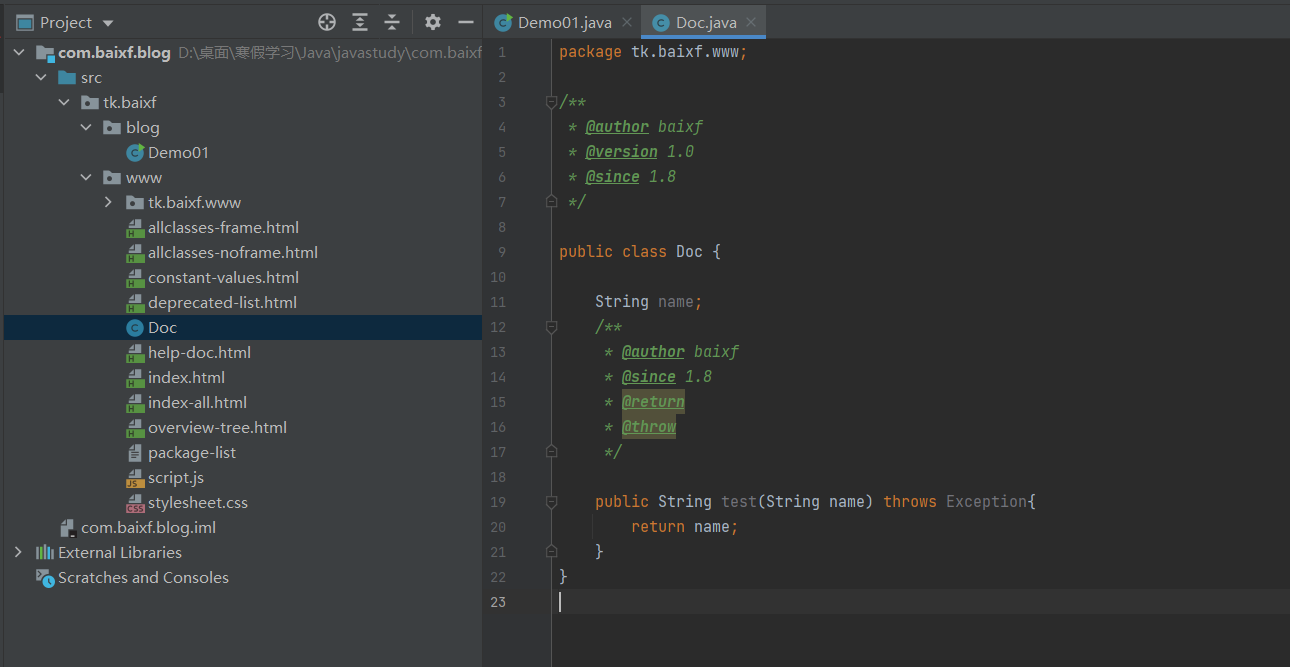
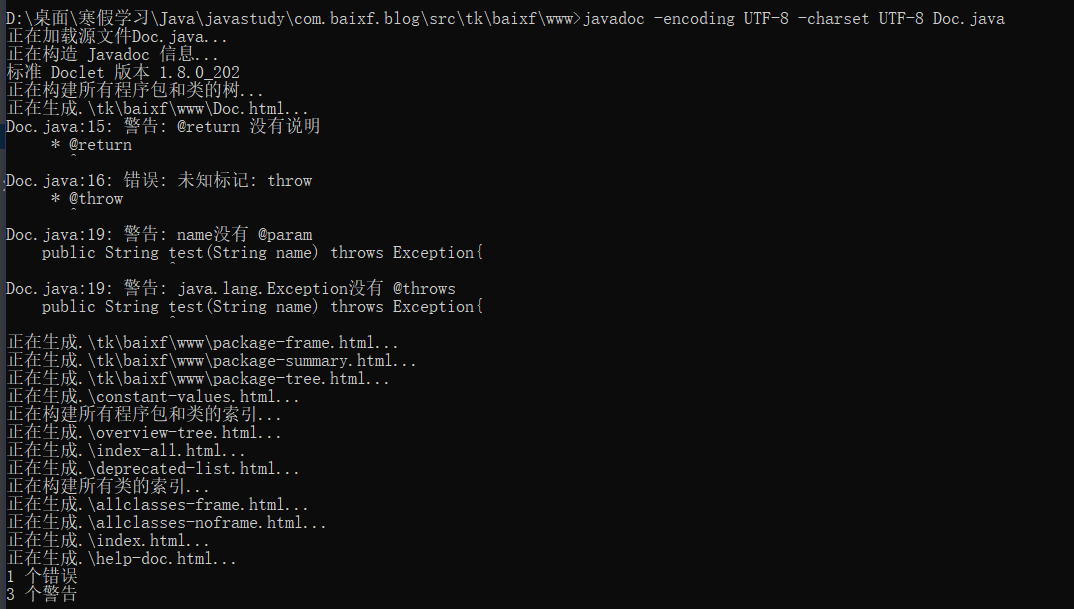
- javadoc命令是用来生成自己API文档的
- 参数信息
* @author作者名
* @version版本
* @since指明需要最早使用的jdk版本
* @param参数名
* @return返回值情况
* @throws 异常抛出情况
1
| javadoc -encoding UTF-8 -charset UTF-8 Doc.java
|
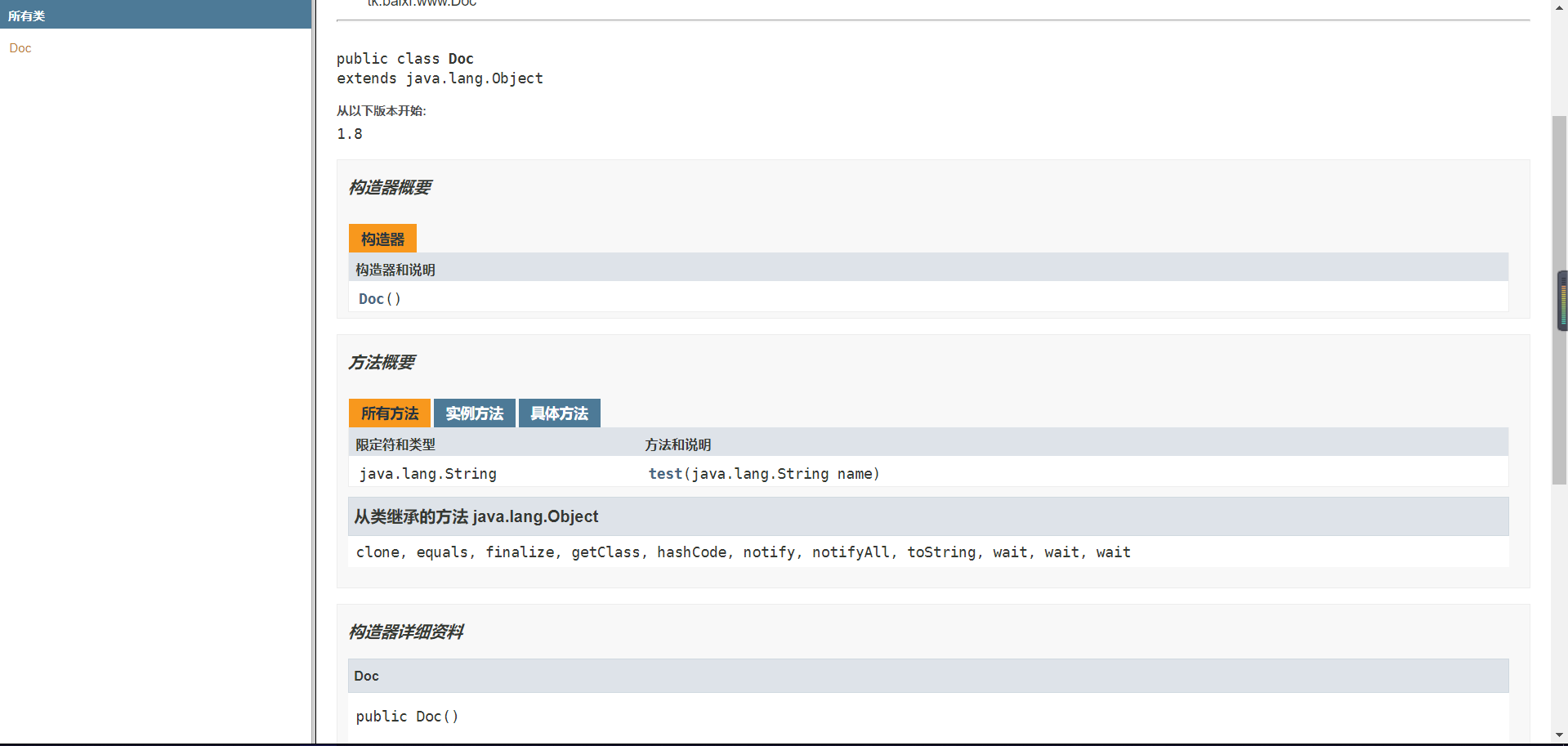
IDEA生成JavaDOC
三、Java流程控制
1.用户交互Scanner
Scanner对象
1
2
3
4
5
6
7
8
9
10
11
12
13
14
| package tk.scanner;
import java.util.Scanner;
public class Demo03 {
public static void main(String[] args) {
Scanner scanner = new Scanner(System.in);
System.out.println("请输入你想输入的字符串:");
String str = scanner.nextLine();
System.out.println("刚刚输入的为:"+str);
scanner.close();
}
}
|
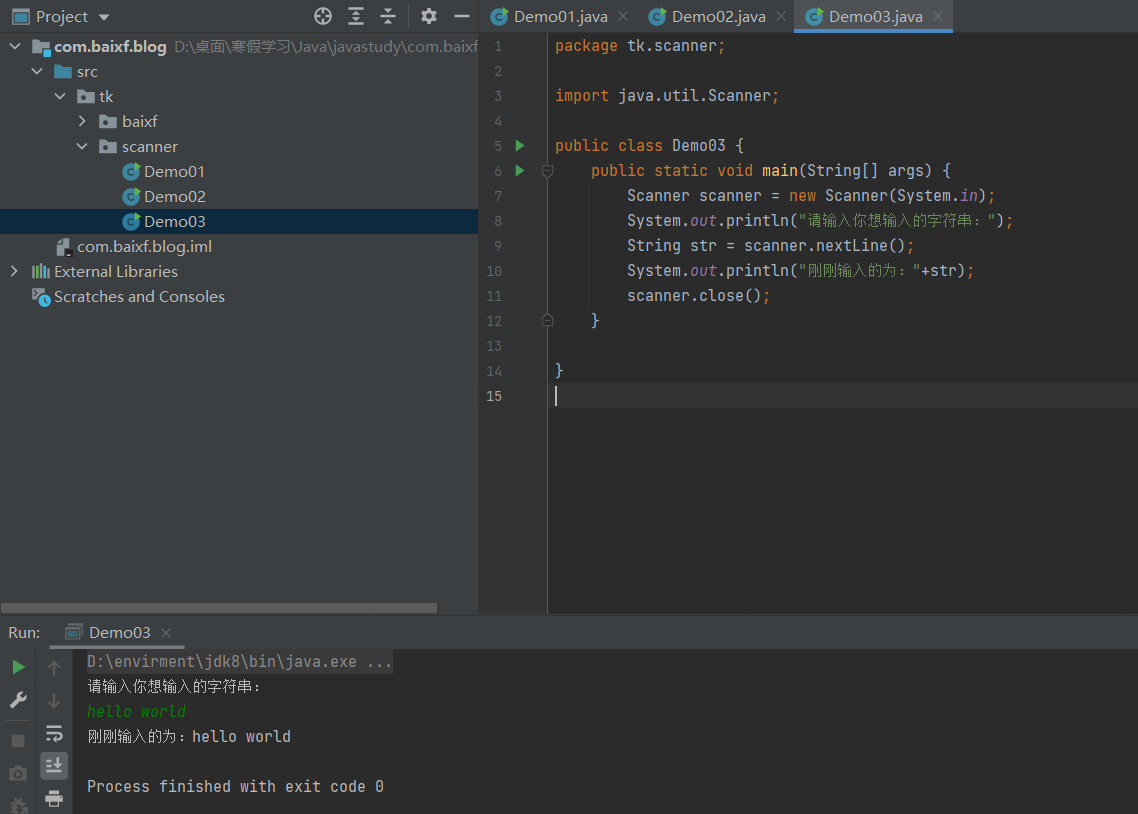
Scanner对象
1.next():
- 一定要读取到有效字符后才可以结束输入。
- 对输入有效字符之前遇到的空白,next()方法会自动将其去掉。
- 只有输入有效字符后才将其后面输入的空白作为分隔符或者结束符。
- next()不能得到带有空格的字符串。
2.nextLine():
- 以Enter为结束符,也就是说nextLine()方法返回的是输入回车之前的所有字符。
- 可以获得空白。
1
2
3
4
5
6
7
8
9
10
11
12
13
14
15
16
17
18
19
20
21
22
23
24
25
26
27
| package tk.scanner;
import java.util.Scanner;
public class Demo01 {
public static void main(String[] args) {
Scanner scanner = new Scanner(System.in);
System.out.println("使用next方法接受:");
if(scanner.hasNext()){
String str = scanner.next();
System.out.println("输入的内容为:"+str);
}
scanner.close();
}
}
|
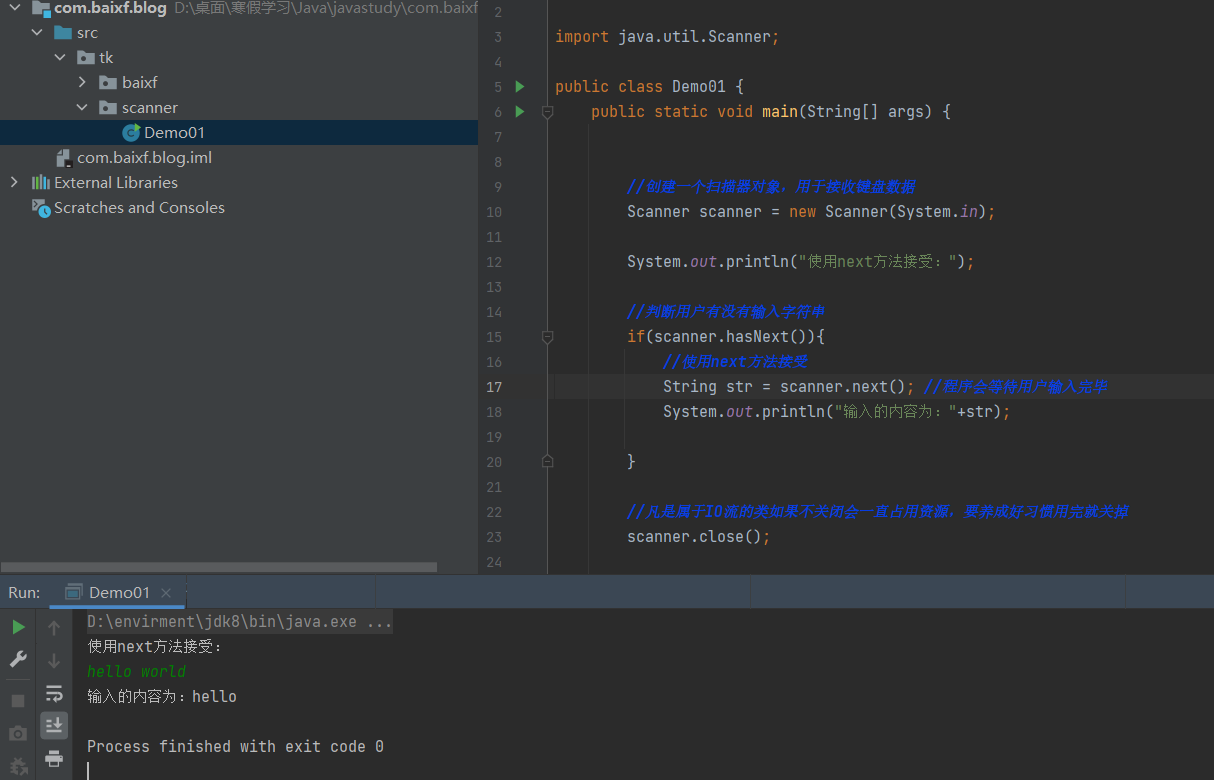
1
2
3
4
5
6
7
8
9
10
11
12
13
14
15
16
17
18
19
| package tk.scanner;
import java.util.Scanner;
public class Demo02 {
public static void main(String[] args) {
Scanner scanner = new Scanner(System.in);
System.out.println("使用nextLine方式接受:");
if(scanner.hasNextLine()){
String str = scanner.nextLine();
System.out.println("输出的内容为"+str);
}
scanner.close();
}
}
|
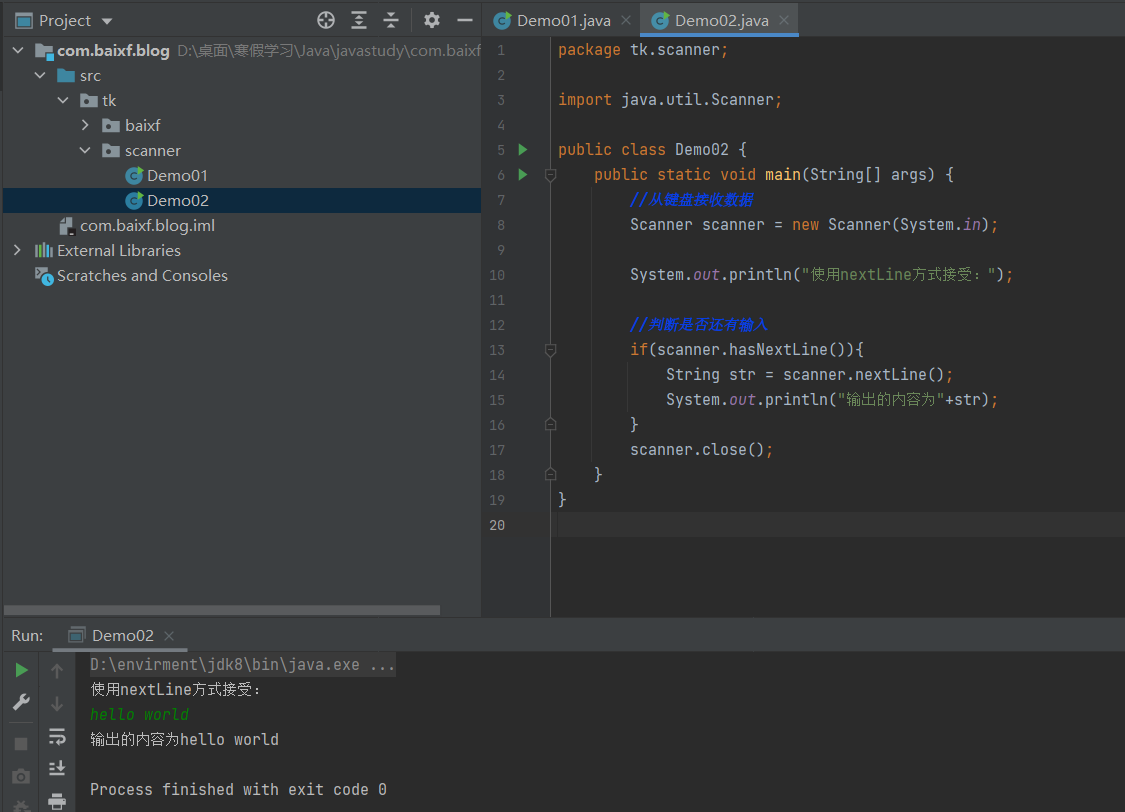
对浮点数的支持
1
2
3
4
5
6
7
8
9
10
11
12
13
14
15
16
17
18
19
20
21
22
23
24
25
26
27
28
29
30
31
32
| package tk.scanner;
import java.util.Scanner;
public class Demo04 {
public static void main(String[] args) {
Scanner scanner = new Scanner(System.in);
int a = 0;
float b = 0.00f;
System.out.println("请输入整数:");
if(scanner.hasNextInt()){
a = scanner.nextInt();
System.out.println("输入的整数为:"+a);
}else{
System.out.println("您输入的不是整数!");
}
System.out.println("请输入一个小澍:");
if(scanner.hasNextFloat()){
b = scanner.nextFloat();
System.out.println("您输入的浮点数为"+b);
}else{
System.out.println("您输入的不是浮点数!!");
}
scanner.close();
}
}
|
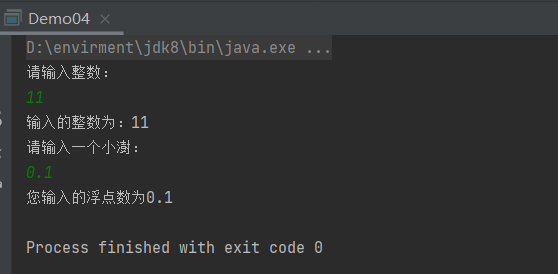
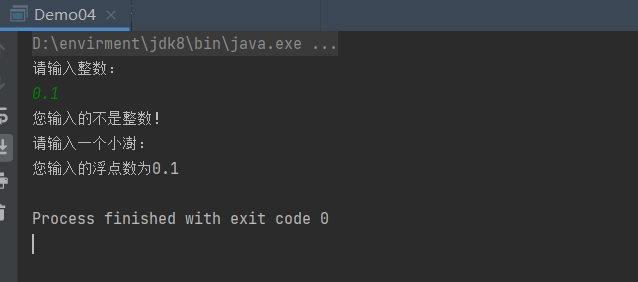
此处出现了问题:由于第一次输入的不是整数,这个数也当作了第二次的输入值。
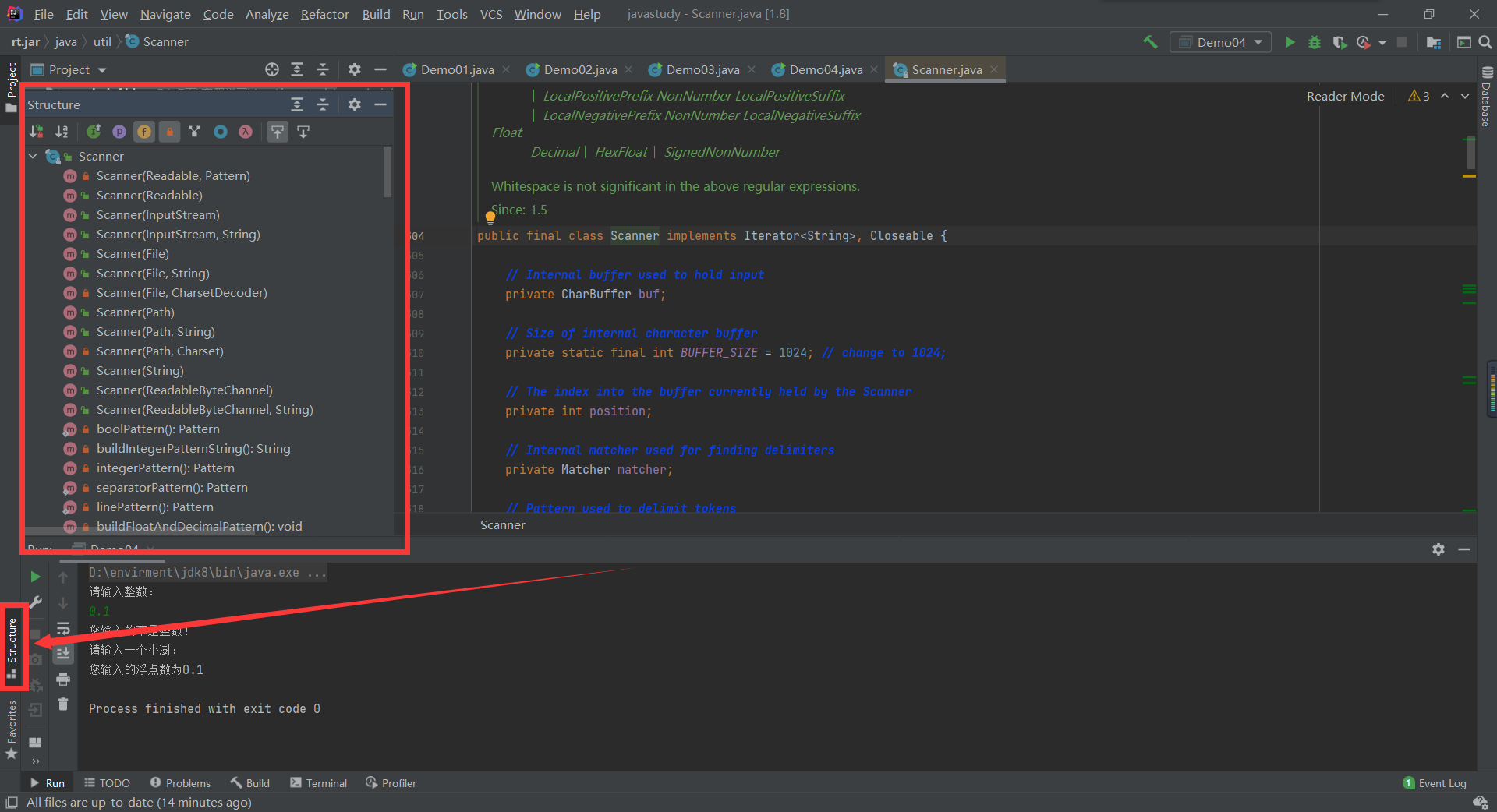
查看Scanner类
ctrl+鼠标点击代码中的Scanner
练习
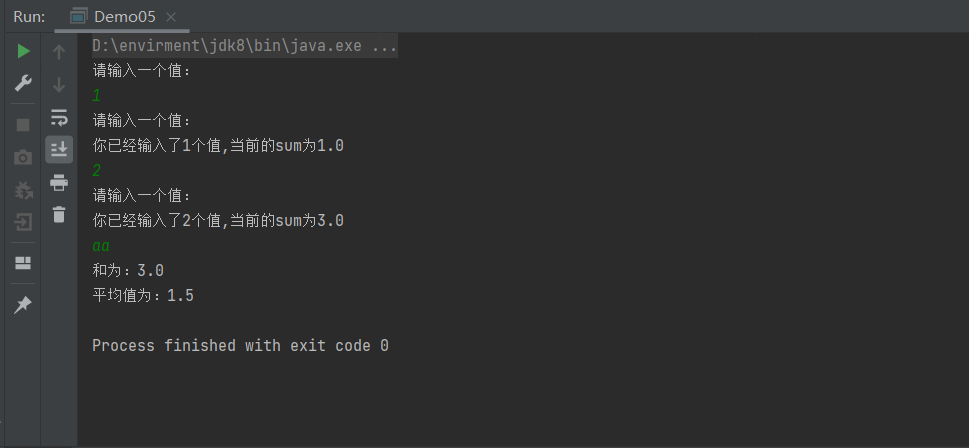
输入多个数字,求其总和与平均数,每输入一个数字用回车确认,通过输入非数字来结束并输出结果。
1
2
3
4
5
6
7
8
9
10
11
12
13
14
15
16
17
18
19
20
21
22
23
24
25
26
| package tk.scanner;
import com.sun.org.apache.xerces.internal.util.SynchronizedSymbolTable;
import java.util.Scanner;
public class Demo05 {
public static void main(String[] args) {
Scanner scanner = new Scanner(System.in);
double sum = 0.0;
int count = 0;
System.out.println("请输入一个值:");
while (scanner.hasNextDouble()) {
System.out.println("请输入一个值:");
double x = scanner.nextDouble();
count+=1;
sum+=x;
System.out.println("你已经输入了"+count+"个值,当前的sum为"+sum);
}
System.out.println("和为:"+sum);
System.out.println("平均值为:"+sum/count);
scanner.close();
}
}
|
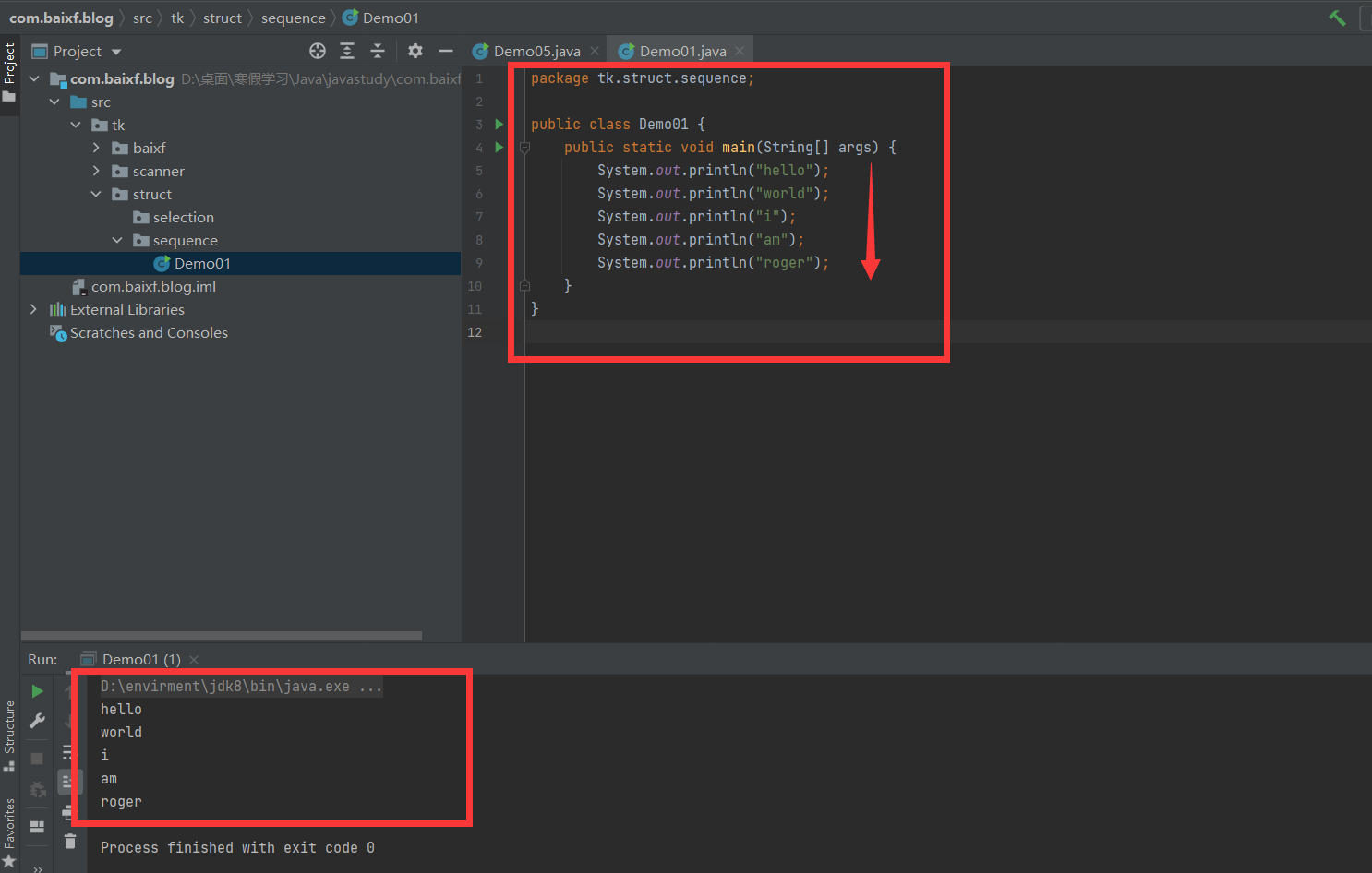
2.顺序结构
- JAVA的基本结构就是顺序结构,除非特别指明,否则就按照顺序一句一句执行。
- 顺序结构是最简单的算法结构。
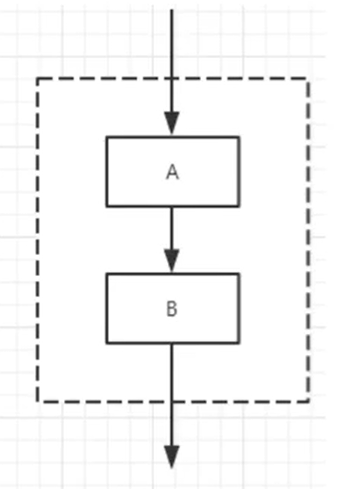
- 语句与语句之间,框与框之间是按从上到下的顺序进行的,它是由若干个依次执行的处理步骤组成的,它是任何一个算法都离不开的一种基本算法结构。
1
2
3
4
5
6
7
8
9
10
11
| package tk.struct.sequence;
public class Demo01 {
public static void main(String[] args) {
System.out.println("hello");
System.out.println("world");
System.out.println("i");
System.out.println("am");
System.out.println("roger");
}
}
|
3.选择结构
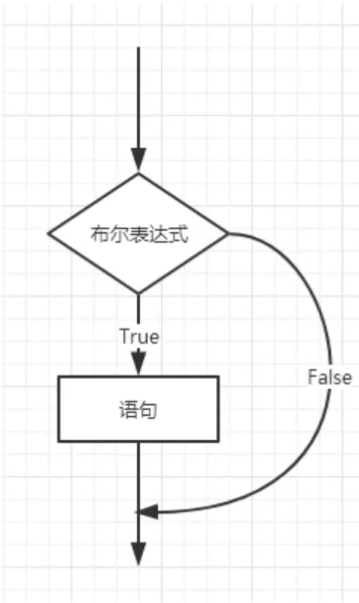
if单选择结构
我们很多时候需要去判断一个东西是否可行,然后我们才去执行,这样一个过程在程序中用if语句来表示。
语法:
example
1
2
3
4
5
6
7
8
9
10
11
12
13
14
15
16
17
18
19
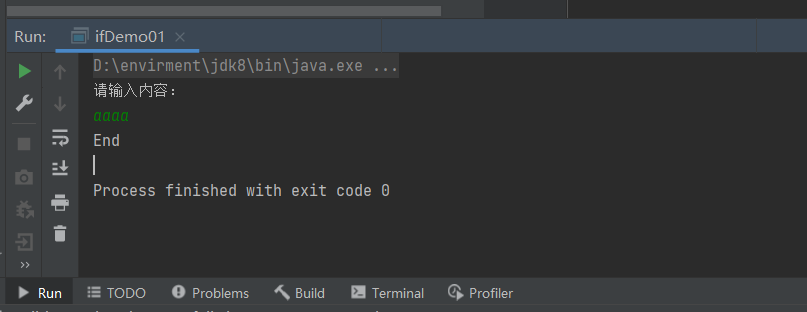
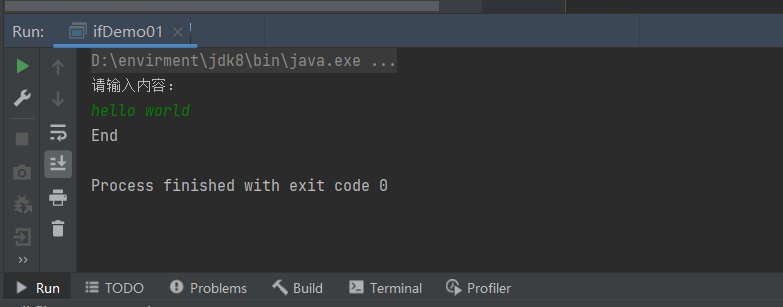
| package tk.struct.selection;
import java.util.Scanner;
public class ifDemo01 {
public static void main(String[] args) {
Scanner scanner = new Scanner(System.in);
System.out.println("请输入内容:");
String s = scanner.nextLine();
if(s.equals("hello")){
System.out.println(s);
}else{
System.out.println("End");
}
scanner.close();
}
}
|
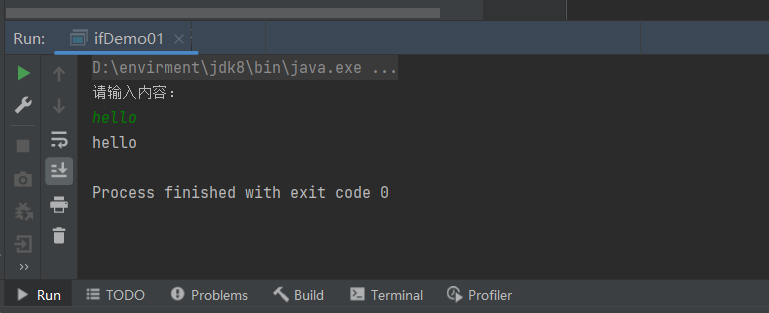
if双选择结构
那现在有个需求,公司要收购一个软件,成功了,给人支付100万元,失败了,自己找人开发。这样的需求用一个if就搞不定了,我们需要有两个判断,需要一个双选择结构,所以就有了if-else结构。
语法:
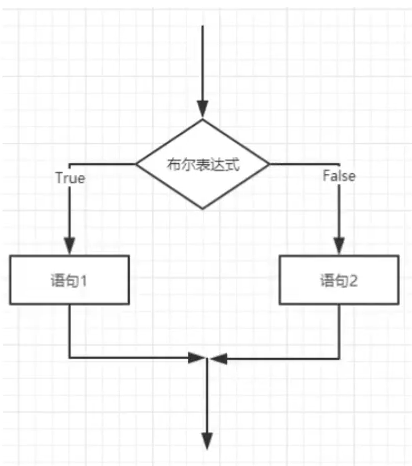
1
2
3
4
5
6
7
8
9
10
11
12
13
14
15
16
17
18
| package tk.struct.selection;
import java.util.Scanner;
public class ifDome02 {
public static void main(String[] args) {
Scanner scanner = new Scanner(System.in);
System.out.println("请输入学生成绩:");
double score = scanner.nextDouble();
if(score>=60){
System.out.println("及格");
}else{
System.out.println("不及格");
}
scanner.close();
}
}
|
1
2
3
4
5
| 请输入学生成绩:
99
及格
Process finished with exit code 0
|
if多选择结果
我们发现刚才的代码不符合实际情况,真实的情况还可能存在ABCD,存在区间多级判断。比如90-100就是A,80-90 就是B..等等,在生活中我们很多时候的选择也不仅仅只有两个,所以我们需要一个多选择结构来处理这类问题!
语法:
1
2
3
4
5
6
7
8
9
| if(布尔表达式 1){
}else if(布尔表达式 2){
}else if(布尔表达式 3){
}else (布尔表达式 4){
}
|
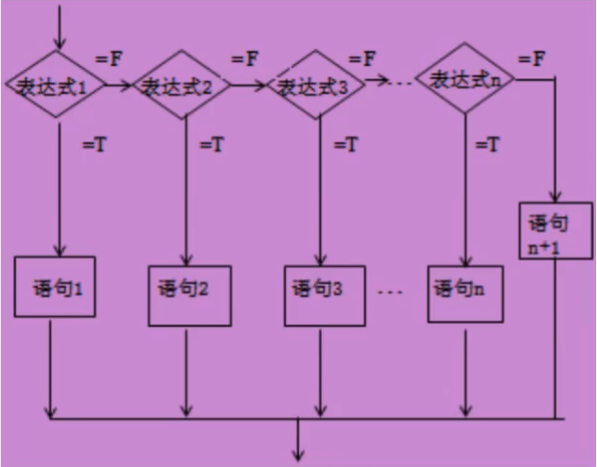
1
2
3
4
5
6
7
8
9
10
11
12
13
14
15
16
17
18
19
20
21
22
23
24
25
26
27
28
29
30
31
32
| package tk.struct.selection;
import java.util.Scanner;
public class ifDemo03 {
public static void main(String[] args) {
Scanner scanner = new Scanner(System.in);
System.out.println("请输入学生成绩:");
double score = scanner.nextDouble();
if(score==100){
System.out.println("恭喜满分");
}else if(score<100 && score>=90){
System.out.println("A");
}else if(score<90 && score>=80){
System.out.println("B");
}else if(score<80 && score>=70){
System.out.println("C");
}else if(score<70 && score>=60){
System.out.println("D");
}else if(score<60 && score>=0){
System.out.println("不及格");
}else{
System.out.println("输入的成绩非法!");
}
scanner.close();
}
}
|
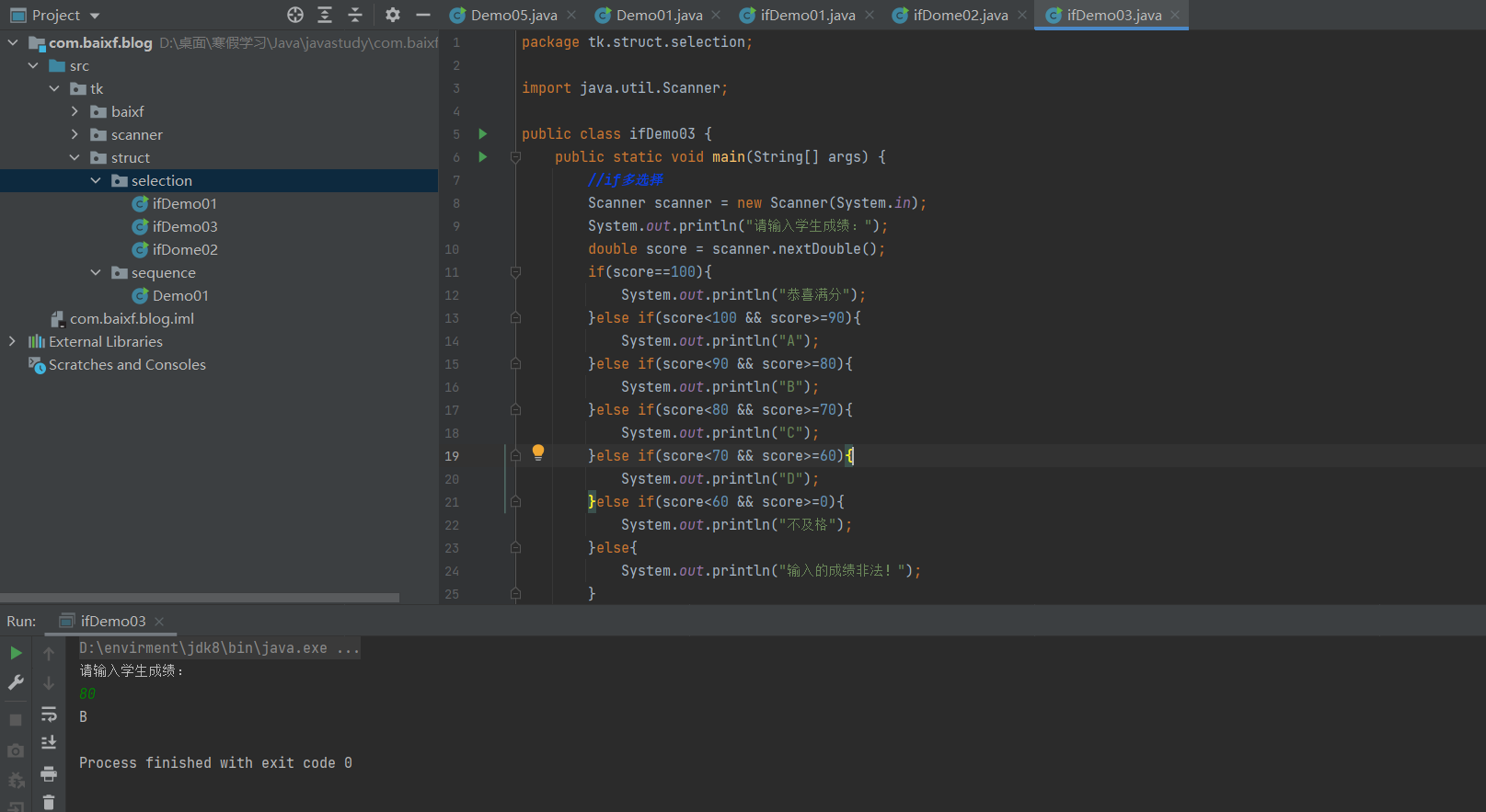
嵌套的if结构
使用嵌套的 if…else语句是合法的。也就是说你可以在另一个if或者else if语句中使用if或者else if 语句。你可以像if语句一样嵌套else if…else。
语法:
1
2
3
4
5
6
| if(布尔表达式 1){
if(布尔表达式 2){
}
}
|
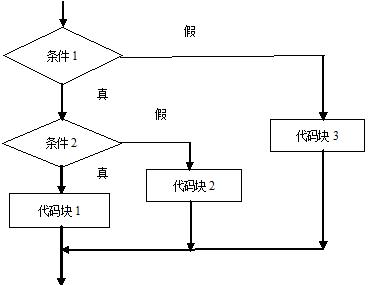
1
2
3
4
5
6
7
8
9
10
11
12
13
14
15
16
17
18
19
20
21
22
23
24
25
| package tk.struct.selection;
import java.util.Scanner;
public class ifDemo04 {
public static void main(String[] args) {
Scanner scanner = new Scanner(System.in);
System.out.println("请输入你想输入的数字:");
double value = scanner.nextDouble();
if(value>=0 && value<=100){
if(value>=0 && value<=50){
System.out.println("你所判断的值在0-50区间");
}else{
System.out.println("你所判断的值在51-100区间");
}
}else{
System.out.println("您输入的值不在合法的区间内!");
}
scanner.close();
}
}
|
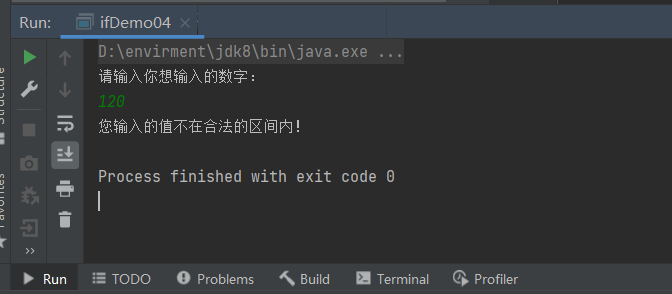
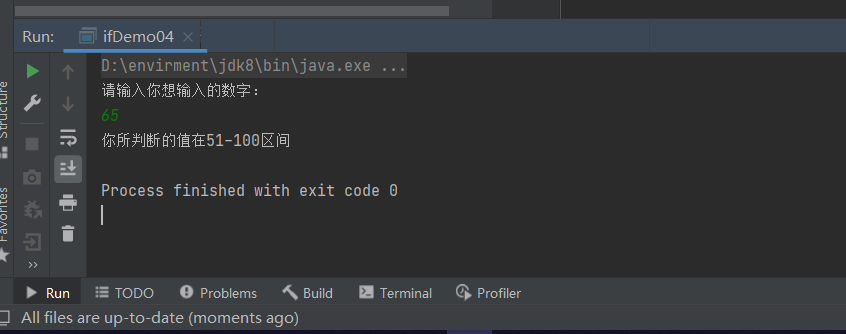
switch多选择结果
- 多选择结构还有一个实现方式就是switch case语句。
- switch case语句判断一个变量与一系列值中某个值是否相等,每个值称为一个分支。
- switch语句中的变量类型可以是:
- byte、short、int或者char
- 从Java SE 7开始switch支持字符串String类型了
- 同时case标签必须为字符串常量或字面量。
1
2
3
4
5
6
7
8
9
10
11
| switch(expression){
case value :
break;
case value :
break;
default :
}
|
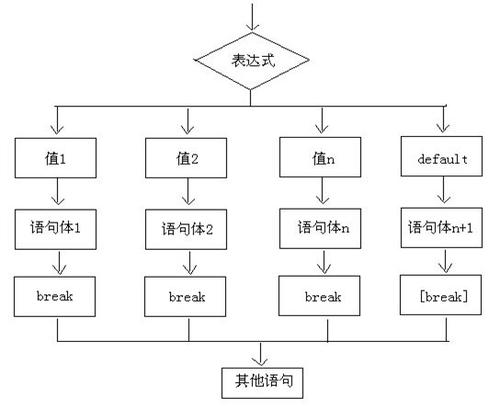
1
2
3
4
5
6
7
8
9
10
11
12
13
14
15
16
17
18
19
20
21
22
23
24
25
26
27
28
| package tk.struct.selection;
import java.util.Scanner;
public class switchDemo01 {
public static void main(String[] args) {
char grade = 'C';
switch (grade){
case 'A':
System.out.println("优秀");
break;
case 'B':
System.out.println("良好");
case 'C':
System.out.println("再接再厉");
case 'D':
System.out.println("挂科");
break;
default:
System.out.println("输入的内容非法!");
}
}
}
|
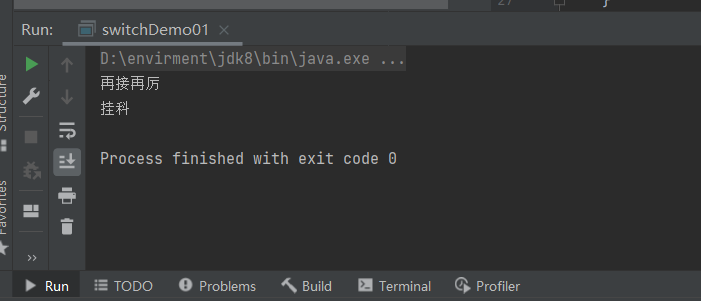
1
2
3
4
5
6
7
8
9
10
11
12
13
14
15
16
17
18
19
20
21
22
| package tk.struct.selection;
public class switchDemo02 {
public static void main(String[] args) {
String name = "杨洪利";
switch (name){
case "白小飞":
System.out.println("只是昵称");
break;
case "杨洪利":
System.out.println("正是在下!");
break;
default:
System.out.println("找错了吧");
}
}
}
|
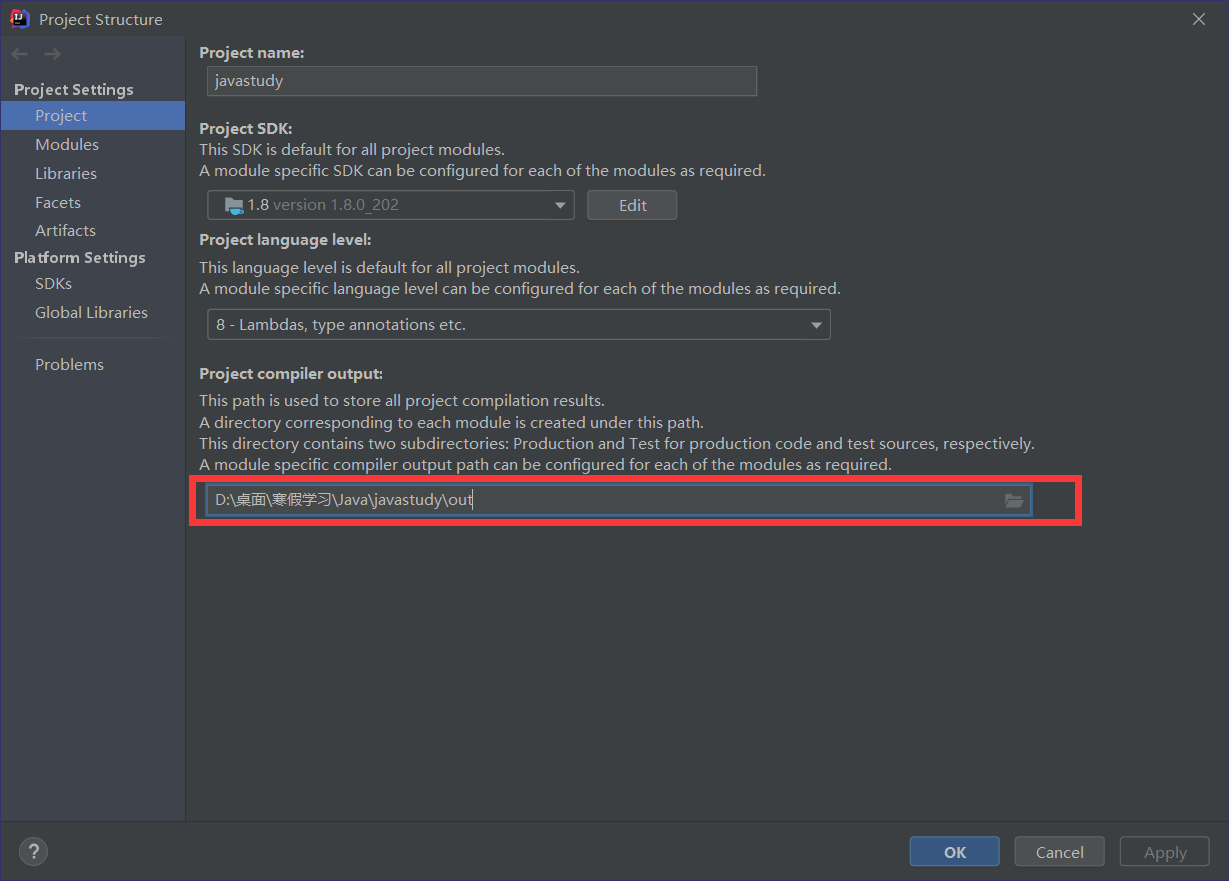
1
2
3
4
5
6
7
8
9
10
11
12
13
14
15
16
17
18
19
20
21
22
23
24
25
26
27
28
29
30
31
32
33
34
35
36
37
38
39
40
41
42
|
package tk.struct.selection;
public class switchDemo02 {
public switchDemo02() {
}
public static void main(String[] args) {
String name = "杨洪利";
byte var3 = -1;
switch(name.hashCode()) {
case 26326951:
if (name.equals("杨洪利")) {
var3 = 1;
}
break;
case 29919724:
if (name.equals("白小飞")) {
var3 = 0;
}
}
switch(var3) {
case 0:
System.out.println("只是昵称");
break;
case 1:
System.out.println("正是在下!");
break;
default:
System.out.println("找错了吧");
}
}
}
|
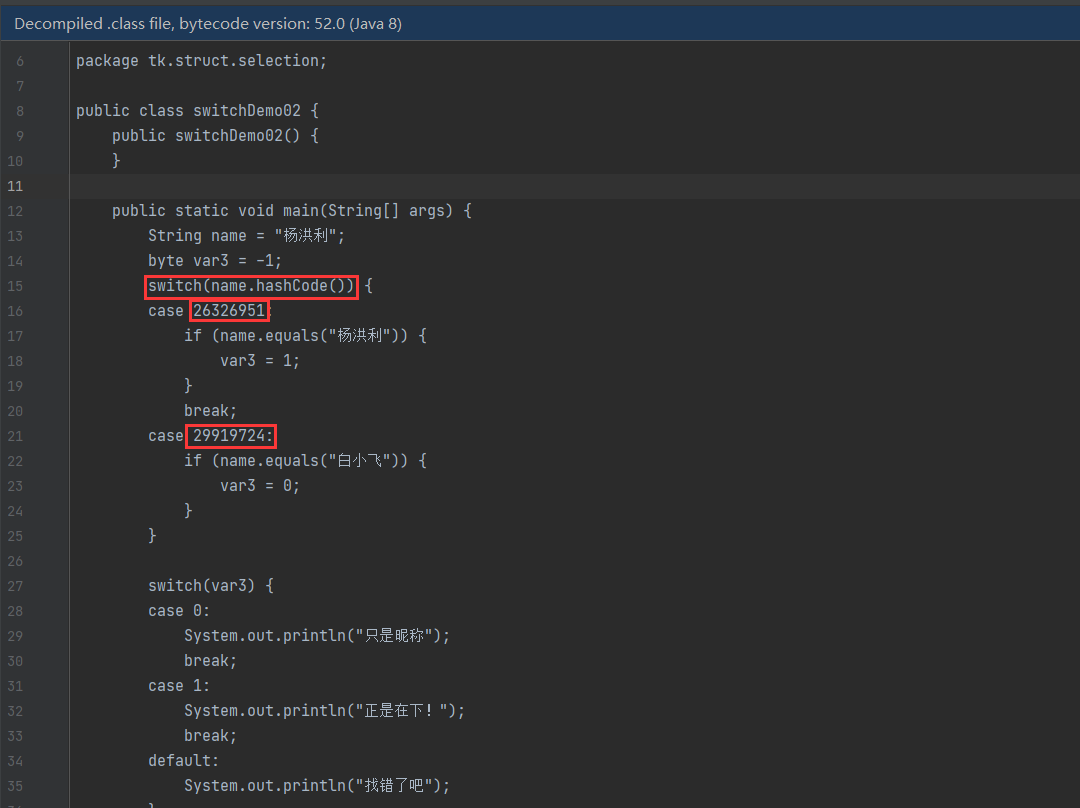
4.循环结构
在Java5中引入了一种主要用于数组的增强型for循环。
while循环
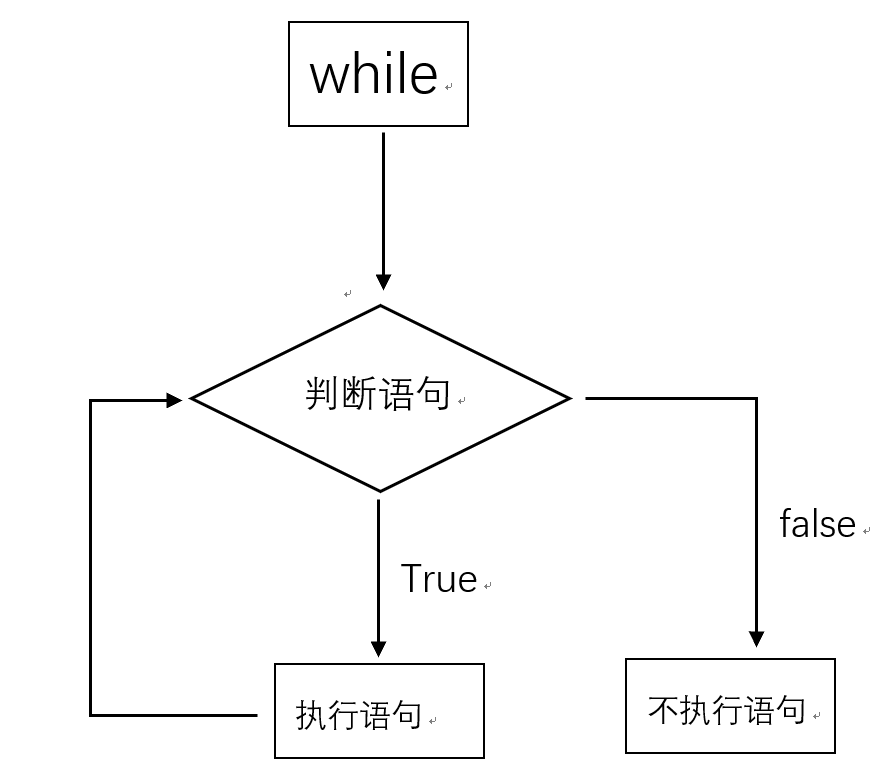
- 只要布尔表达式为true,循环就会一直执行下去。
- 我们大多数情况是会让循环停止下来的,我们需要一个让表达式失效的方式来结束循环。
- 少部分情况需要循环一直执行,比如服务器的请求响应监听等。
1
2
3
4
5
6
7
8
9
10
| package tk.struct.selection;
public class whileDemo02 {
public static void main(String[] args) {
while (true){
}
}
}
|
- 循环条件一直为true就会造成无限循环【死循环】,我们正常的业务编程中应该尽量避免死循环。会影响程序性能或者造成程序卡死奔溃!
1
2
3
4
5
6
7
8
9
10
11
12
| package tk.struct.selection;
public class whileDemo01 {
public static void main(String[] args) {
int a=1;
while(a<=100){
System.out.println(a);
a++;
}
}
}
|
1
2
3
4
5
6
7
8
9
10
11
12
13
14
15
| package tk.struct.selection;
public class whileDemo03 {
public static void main(String[] args) {
int a=1;
int sum=0;
while(a<=100){
sum+=a;
a++;
}
System.out.println(sum);
}
}
|
do while循环
1
2
3
4
5
6
7
8
9
10
11
12
13
14
15
| package tk.struct.selection;
public class doWhileDemo01 {
public static void main(String[] args) {
int a = 1;
int sum = 0;
do {
sum += a;
a++;
}while (a <= 100);
System.out.println(sum);
}
}
|
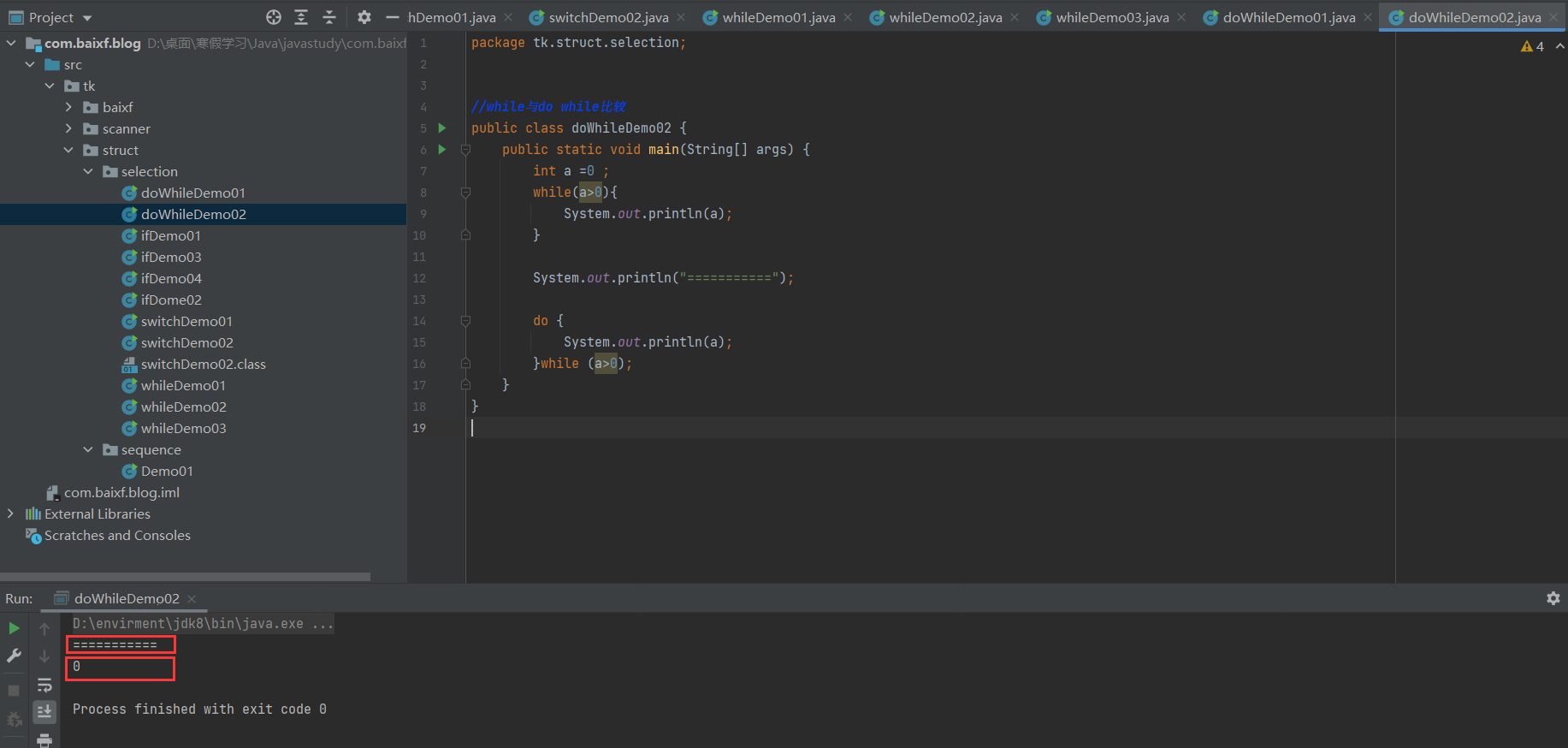
While和do-While的区别:
- while先判断后执行。dowhile是先执行后判断!
- Do…while总是保证循环体会被至少执行一次!这是他们的主要差别。
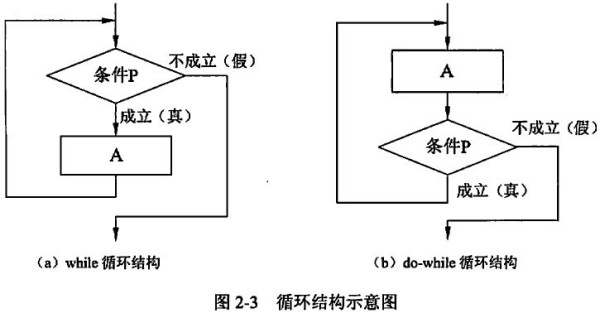
1
2
3
4
5
6
7
8
9
10
11
12
13
14
15
16
17
18
| package tk.struct.selection;
public class doWhileDemo02 {
public static void main(String[] args) {
int a =0 ;
while(a>0){
System.out.println(a);
}
System.out.println("===========");
do {
System.out.println(a);
}while (a>0);
}
}
|
for循环
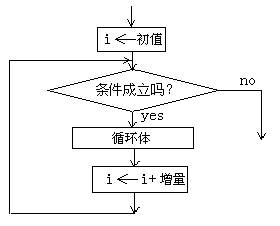
- 虽然所有循环结构都可以用while或者do…while表示,但Java提供了另一种语句——for循环,使一些循环结构变得更加简单。
- for循环语句是支持迭代的一种通用结构,是最有效、最灵活的循环结构。
- for循环执行的次数是在执行前就确定的。语法格式如下:
1
2
3
4
5
6
7
8
9
10
11
12
13
14
15
16
17
18
19
20
21
22
23
24
25
26
27
28
29
30
| package tk.struct.selection;
public class forDemo01 {
public static void main(String[] args) {
int a=1;
while (a<=100){
System.out.println(a);
a++;
}
System.out.println("while循环结束!");
for (int i = 0; i < 100; i++) {
System.out.println(i);
}
System.out.println("for循环结束!");
for(;;){
}
}
}
|
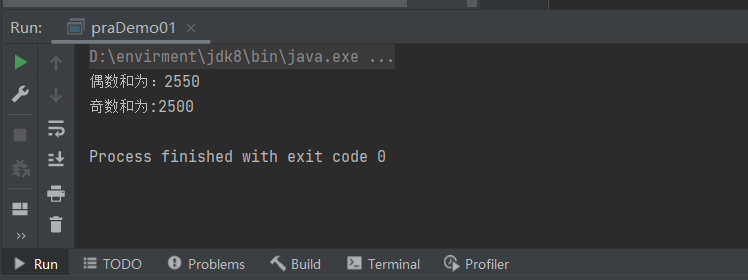
练习1:分别计算0-100的奇数和和偶数和
1
2
3
4
5
6
7
8
9
10
11
12
13
14
15
16
17
| package tk.struct;
public class praDemo01 {
public static void main(String[] args) {
int oddSum=0;
int evenSum=0;
for (int i = 0; i <= 100; i++) {
if(i%2==0){
evenSum+=i;
}else{
oddSum+=i;
}
}
System.out.println("偶数和为:"+evenSum);
System.out.println("奇数和为:"+oddSum);
}
}
|
练习2:用while和for循环输出1-1000之间能被5整除的数,并每行输出三个
1
2
3
4
5
6
7
8
9
10
11
12
13
14
15
16
17
18
19
20
21
22
23
24
|
package tk.struct.selection;
public class praDemo02 {
public static void main(String[] args) {
int i=1;
int count=0;
String str=" ";
while (i<=1000){
if(i%5==0){
str=str+i;
count++;
}
if (count==3){
System.out.println(str);
count=0;
str=" ";
}
i++;
}
}
}
|
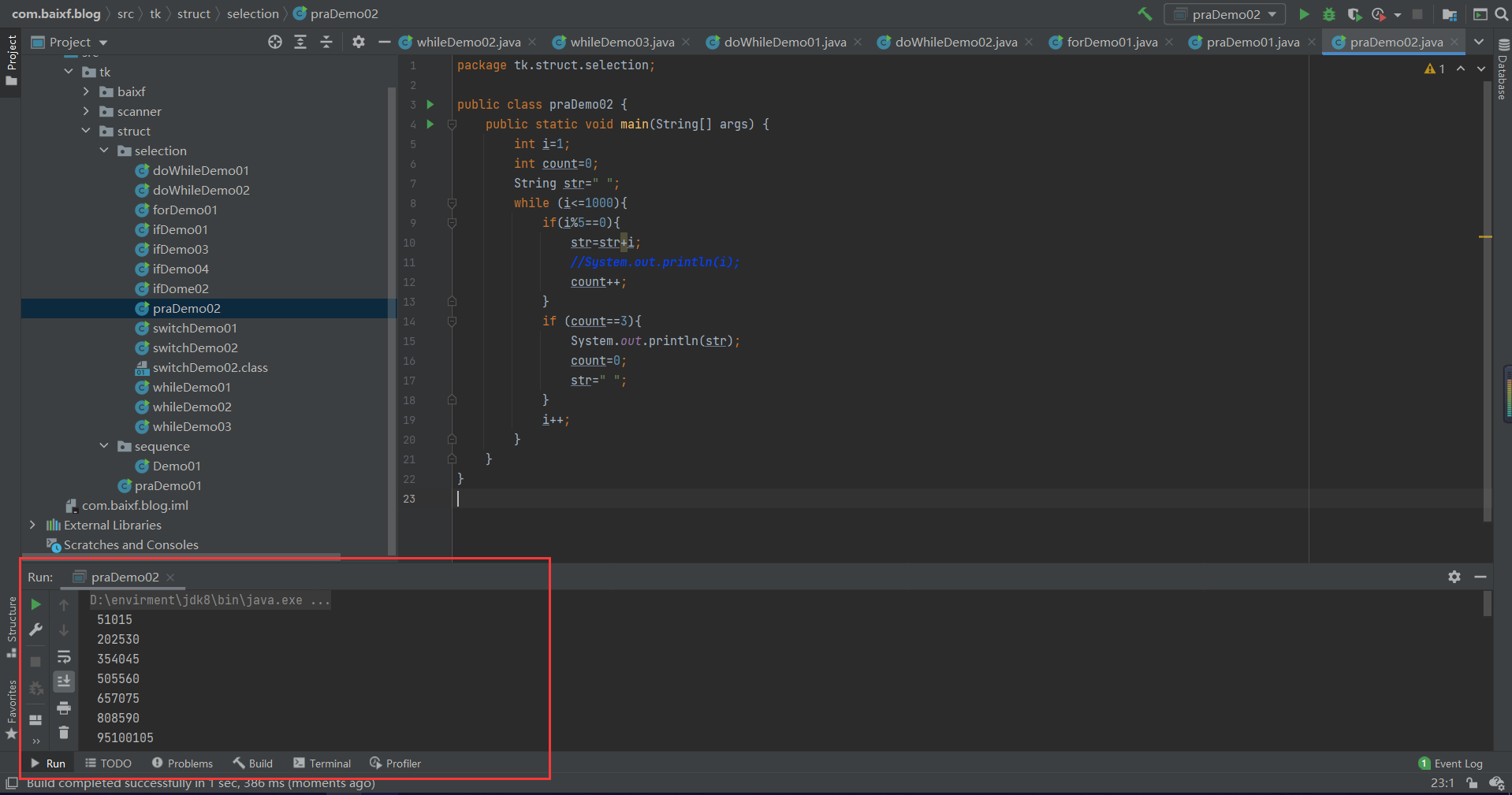
1
2
3
4
5
6
7
8
9
10
11
12
13
14
15
16
17
18
19
20
21
22
| package tk.struct.selection;
public class praDemo02 {
public static void main(String[] args) {
int i=1;
int count=0;
String str=" ";
while (i<=1000){
if(i%5==0){
str=str+"\t"+i;
count++;
}
if (count==3){
System.out.println(str);
count=0;
str=" ";
}
i++;
}
}
}
|
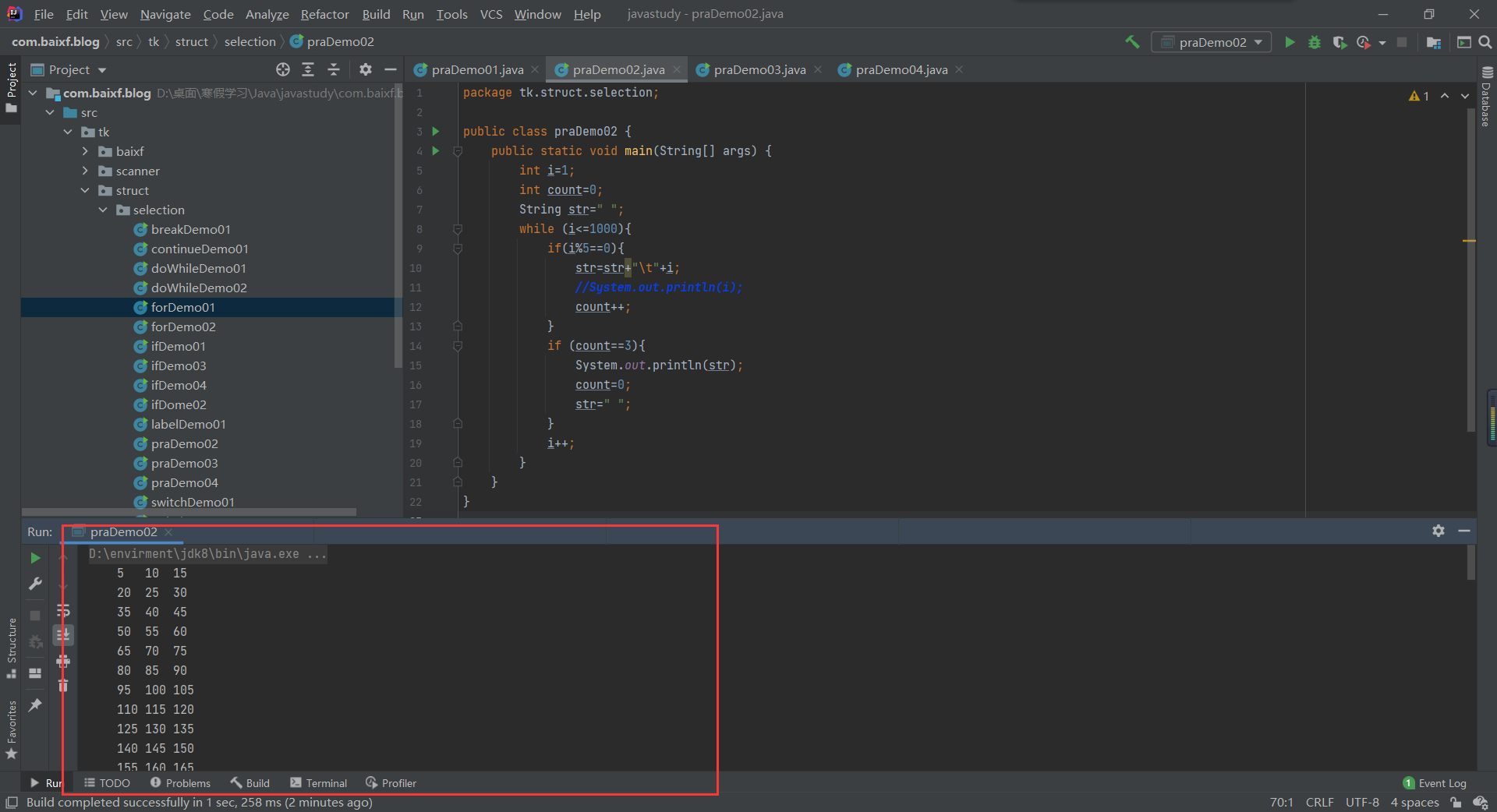
1
2
3
4
5
6
7
8
9
10
11
12
13
14
15
16
17
18
19
20
21
22
|
package tk.struct.selection;
public class praDemo03 {
public static void main(String[] args) {
int count=0;
String str=" ";
for (int i = 1; i <= 1000; i++) {
if (i%5==0) {
count++;
str=i+str;
}
if (count==3){
count=0;
System.out.println(str);
str="";
}
}
}
}
|
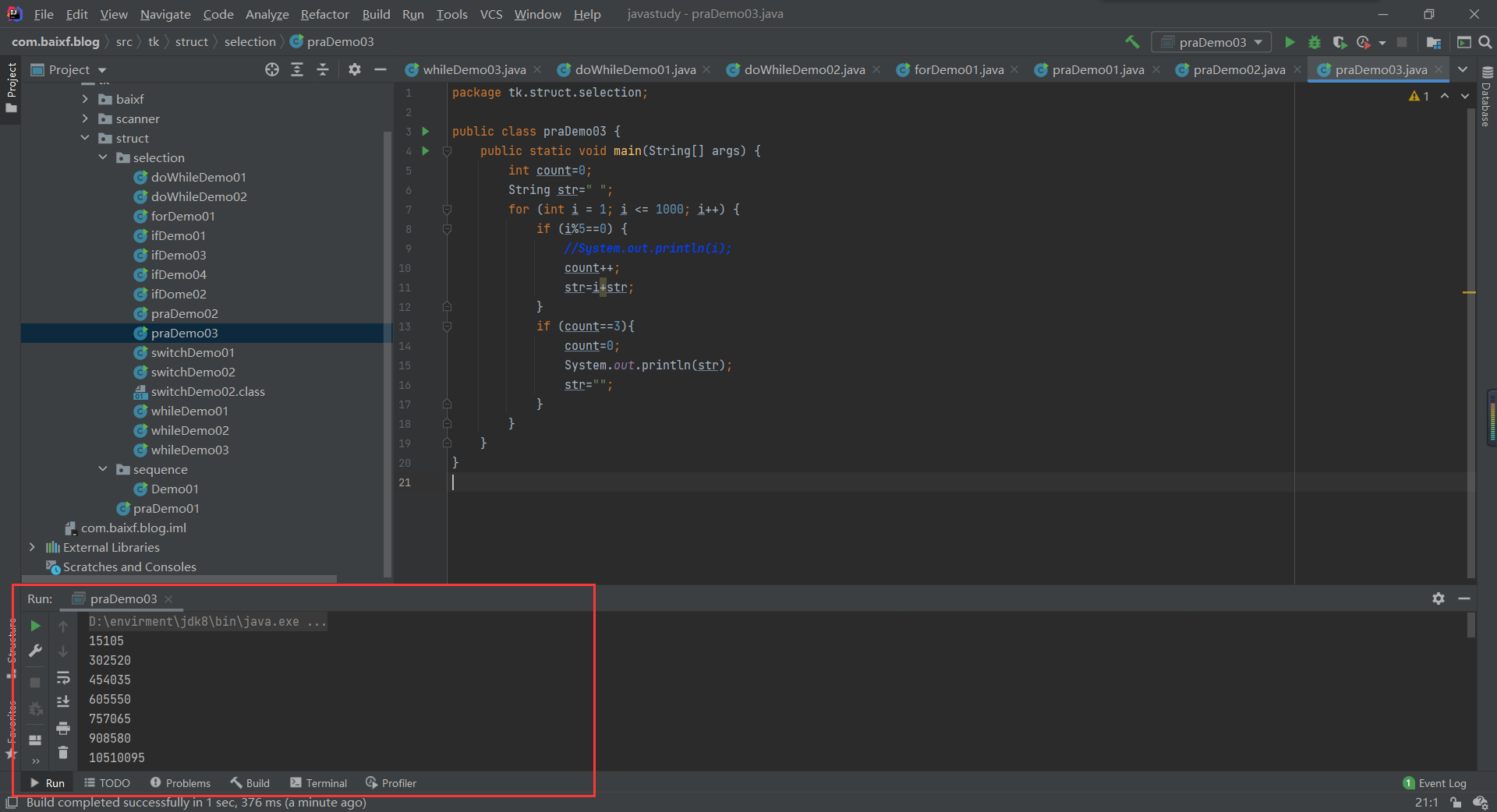
1
2
3
4
5
6
7
8
9
10
11
12
13
14
15
16
17
18
19
20
21
|
package tk.struct.selection;
public class praDemo03 {
public static void main(String[] args) {
int count=0;
String str=" ";
for (int i = 1; i <= 1000; i++) {
if (i%5==0) {
count++;
str=i+"\t"+str;
}
if (count==3){
count=0;
System.out.println(str);
str="";
}
}
}
}
|
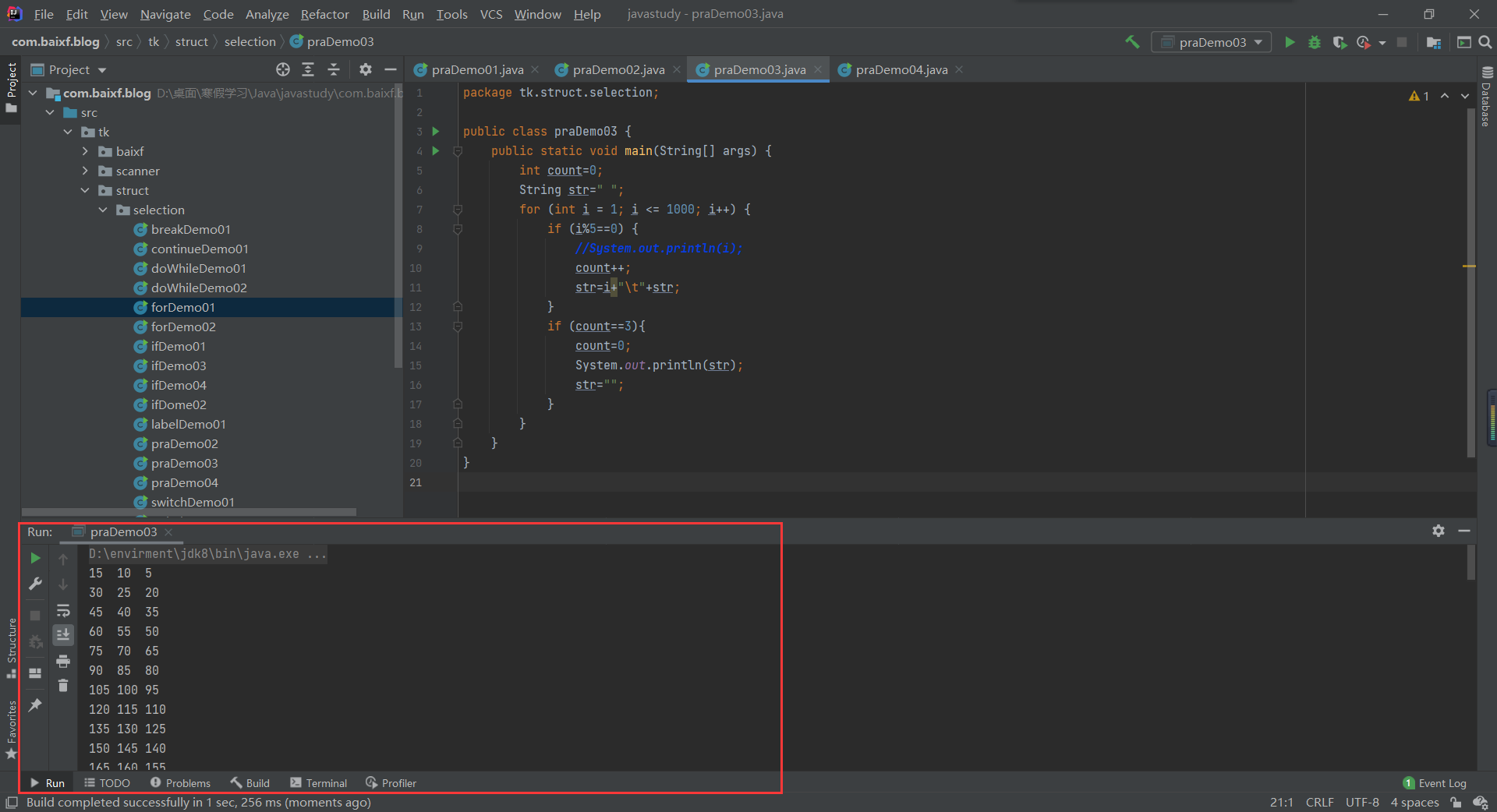
练习3:打印九九乘法表
1
2
3
4
5
6
7
8
9
10
11
12
13
14
15
16
|
package tk.struct.selection;
public class praDemo04 {
public static void main(String[] args) {
String str = "";
for (int i = 1; i < 10; i++) {
for(int j = 1;j <= i; j++){
str=str+j+"*"+i+"="+j*i;
}
System.out.println(str);
str="";
}
}
}
|
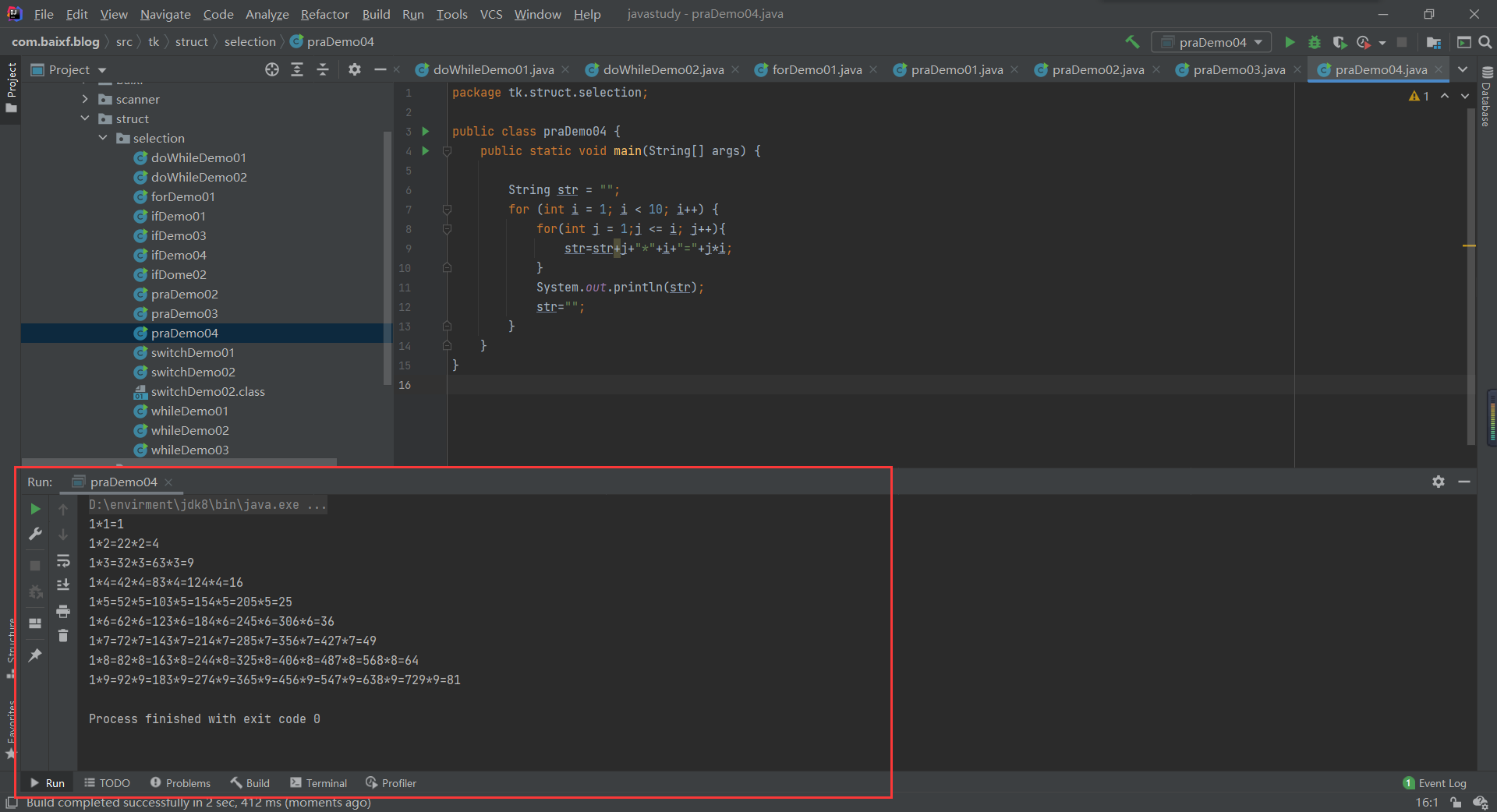
1
2
3
4
5
6
7
8
9
10
11
12
13
14
15
16
|
package tk.struct.selection;
public class praDemo04 {
public static void main(String[] args) {
String str = "";
for (int i = 1; i < 10; i++) {
for(int j = 1;j <= i; j++){
str=str+j+"*"+i+"="+j*i+"\t";
}
System.out.println(str);
str="";
}
}
}
|
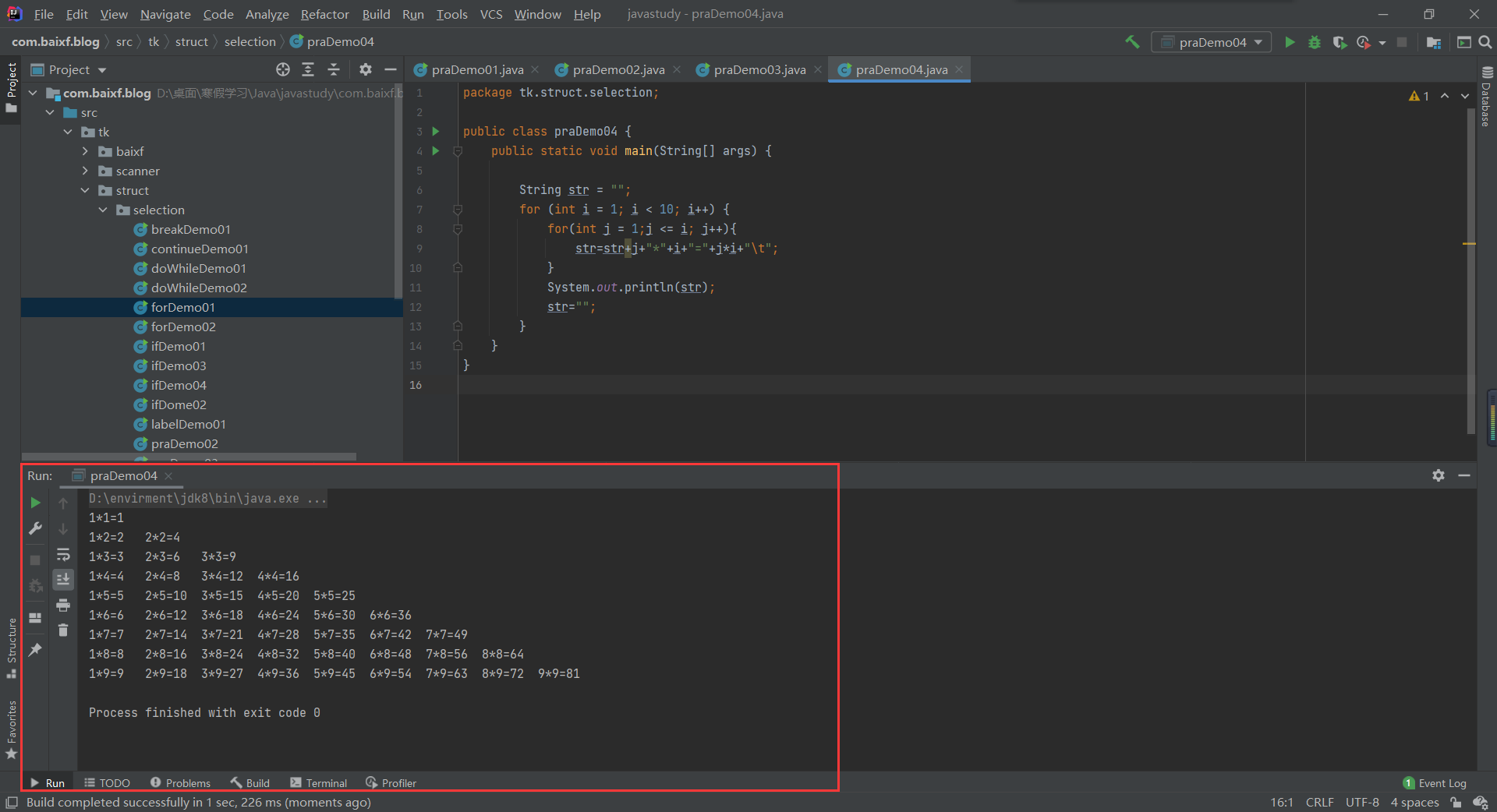
print与println
1
2
3
4
5
6
7
8
9
10
11
12
13
| package tk.struct.selection;
public class praDemo05 {
public static void main(String[] args) {
for (int i = 0; i < 10; i++) {
System.out.print(i);
}
System.out.println("==================");
for (int i = 0; i < 10; i++) {
System.out.println(i);
}
}
}
|
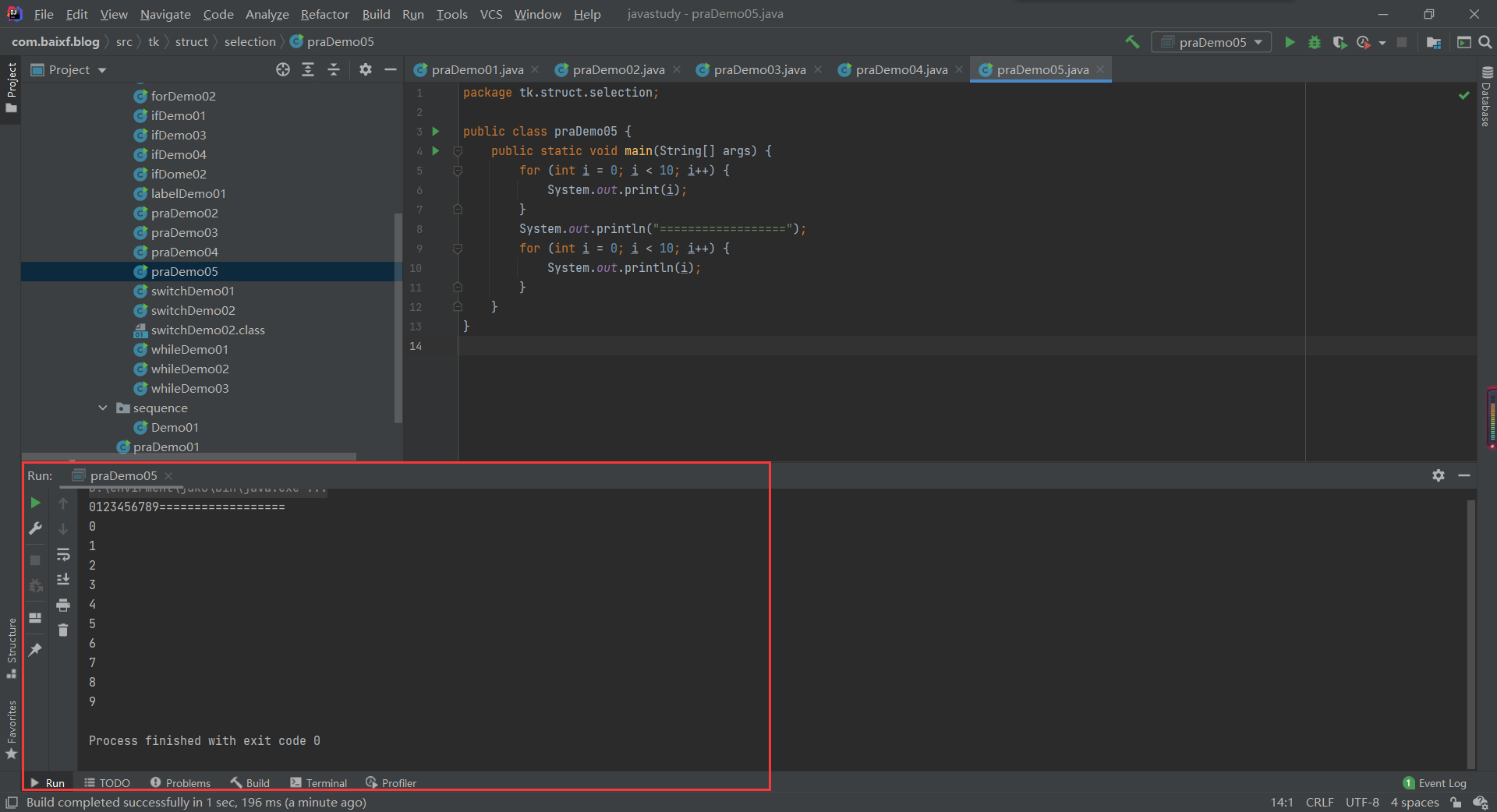
增强for循环
- 这里我们先只是见一面,做个了解,之后数组我们重点使用。
- Java5引入了一种主要用于数组或集合的增强型for循环。
- Java增强for 循环语法格式如下:
- 声明语句:声明新的局部变量,该变量的类型必须和数组元素的类型匹配。其作用域限定在循环语句块,其值与此时数组元素的值相等。
- 表达式:表达式是要访问的数组名,或者是返回值为数组的方法。
1
2
3
4
5
6
7
8
9
10
11
12
13
14
15
16
17
18
19
| package tk.struct.selection;
public class forDemo02 {
public static void main(String[] args) {
int[] numbers={10,20,30,55,66};
for (int i=0;i<5;i++){
System.out.println(numbers[i]);
}
System.out.println("==============");
for (int x:numbers){
System.out.println(x);
}
}
}
|
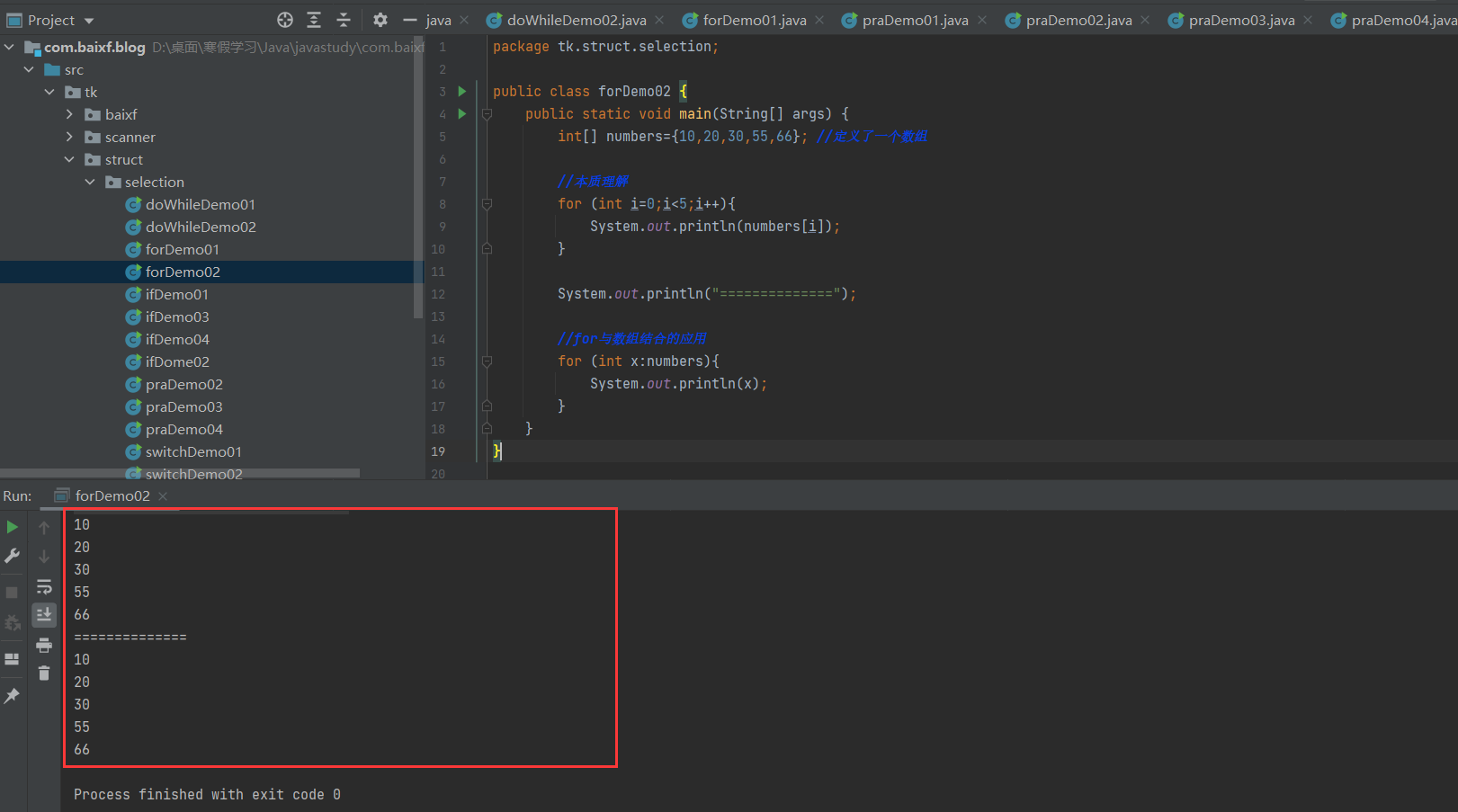
5.break && continue
break
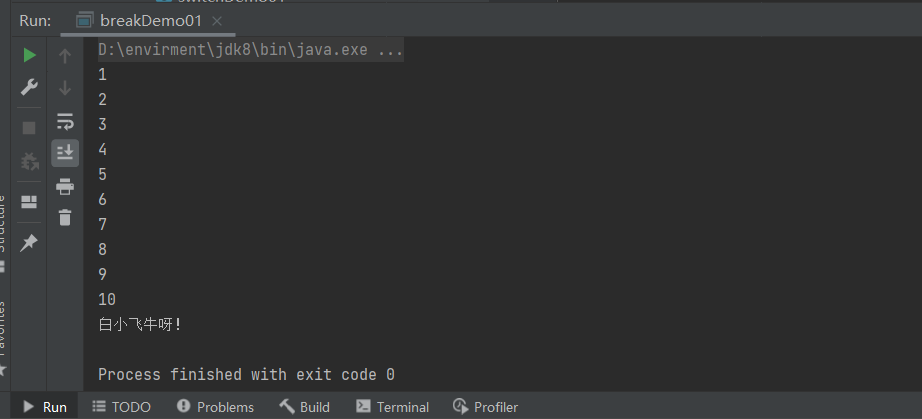
- break在任何循环语句的主体部分,均可用break控制循环的流程。break用于强行退出循环,不执行循环中剩余的语句。(break语句也在switch语句中使用)
1
2
3
4
5
6
7
8
9
10
11
12
13
| package tk.struct.selection;
public class breakDemo01 {
public static void main(String[] args) {
for (int i = 1; i < 100; i++) {
System.out.println(i);
if(i%10==0){
break;
}
}
System.out.println("白小飞牛呀!");
}
}
|
continue
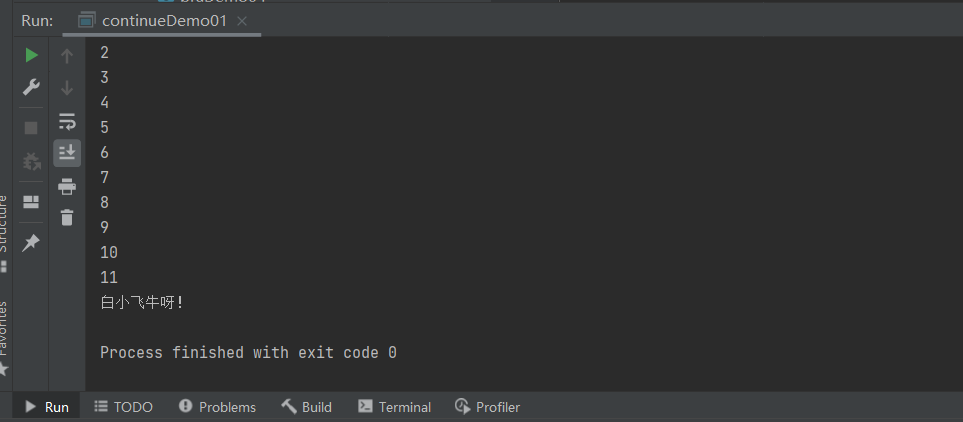
- continue语句用在循环语句体中,用于终止某次循环过程,即跳过循环体中尚未执行的语句,接着进行下一次是否执行循环的判定。
1
2
3
4
5
6
7
8
9
10
11
12
13
| package tk.struct.selection;
public class continueDemo01 {
public static void main(String[] args) {
for (int i = 1; i < 12; i++) {
System.out.println(i);
if(i%10==0){
continue;
}
}
System.out.println("白小飞牛呀!");
}
}
|
goto
- goto关键字很早就在程序设计语言中出现。尽管goto仍是Java的一个保留字,但并未在语言中得到正式使用;Java没有goto。然而,在break和continue这两个关键字的身上,我们仍然能看出一些goto的影子——带标签的break和continue。
- “标签”是指后面跟一个冒号的标识符,例如: label
- 对Java来说唯一用到标签的地方是在循环语句之前。而在循环之前设置标签的唯一理由是:我们希望在其中嵌套另一个循环,由于break和continue关键字通常只中断当前循环,但若随同标签使用,它们就会中断到存在标签的地方。
1
2
3
4
5
6
7
8
9
10
11
12
13
14
15
16
17
18
19
| package tk.struct.selection;
public class labelDemo01 {
public static void main(String[] args) {
int count = 0;
outer:for( int i =101 ; i<150 ; i++ ){
for( int j=2; j<i/2 ; j++ ){
if( i%j == 0 ){
continue outer;
}
}
System.out.println(i+" ");
}
}
}
|

6.练习
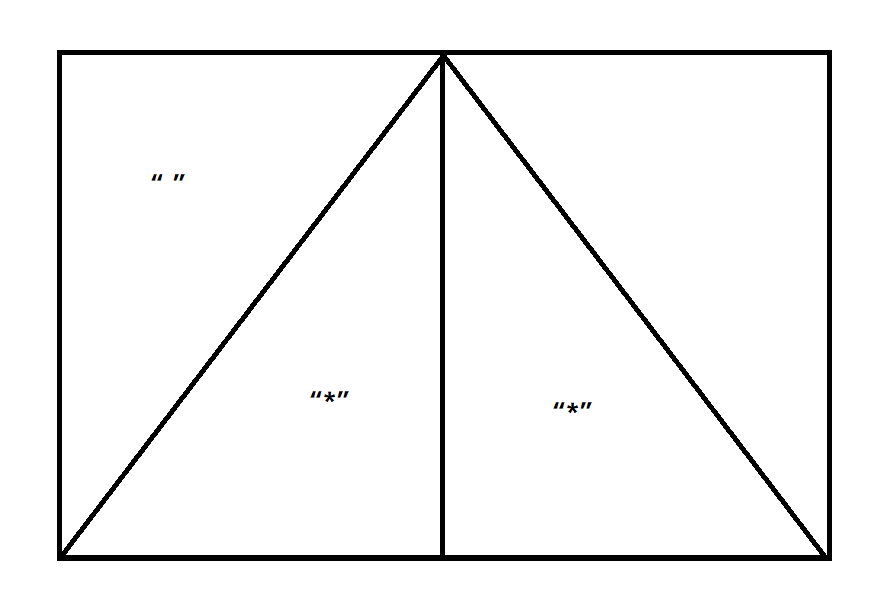
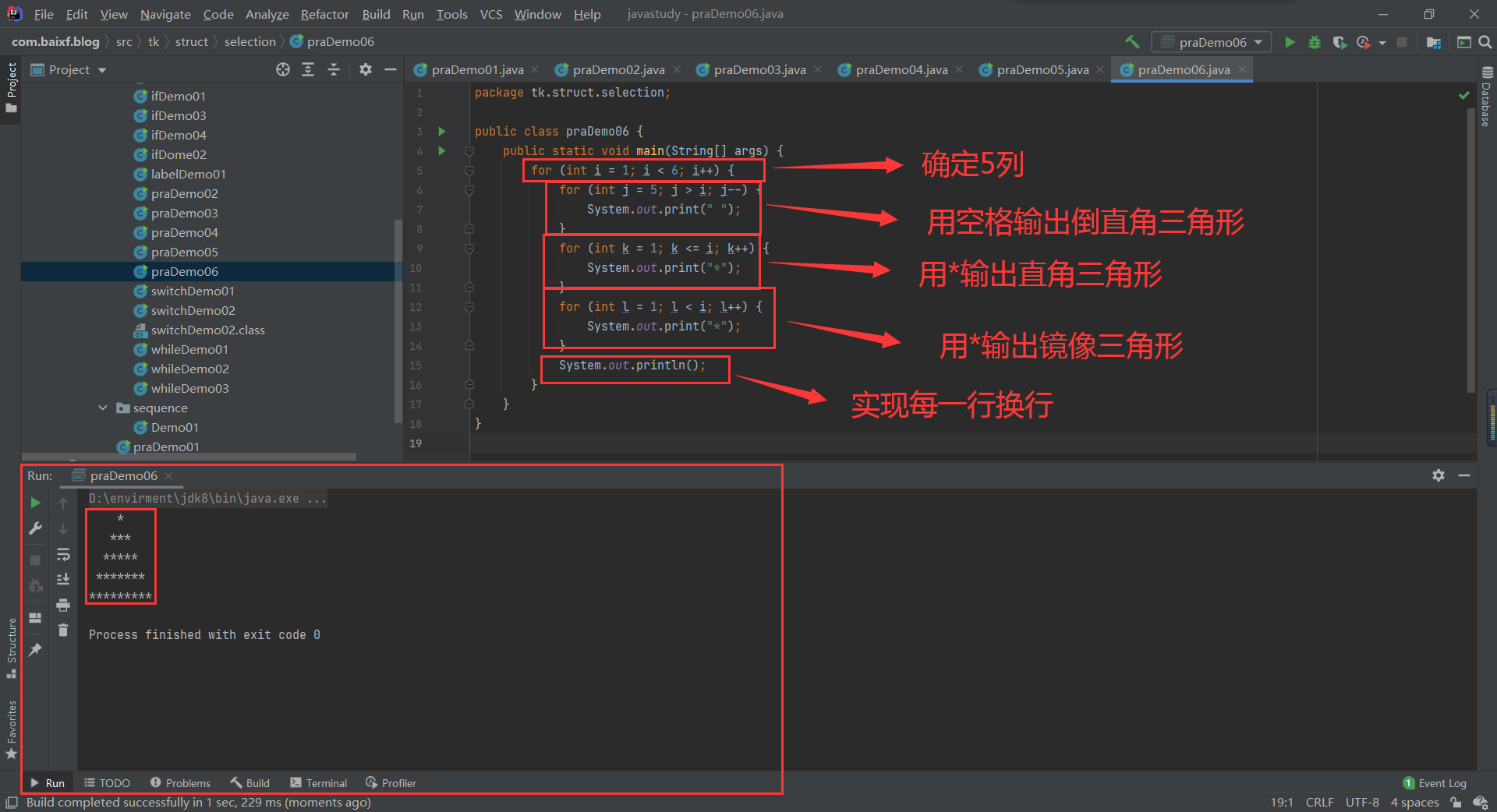
打印一个三角形
1
2
3
4
5
6
7
8
9
10
11
12
13
14
15
16
17
18
| package tk.struct.selection;
public class praDemo06 {
public static void main(String[] args) {
for (int i = 1; i < 6; i++) {
for (int j = 5; j > i; j--) {
System.out.print(" ");
}
for (int k = 1; k <= i; k++) {
System.out.print("*");
}
for (int l = 1; l < i; l++) {
System.out.print("*");
}
System.out.println();
}
}
}
|
Debug
run–debug
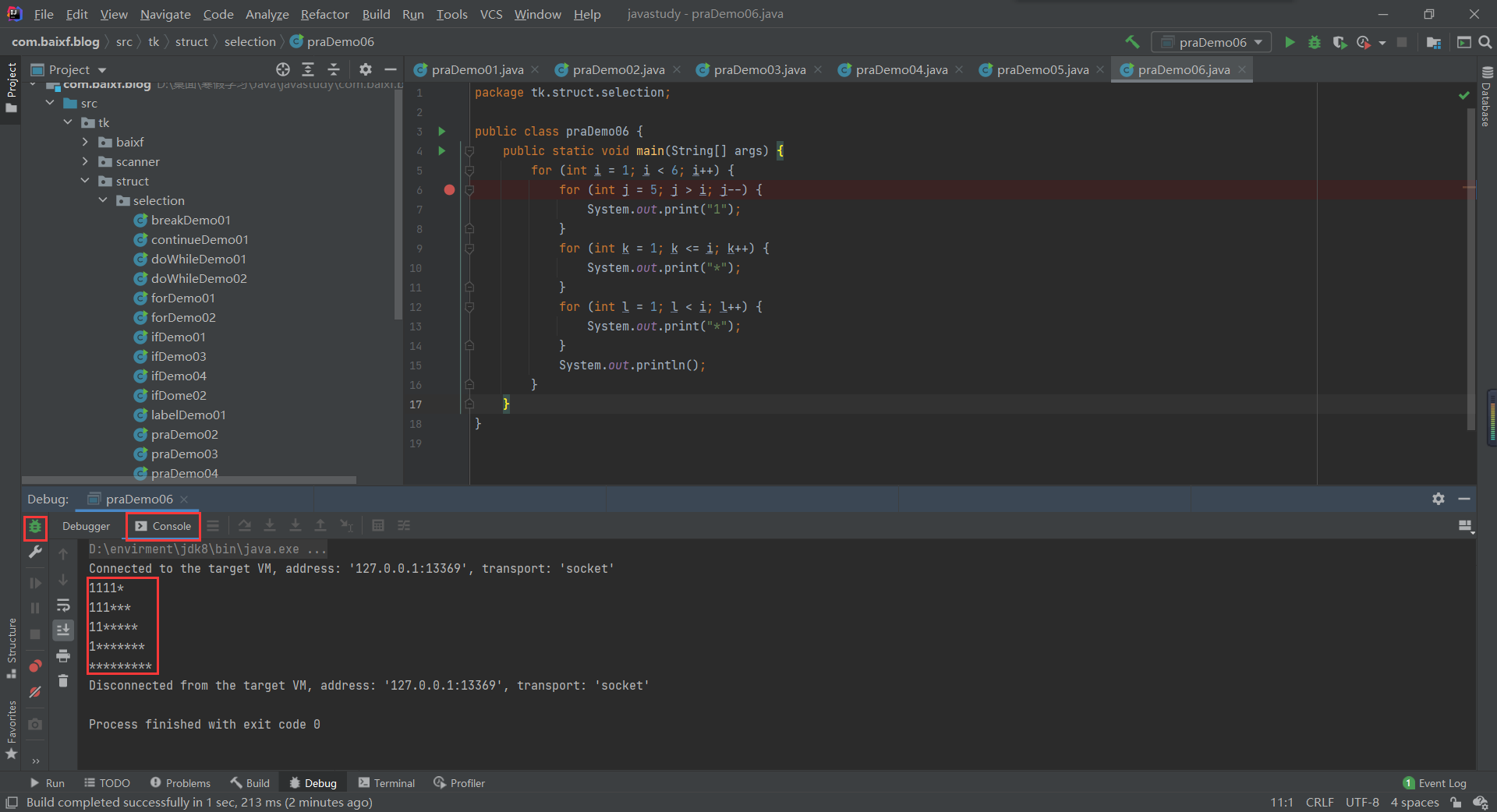
四、Java方法
1.何谓方法
- System.out.println(),是类.对象.方法。
- Java方法是语句的集合,它们在一起执行一个功能。
- 方法是解决一类问题的步骤的有序组合
- 方法包含于类或对象中
- 方法在程序中被创建,在其他地方被引用
1
2
3
4
5
6
7
8
9
10
11
12
13
14
15
16
17
18
19
20
21
22
23
24
25
26
27
28
29
30
31
32
33
| package tk.method;
public class Demo01 {
public static void main(String[] args) {
int sum = add(1, 3);
System.out.println(sum);
System.out.println("============");
printModel();
}
public static int add(int a,int b){
return a+b;
}
public static void printModel(){
for (int i = 1; i < 6; i++) {
for (int j = 5; j > i; j--) {
System.out.print("1");
}
for (int k = 1; k <= i; k++) {
System.out.print("*");
}
for (int l = 1; l < i; l++) {
System.out.print("*");
}
System.out.println();
}
}
}
|
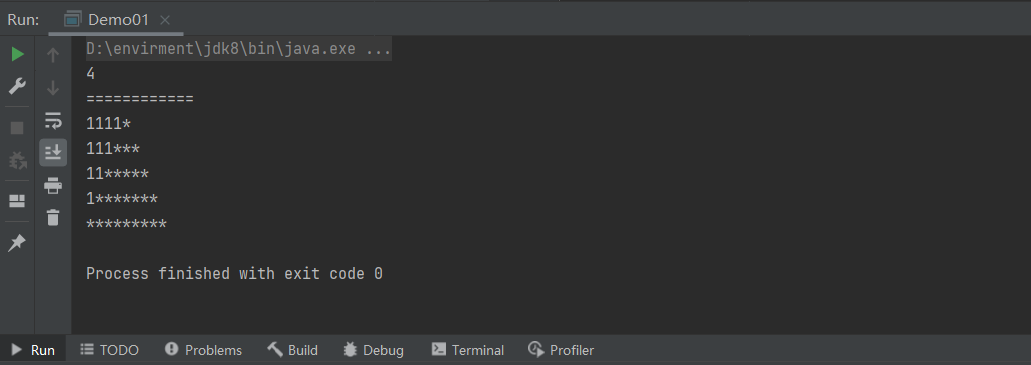
- 设计方法的原则:方法的本意是功能块,就是实现某个功能的语句块的集合。我们设计方法的时候,最好保持方法的原子性,就是一个方法只完成1个功能,这样利于我们后期的扩展。
方法的命名规则?首字母小写和驼峰原则
2.方法的定义及调用
方法定义
- Java的方法类似于其它语言的函数,是一段用来完成特定功能的代码片段,一般情况下,定义一个方法包含以下语法:
- 方法包含一个方法头和一个方法体。下面是一个方法的所有部分:
- 修饰符:修饰符,这是可选的,告诉编译器如何调用该方法。定义了该方法的访问类型。
- 返回值类型∶方法可能会返回值。returnValueType是方法返回值的数据类型。有些方法执行所需的操作,但没有返回值。在这种情况下,returnValueType是关键字void。
- 方法名:是方法的实际名称。方法名和参数表共同构成方法签名。
- 参数类型:参数像是一个占位符。当方法被调用时,传递值给参数。这个值被称为实参或变量。参数列表是指方法的参数类型、顺序和参数的个数。参数是可选的,方法可以不包含任何参数。
- 形式参数:在方法被调用时用于接收外界输入的数据。
- 实参:调用方法时实际传给方法的数据。
- 方法体:方法体包含具体的语句,定义该方法的功能。
语法:
1
2
3
4
5
6
| 修饰符 返回值类型 方法名(参数类型 参数名){
...
方法体
...
return 返回值;
}
|
1
2
3
4
5
6
7
8
9
10
11
12
13
14
15
16
17
18
19
20
21
22
23
24
25
26
27
28
29
| package tk.method;
public class Demo02 {
public static void main(String[] args) {
int a = compare(10, 20);
System.out.println("最大值是:"+a);
System.out.println("===============");
int b = compare(10, 10);
System.out.println(b);
}
public static int compare(int num1,int num2){
int result = -1;
if(num1==num2){
System.out.println("两个值相等!");
return 0;
}
if (num1>num2){
result = num1;
}else {
result = num2;
}
return result;
}
}
|
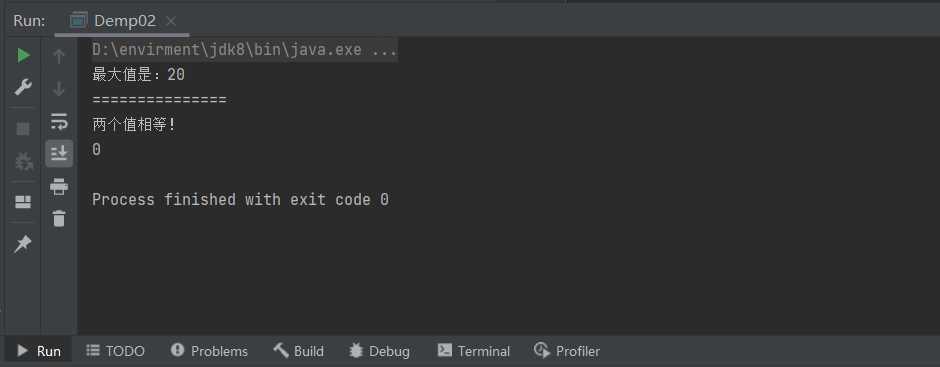
方法调用
1
| int larger = max(30,40);
|
- 如果方法返回值是void,方法调用一定是一条语句。
1
| system.out. print1n("Hello");
|
3.方法重载
1
2
3
4
5
6
7
8
9
10
11
12
13
14
15
16
17
18
19
20
21
22
23
24
25
26
27
28
29
30
31
32
33
| package tk.method;
public class Demo03 {
public static void main(String[] args) {
int add = add(3, 4);
int add1 = add(3, 4, 5);
double add2 = add(2.1, 2.2);
double add3 = add(2.1, 2.2, 2.3);
System.out.println(add);
System.out.println("===========");
System.out.println(add1);
System.out.println("===========");
System.out.println(add2);
System.out.println("===========");
System.out.println(add3);
System.out.println("===========");
}
public static int add(int a,int b){
return a+b;
}
public static int add(int a,int b,int c){
return a+b+c;
}
public static double add(double a,double b){
return a+b;
}
public static double add(double a,double b,double c){
return a+b+c;
}
}
|
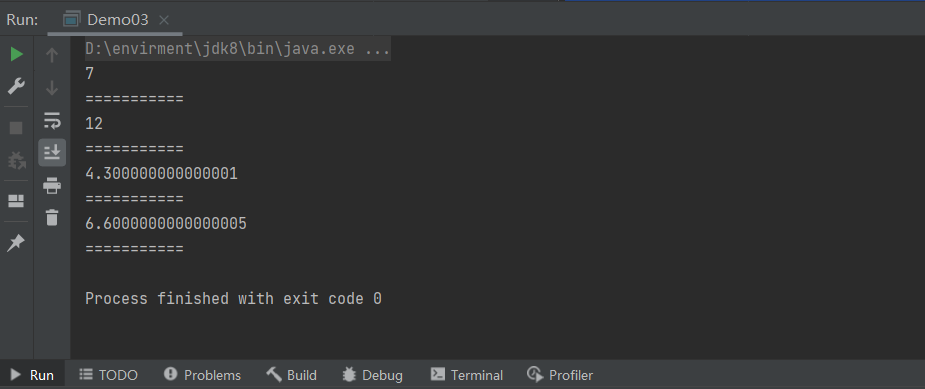
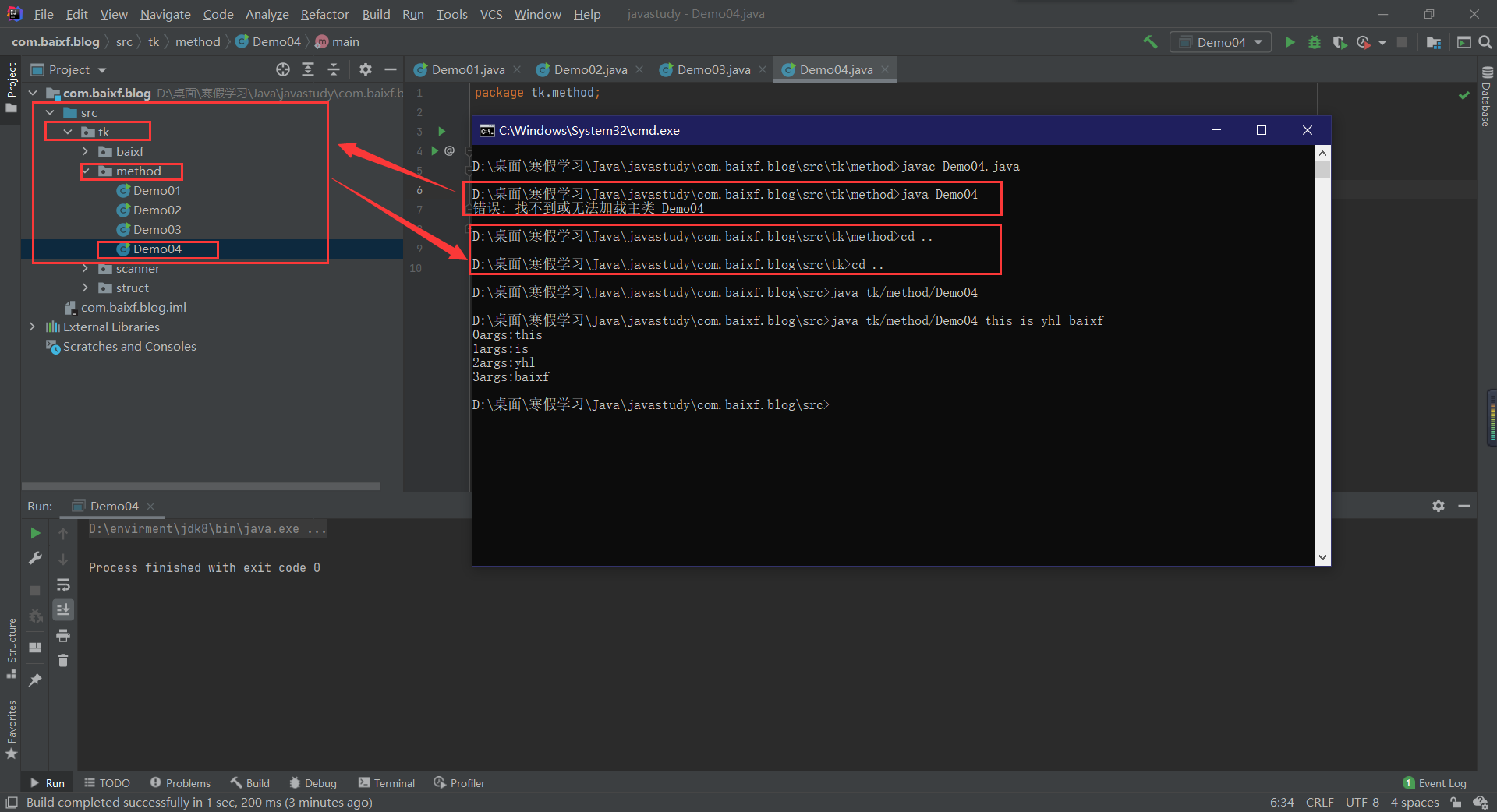
4.命令行传参
- 有时候你希望运行一个程序时候再传递给它消息。这要靠传递命令行参数给main()函数实现。
1
2
3
4
5
6
7
8
9
10
| package tk.method;
public class Demo04 {
public static void main(String[] args) {
for (int i = 0; i < args.length; i++) {
System.out.println(i+"args:"+args[i]);
}
}
}
|
1
2
3
4
| >> javac Demo04.java
>> cd ..
>> cd ..
>> java Demo04 this is yhl baixf
|
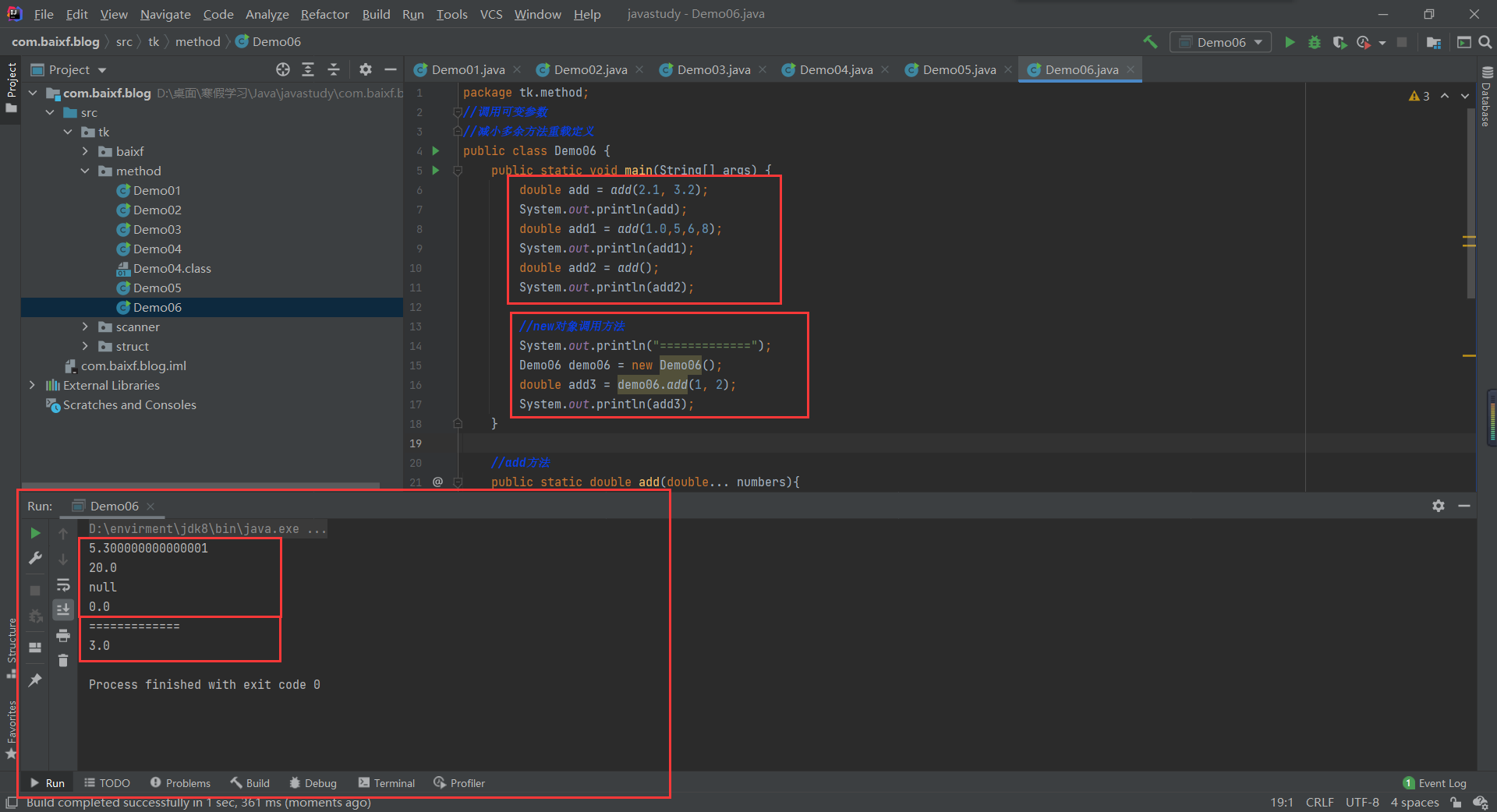
5.可变参数
- JDK 1.5开始,Java支持传递同类型的可变参数给一个方法。
- 在方法声明中,在指定参数类型后加一个省略号(.…)。
- 一个方法中只能指定一个可变参数,它必须是方法的最后一个参数。任何普通的参数必须在它之前声明。
1
2
3
4
5
6
7
8
9
10
11
12
13
14
15
16
17
18
19
20
21
22
23
24
25
26
27
28
29
30
31
32
33
34
35
36
| package tk.method;
public class Demo06 {
public static void main(String[] args) {
double add = add(2.1, 3.2);
System.out.println(add);
double add1 = add(1.0,5,6,8);
System.out.println(add1);
double add2 = add();
System.out.println(add2);
System.out.println("=============");
Demo06 demo06 = new Demo06();
double add3 = demo06.add(1, 2);
System.out.println(add3);
}
public static double add(double... numbers){
if (numbers.length==0){
System.out.println("null");
return 0;
}else {
double result = 0;
for (int i = 0; i < numbers.length; i++) {
result += numbers[i];
}
return result;
}
}
}
|
1
2
3
4
5
6
7
8
9
10
11
12
13
14
15
16
17
18
19
20
21
22
23
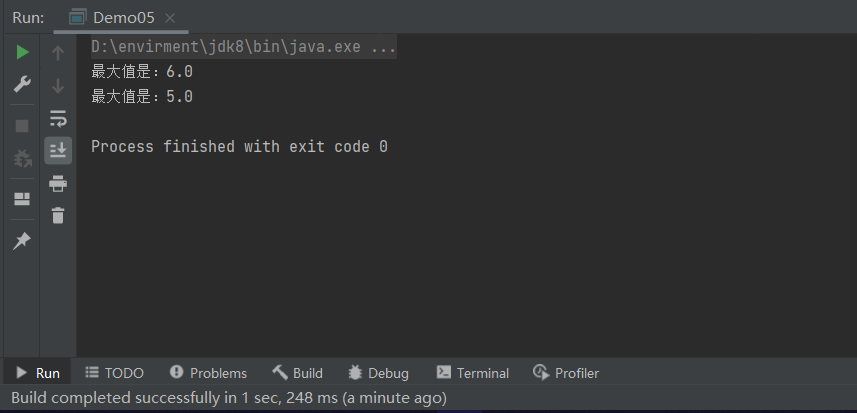
| package tk.method;
public class Demo05 {
public static void main(String[] args) {
printMax(1,2,3,5,6);
printMax(new double[]{1,2,3,5});
}
public static void printMax(double...numbers){
if (numbers.length==0){
System.out.println("没有输入值!");
return;
}
double result=numbers[0];
for (int i = 1; i <numbers.length ; i++) {
if (numbers[i]>result){
result=numbers[i];
}
}
System.out.println("最大值是:"+result);
}
}
|
6.递归
- 递归就是:A方法调用A方法!就是自己调用自己
- 利用递归可以用简单的程序来解决一些复杂的问题。它通常把一个大型复杂的问题层层转化为一个与原问题相似的规模较小的问题来求解,递归策略只需少量的程序就可描述出解题过程所需要的多次重复计算,大大地减少了程序的代码量。递归的能力在于用有限的语句来定义对象的无限集合。
- 递归结构包括两个部分:
- 递归头:什么时候不调用自身方法。如果没有头,将陷入死循环。
- 递归体:什么时候需要调用自身方法。
1
2
3
4
5
6
7
8
9
10
11
12
13
14
15
16
17
18
19
20
21
| package tk.method;
public class Demo07 {
public static void main(String[] args) {
int i = rankMultiply(4);
System.out.println(i);
System.out.println(rankMultiply(1));
System.out.println(rankMultiply(6));
}
public static int rankMultiply(int value){
if (value==1){
return 1;
}else {
return(value * rankMultiply(value - 1));
}
}
}
|

原理
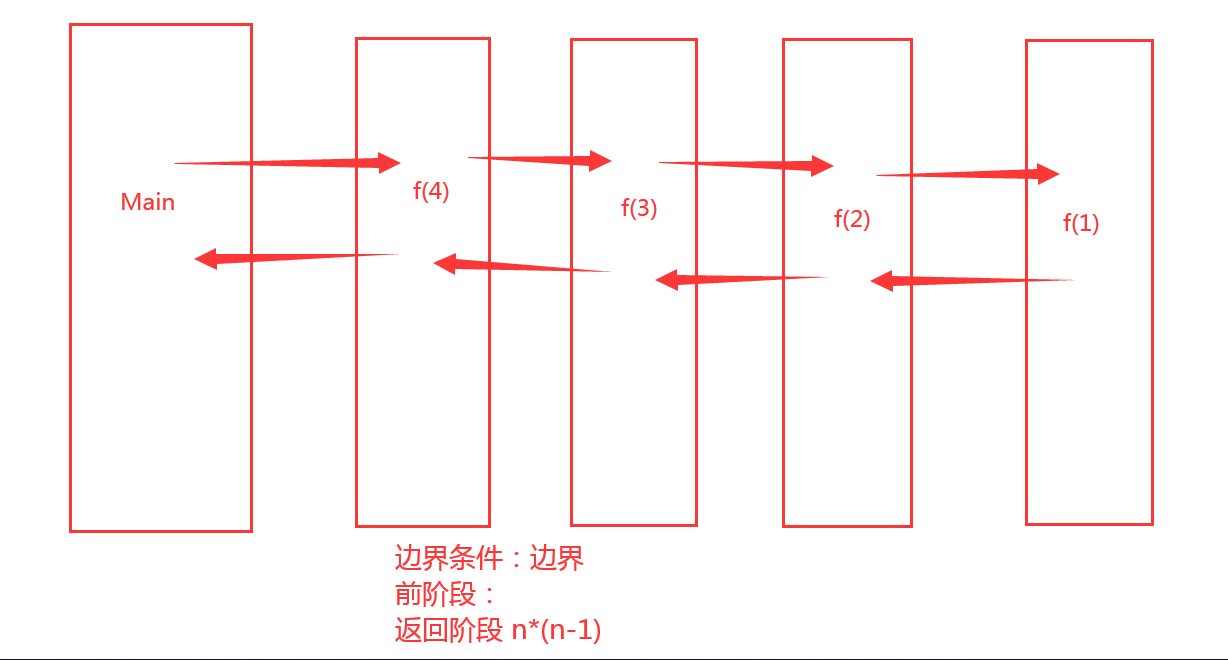
栈机制:递归会带来大量的函数调用,产生很多额外的时间开销,对于深度大的情况,占用大量占用,程序会报错。
小计算可以用递归;大计算则不好!只是一种很好的算法机制!
7.练习
计算器:加减乘除
写四个方法:加减乘除
利用循环+switch进行交互
传递需要操作的数
输出结果
1
2
3
4
5
6
7
8
9
10
11
12
13
14
15
16
17
18
19
20
21
22
23
24
25
26
27
28
29
30
31
32
33
34
35
36
37
38
39
40
41
42
43
44
45
46
47
48
49
50
51
52
53
54
55
56
| package tk.method;
import sun.awt.Symbol;
import java.util.Scanner;
public class praDemo01 {
public static void main(String[] args) {
Scanner scanner = new Scanner(System.in);
System.out.println("请输入你要输的第一个数:");
double v1 = scanner.nextDouble();
System.out.println("请输入你要进行的操作:");
String next = scanner.next();
System.out.println("请输入你要输的第二个数:");
double v2 = scanner.nextDouble();
scanner.close();
switch (next){
case "+":
System.out.println(add(v1,v2));
break;
case "-":
System.out.println(reduce(v1,v2));
break;
case "*":
System.out.println(multiply(v1,v2));
break;
case "/":
if (v2==0) {
System.out.println("除数不能为0!");
}else {
System.out.println(v1 + next + v2 + "=" + divide(v1, v2));
}
break;
default:
System.out.println("输入的符号有误!");
}
}
public static double add(double a,double b){
return a+b;
}
public static double reduce(double a,double b){
return a-b;
}
public static double multiply(double a,double b){
return a*b;
}
public static double divide(double a,double b){
return a/b;
}
}
|
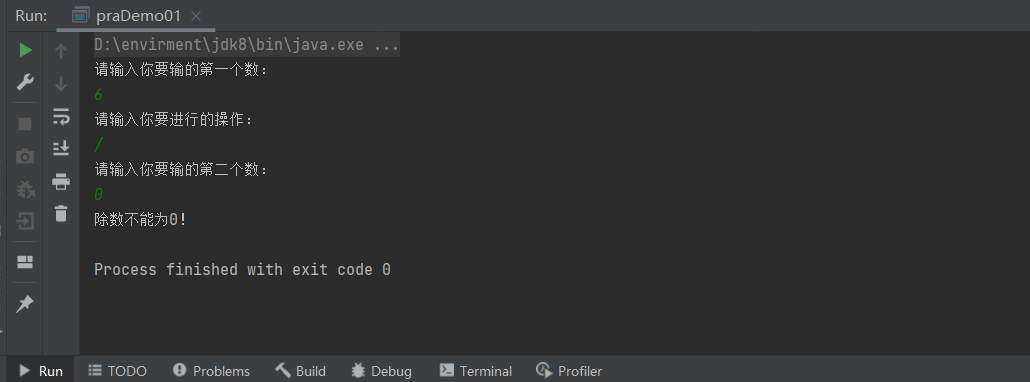
1
2
3
4
5
6
7
8
9
10
11
12
13
14
15
16
17
18
19
20
21
22
23
24
25
26
27
28
29
30
31
32
33
34
35
36
37
38
39
40
41
42
43
44
45
46
47
48
49
50
51
52
53
54
55
56
57
58
59
60
61
62
63
| package tk.method;
import sun.awt.Symbol;
import java.util.Scanner;
public class praDemo01 {
public static void main(String[] args) {
Scanner scanner = new Scanner(System.in);
while(true) {
System.out.println("输入000即可退出此系统");
System.out.println("请输入你要输的第一个数:");
double v1 = scanner.nextDouble();
if (v1==000){
break;
}
System.out.println("请输入你要进行的操作:");
String next = scanner.next();
System.out.println("请输入你要输的第二个数:");
double v2 = scanner.nextDouble();
switch (next) {
case "+":
System.out.println(add(v1, v2));
break;
case "-":
System.out.println(reduce(v1, v2));
break;
case "*":
System.out.println(multiply(v1, v2));
break;
case "/":
if (v2 == 0) {
System.out.println("除数不能为0!");
} else {
System.out.println(v1 + next + v2 + "=" + divide(v1, v2));
}
break;
default:
System.out.println("输入的符号有误!");
}
}
scanner.close();
}
public static double add(double a,double b){
return a+b;
}
public static double reduce(double a,double b){
return a-b;
}
public static double multiply(double a,double b){
return a*b;
}
public static double divide(double a,double b){
return a/b;
}
}
|
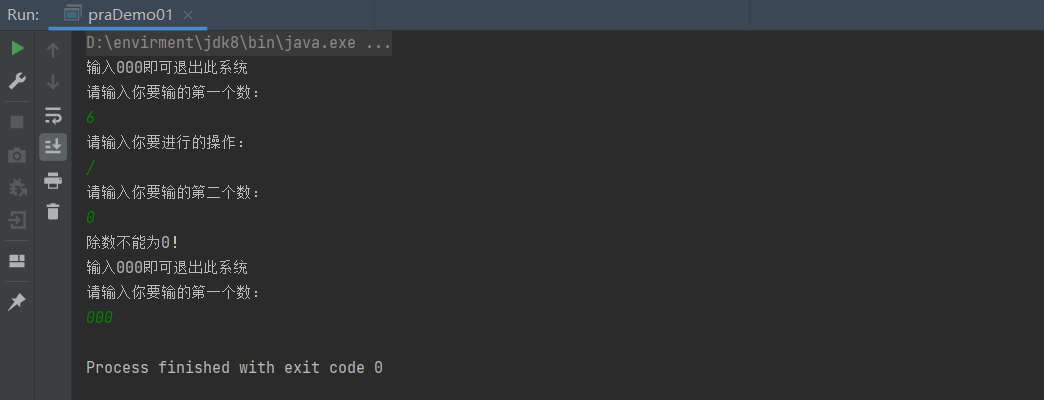
五、数组
1.数组概述
- 数组是相同类型数据的有序集合。
- 数组描述的是相同类型的若干个数据,按照一定的先后次序排列组合而成。
- 其中,每一个数据称作一个数组元素,每个数组元素可以通过一个下标来访问它们。

2.数组声明创建
- 首先必须声明数组变量,才能在程序中使用数组。下面是声明数组变量
的语法:1
2
3
| dataType[] arrayRefVar;
或
dataType arrayRefVar[];
|
- Java语言使用new操作符来创建数组,语法如下:
1
| dataType[] arrayRefVar = new dataType[ arraySize];
|
- 数组的元素是通过索引访问的,数组索引从0开始。
- 获取数组长度:
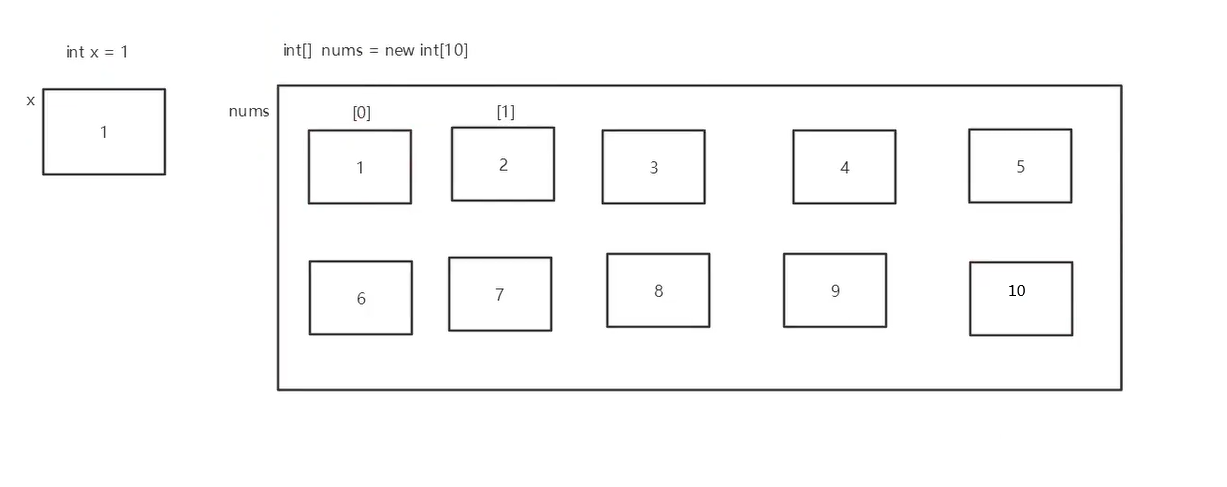
1
2
3
4
5
6
7
8
9
10
11
12
13
14
15
16
17
18
19
20
21
| package tk.array;
public class ArrayDemo01 {
public static void main(String[] args) {
int[] nums = new int[10];
for (int i = 0; i < 8; i++) {
nums[i]=i;
}
for (int i = 0; i < 10; i++) {
System.out.print(nums[i]);
}
}
}
|
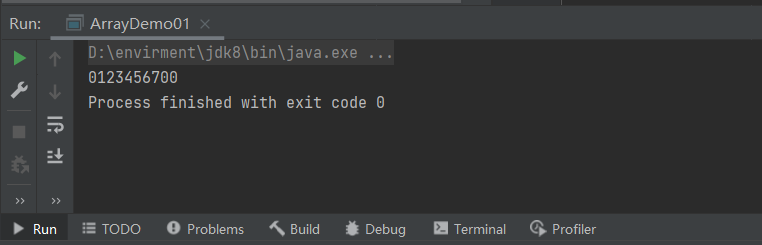
内存分析
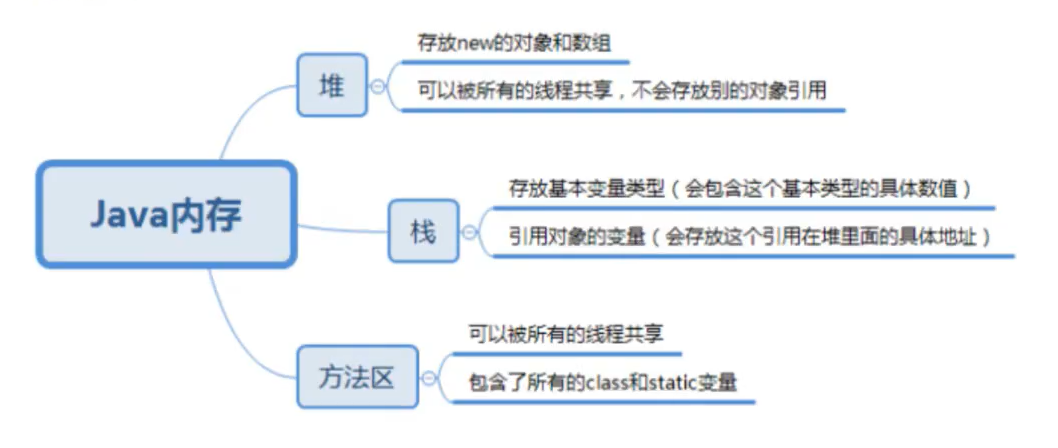
1
2
3
4
5
6
7
8
9
10
11
12
13
14
15
16
17
18
19
| package tk.array;
public class ArrayDemo02 {
public static void main(String[] args) {
int[] numbers;
numbers = new int[10];
for (int i = 0; i <numbers.length ; i++) {
numbers[i]=1;
}
System.out.println(numbers[10]);
}
}
|
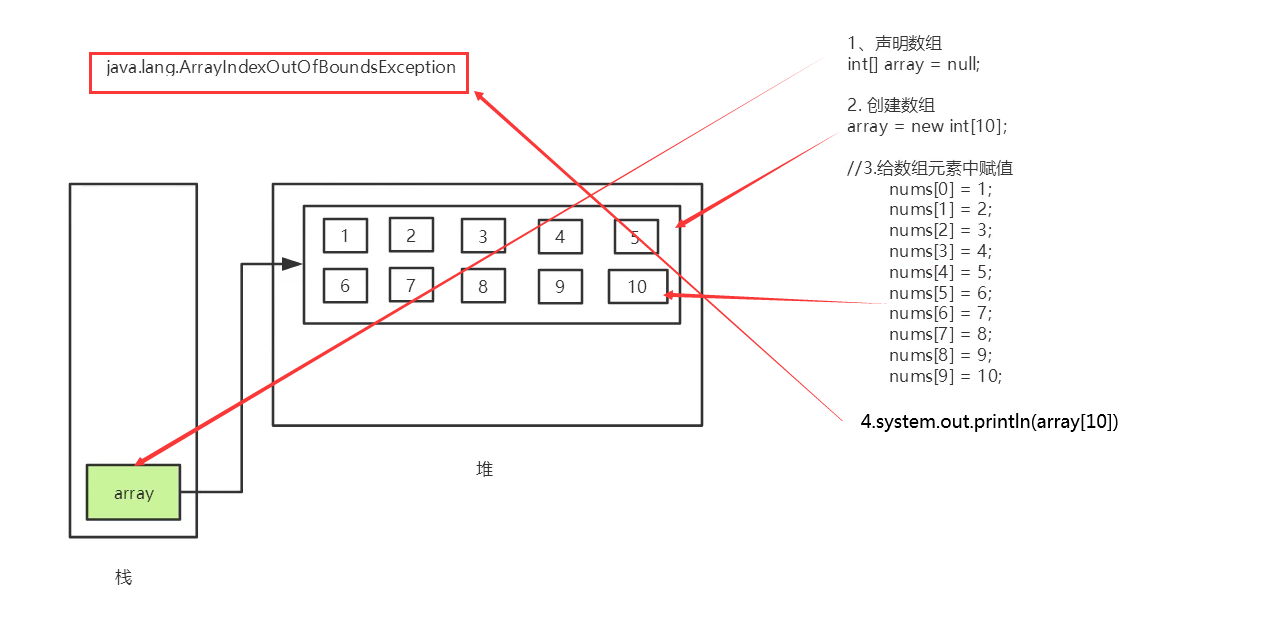
数组的三种初始化
1
2
| int[] a = {1,2,3};
Man[] mans={new Man(1,1),new Man(2,2)};
|
1
2
3
4
5
6
7
8
9
10
11
| package tk.array;
public class ArrayDemo03 {
public static void main(String[] args) {
int[] a={1,2,3};
System.out.println(a[0]);
System.out.println(a[1]);
}
}
|
1
2
3
| int[] a = new int[2];
a[0]=1;
a[1]=2;
|
1
2
3
4
5
6
7
8
9
10
11
12
| package tk.array;
public class ArrayDemo03 {
public static void main(String[] args) {
int[] b=new int[10];
b[0]=1;
System.out.println(b[0]);
System.out.println(b[1]);
}
}
|
- 数组的默认初始化
- 数组是引用类型它的元素相当于类的实例变量,因此数组一经分配空间,其中的每个元素也被按照实例变量同样的方式被隐式初始化。
1
2
3
4
5
6
7
8
9
10
11
12
| package tk.array;
public class ArrayDemo03 {
public static void main(String[] args) {
int[] b=new int[10];
b[0]=1;
System.out.println(b[0]);
System.out.println(b[1]);
}
}
|
数组的基本特点
- 其长度是确定的。数组一旦被创建,它的大小就是不可以改变的。
- 其元素必须是相同类型,不允许出现混合类型。
- 数组中的元素可以是任何数据类型,包括基本类型和引用类型。
- 数组变量属引用类型,数组也可以看成是对象,数组中的每个元素相当于该对象的成员变量。数组本身就是对象,Java中对象是在堆中的,因此数组无论保存原始类型还是其他对象类型,数组对象本身是在堆中的。
数组边界
- 下标的合法区间:[0, length-1],如果越界就会报错;
1
2
3
4
| public static void main(String[] args) {
int[] a=new int[2];
system.out.print1n(a[2]);
}
|
- ArraylndexOutOfBoundsException :数组下标越界异常!
小结
- 数组是相同数据类型(数据类型可以为任意类型)的有序集合。
- 数组也是对象。数组元素相当于对象的成员变量
- 数组长度的确定的,不可变的。如果越界,则报:ArrayIndexOutofBounds。
3.数组使用
普通For循环
1
2
3
4
5
6
7
8
9
10
11
12
13
14
15
16
17
18
19
20
21
22
23
24
25
| package tk.array;
public class ArrayDemo04 {
public static void main(String[] args) {
int[] a = new int[10];
for (int i = 0; i < a.length; i++) {
a[i] = i;
}
int sum=0;
for (int i = 0; i < a.length; i++) {
sum+=a[i];
}
System.out.println("sum="+sum);
int max=a[0];
for (int i = 0; i < a.length ; i++) {
if (a[i]>max){
max=a[i];
}
}
System.out.println("max="+max);
}
}
|
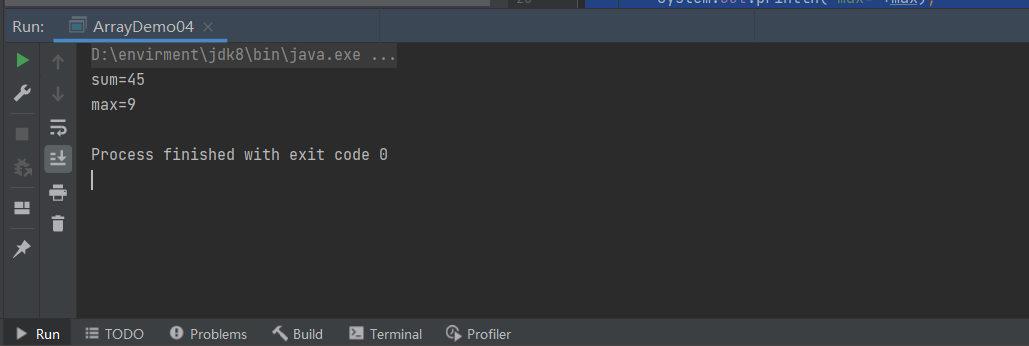
For-Each循环
1
2
3
4
5
6
7
8
9
10
11
12
13
14
15
| package tk.array;
public class ArrayDemo05 {
public static void main(String[] args) {
int[] a={1,2,3,6,9,5};
for (int i : a) {
System.out.println(i);
}
}
}
|
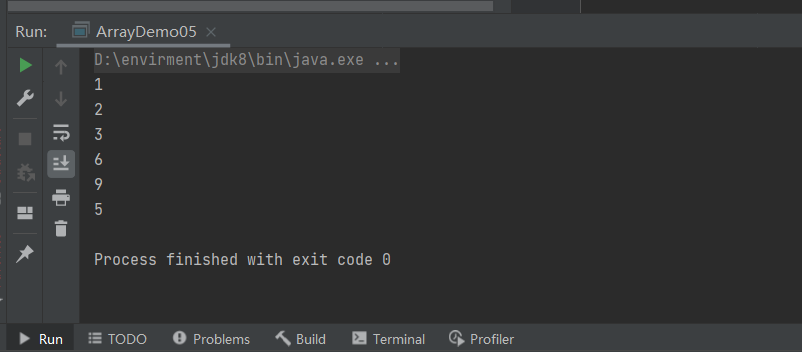
数组作方法入参
数组作返回值
1
2
3
4
5
6
7
8
9
10
11
12
13
14
15
16
17
18
19
20
21
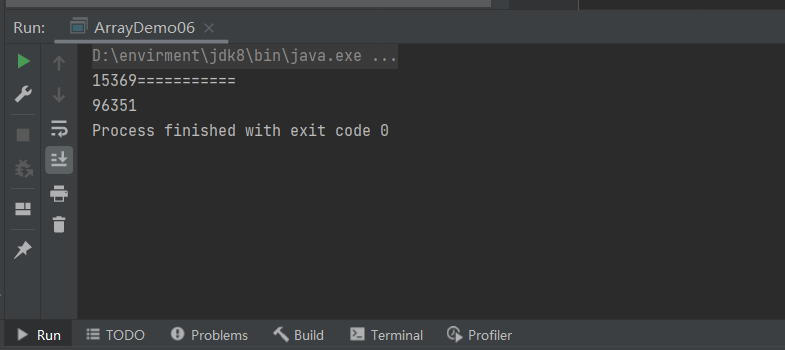
22
23
24
25
26
| package tk.array;
public class ArrayDemo06 {
public static void main(String[] args) {
int[] array={1,5,3,6,9};
printArray(array);
System.out.println("===========");
printArray(reverse(array));
}
public static void printArray(int[] array){
for (int i = 0; i < array.length; i++) {
System.out.print(array[i]);
}
}
public static int[] reverse(int[] array){
int[] result=new int[array.length];
for (int i = 0,j=array.length-1; i < array.length; i++,j=array.length-1-i) {
result[i]=array[j];
}
return result;
}
}
|
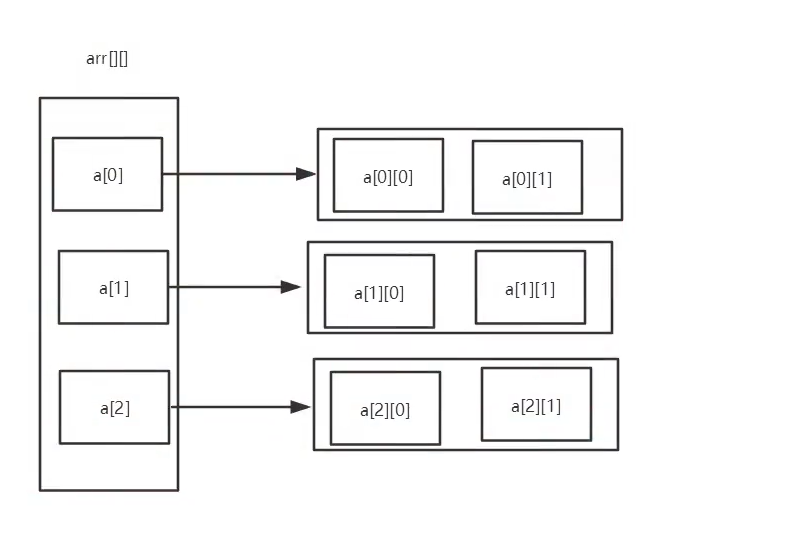
4.多维数组
1
| int a[][] = new int[2][5];
|
1
2
3
4
5
6
7
8
9
10
11
12
13
14
15
16
17
18
19
20
21
22
23
24
25
26
27
28
29
30
31
32
33
34
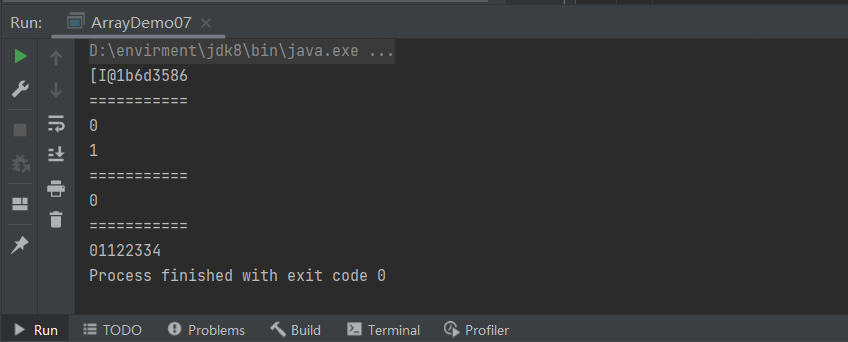
| package tk.array;
public class ArrayDemo07 {
public static void main(String[] args) {
int[][] array=new int[4][2];
for (int i = 0; i <array.length ; i++) {
for (int j = 0; j < array[i].length; j++) {
array[i][j]=i+j;
}
}
System.out.println(array[0]);
System.out.println("===========");
printArray(array[0]);
System.out.println("===========");
System.out.println(array[0][0]);
System.out.println("===========");
printArray2(array);
}
public static void printArray(int[] array){
for (int i = 0; i < array.length; i++) {
System.out.println(array[i]);
}
}
public static void printArray2(int[][] array){
for (int i = 0; i < array.length; i++) {
for (int j = 0; j <array[i].length ; j++) {
System.out.print(array[i][j]);
}
}
}
}
|
三维数组
1
2
3
4
5
6
7
8
9
10
11
12
13
14
15
| package tk.array;
public class ArrayDemo08 {
public static void main(String[] args) {
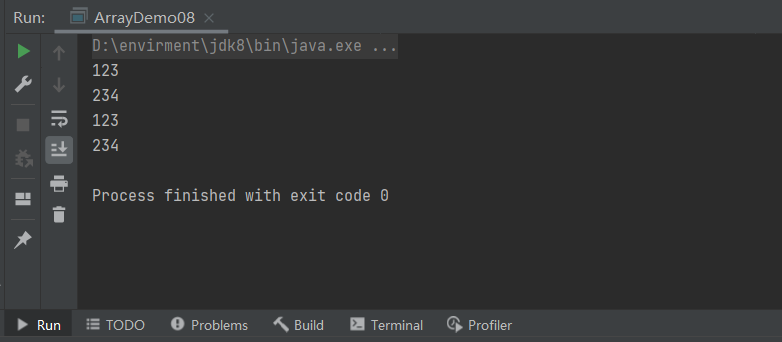
int[][][] array={{{1,2,3},{2,3,4}},{{1,2,3},{2,3,4}}};
for (int i = 0; i < array.length ; i++) {
for (int j = 0; j <array[i].length ; j++) {
for (int k = 0; k < array[i][j].length; k++) {
System.out.print(array[i][j][k]);
}
System.out.println();
}
}
}
}
|
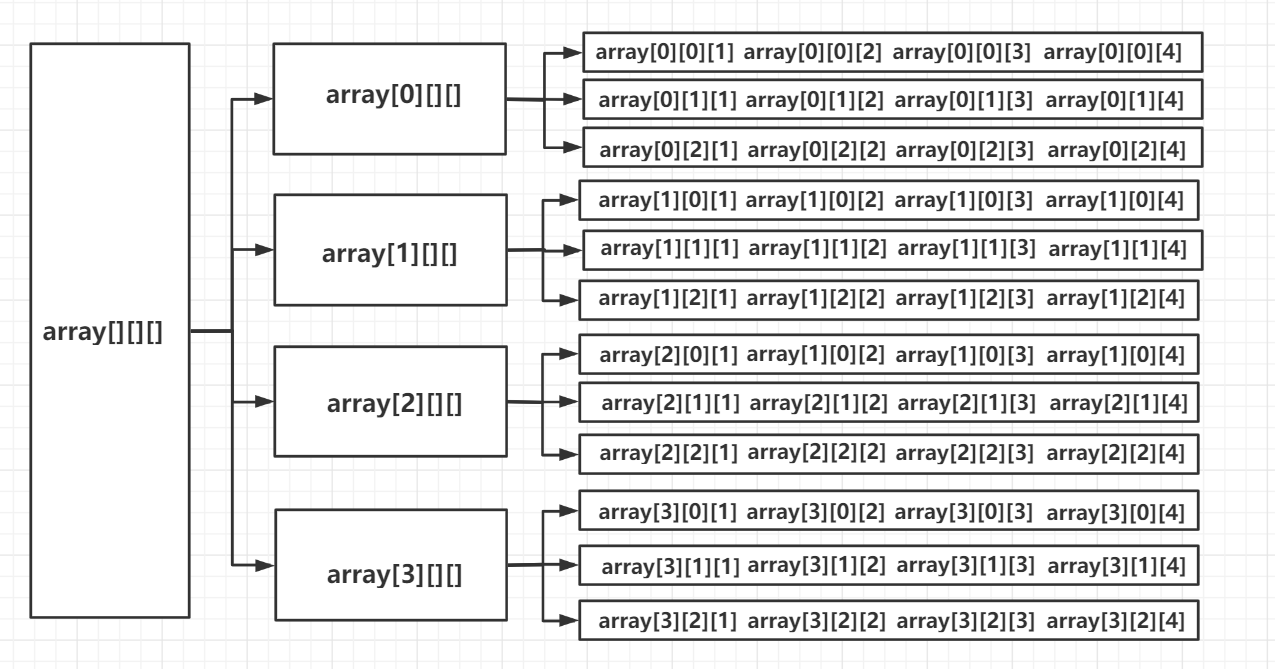
5.Arrays
数组的工具类java.util.Arrays
由于数组对象本身并没有什么方法可以供我们调用,但API中提供了一个工具类Arrays供我们使用,从而可以对数据对象进行一些基本的操作。
查看JDK帮助文档
Arrays类中的方法都是static修饰的静态方法,在使用的时候可以直接使用类名进行调用,而”不用”使用对象来调用(注意:是”不用”而不是”不能”)
具有以下常用功能:
Array.toString()方法
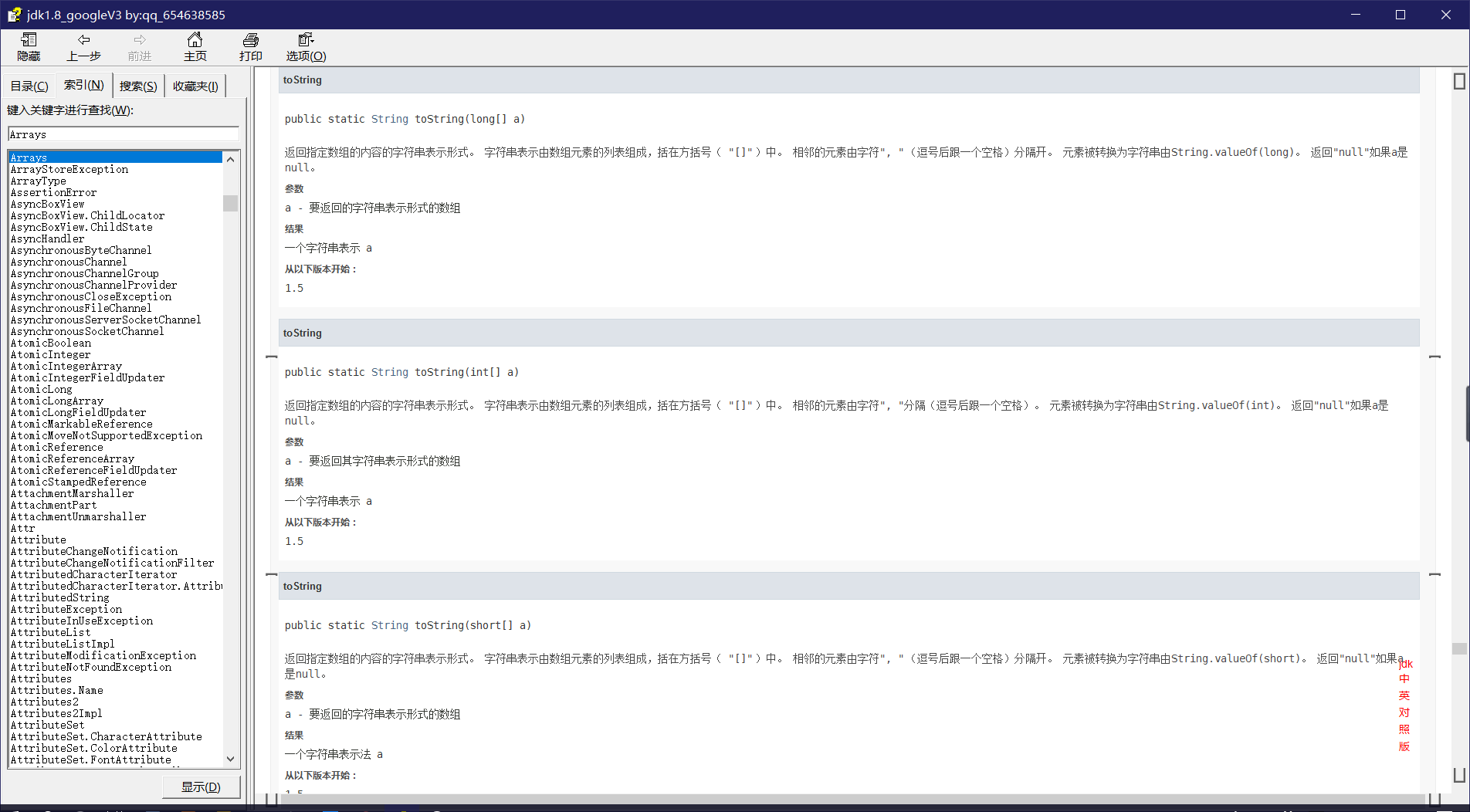
1
2
3
4
5
6
7
8
9
10
11
12
13
14
15
16
17
|
public static String toString(int[] a) {
if (a == null)
return "null";
int iMax = a.length - 1;
if (iMax == -1)
return "[]";
StringBuilder b = new StringBuilder();
b.append('[');
for (int i = 0; ; i++) {
b.append(a[i]);
if (i == iMax)
return b.append(']').toString();
b.append(", ");
}
}
|
返回的为String类型,可接收数据。
1
2
3
4
5
6
7
8
9
10
11
12
13
14
15
16
17
18
19
20
21
22
23
24
25
26
27
28
29
30
31
32
33
34
|
package tk.array;
import java.lang.reflect.Array;
import java.util.Arrays;
public class ArrayDemo09 {
public static void main(String[] args) {
double[] array=new double[10];
for (int i = 0; i <array.length ; i++) {
array[i]= Math.random();
}
for (int i = 0; i < array.length; i++) {
System.out.print(array[i]);
}
System.out.println("\n");
System.out.println("==================");
System.out.println(Arrays.toString(array));
System.out.println("==================");
toString(array);
}
public static void toString(double[] array){
for (int i = 0; i < array.length; i++) {
if (i==0){
System.out.print("["+array[i]+",");
}else if (i==array.length-1){
System.out.print(array[i]+"]");
}else{
System.out.print(array[i]+",");
}
}
}
}
|

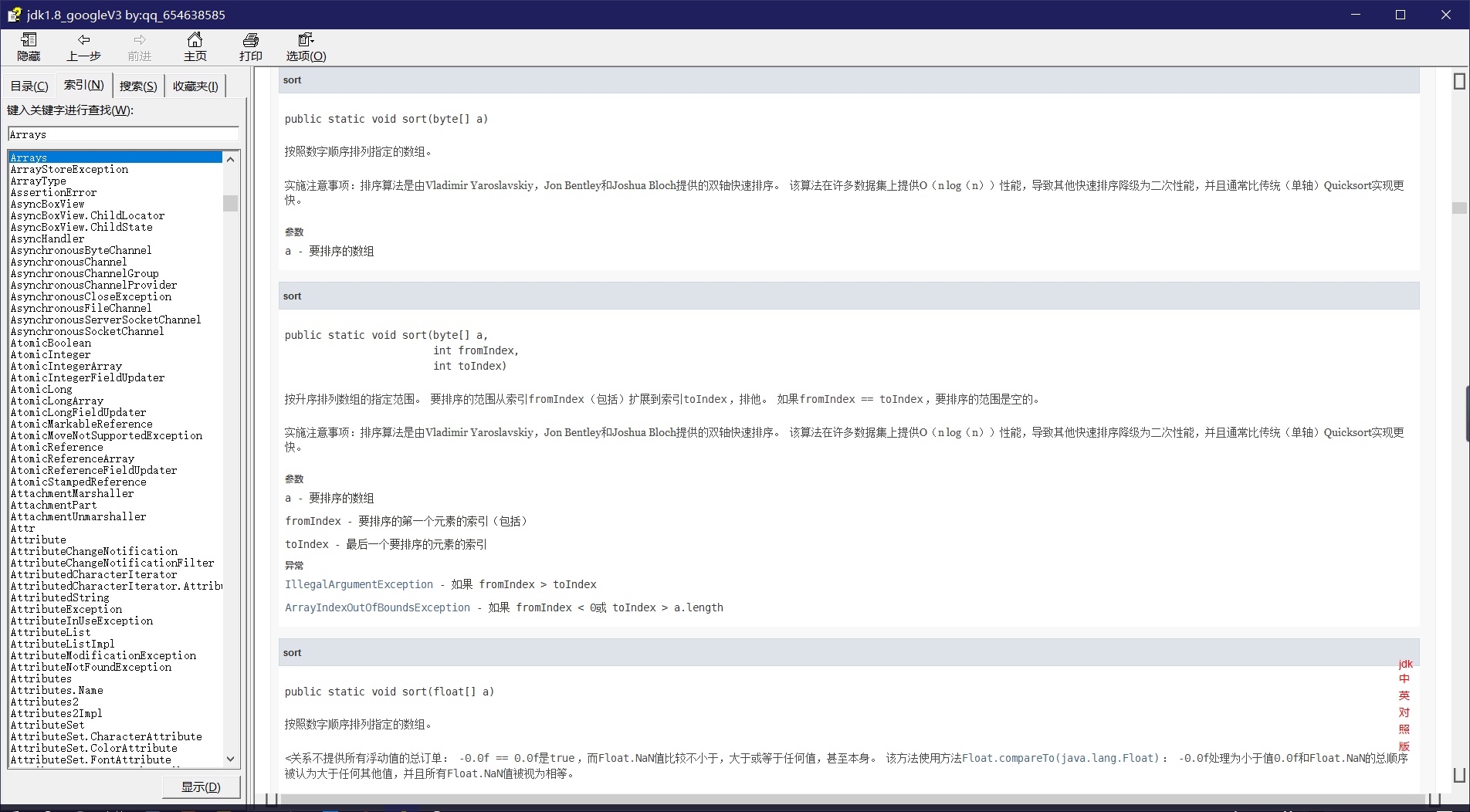
Array.sort()
sort方法只是对原数组进行排序,并未改变原数组长度,即对原数组长度没有影响,因此不需要定义一个数组接收它 ,即不需要返回值。
1
2
3
4
5
6
7
8
9
10
11
12
13
14
15
| package tk.array;
import java.util.Arrays;
public class ArrayDemo10 {
public static void main(String[] args) {
int[] array={151,22,63,45,66,88,62,33,45,36,35};
Arrays.sort(array);
System.out.println(array);
System.out.println("==========");
System.out.println(Arrays.toString(array));
}
}
|
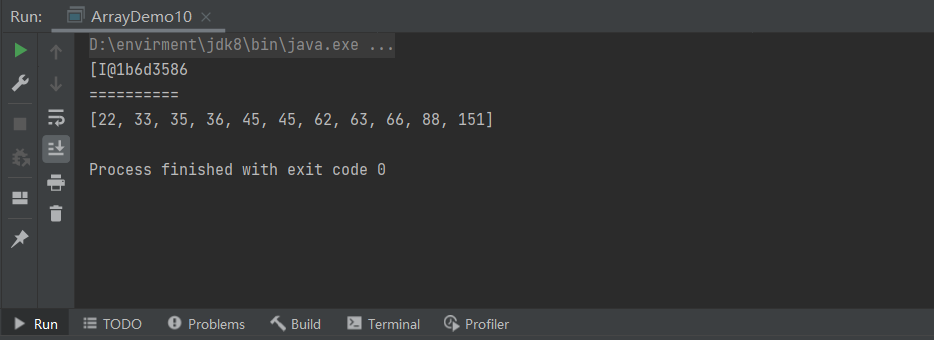
Array.fill()
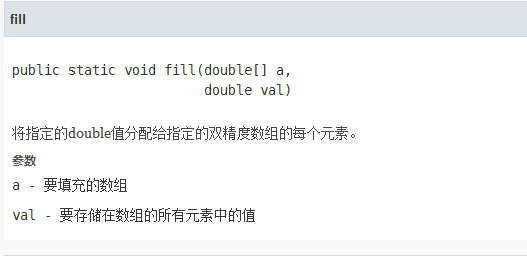
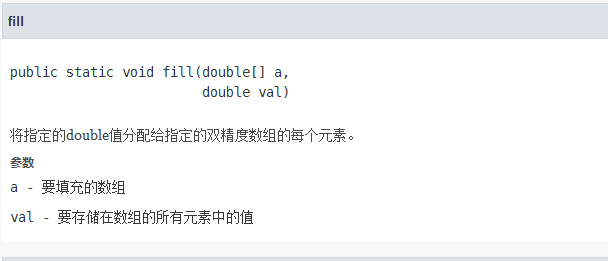
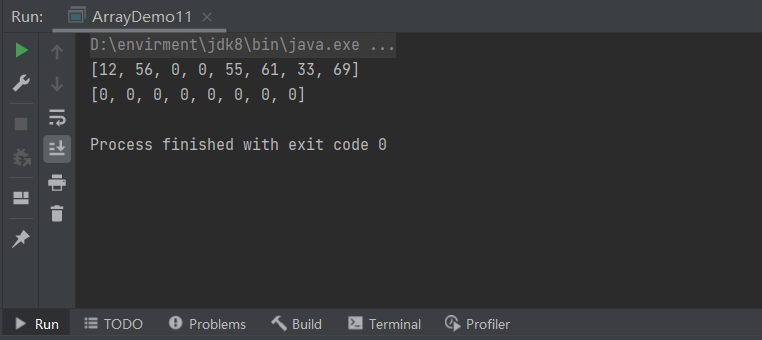
1
2
3
4
5
6
7
8
9
10
11
12
13
14
15
| package tk.array;
import java.util.Arrays;
public class ArrayDemo11 {
public static void main(String[] args) {
int[] array={12,56,89,56,55,61,33,69};
Arrays.fill(array,2,4,0);
System.out.println(Arrays.toString(array));
Arrays.fill(array,0);
System.out.println(Arrays.toString(array));
}
}
|
冒泡排序
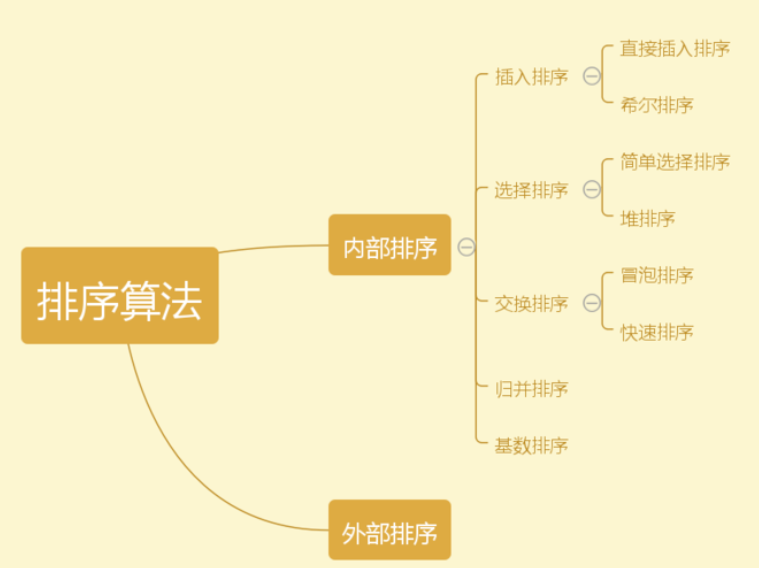
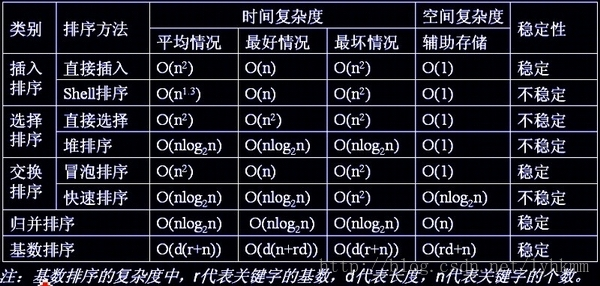
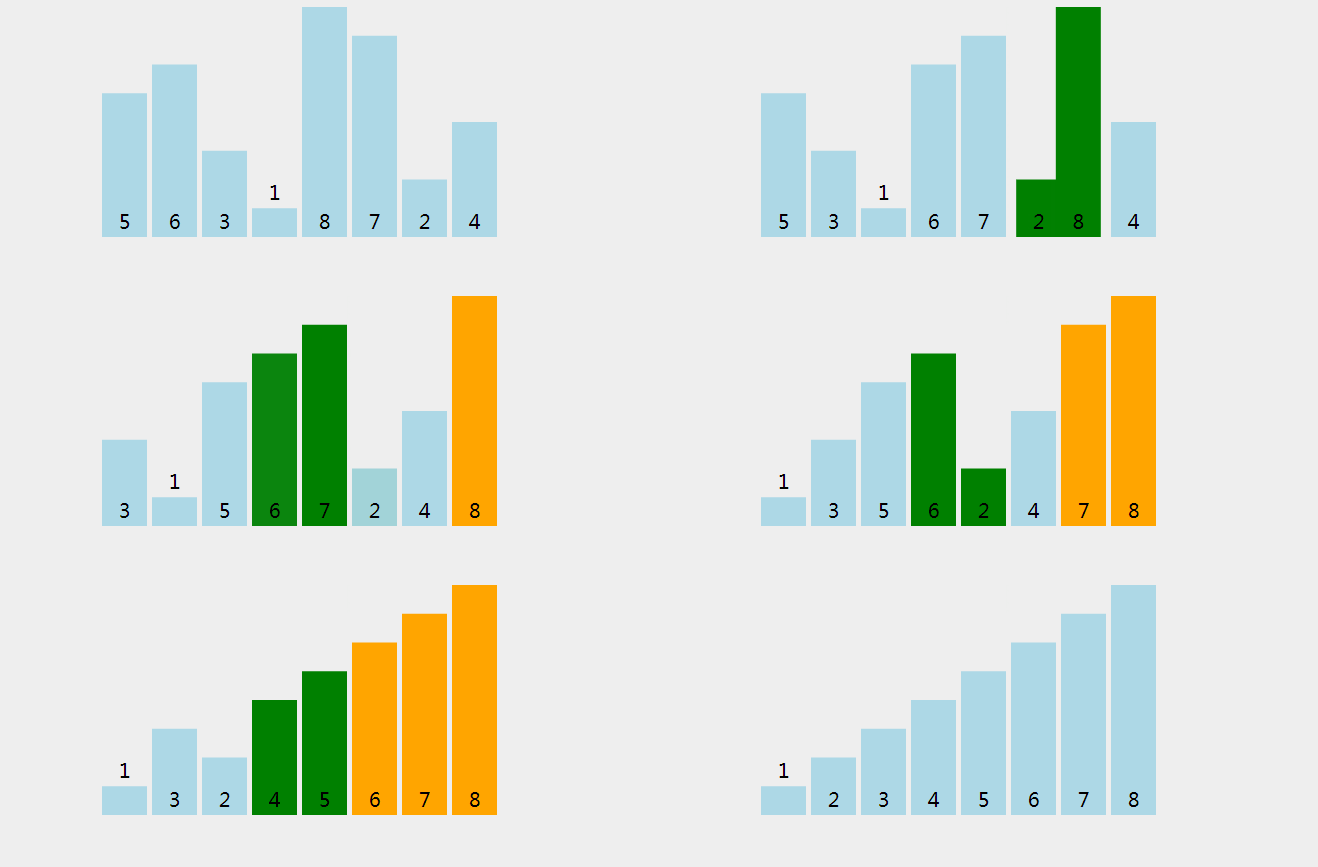
冒泡排序无疑是最为出名的排序算法之一,总共有八大排序!
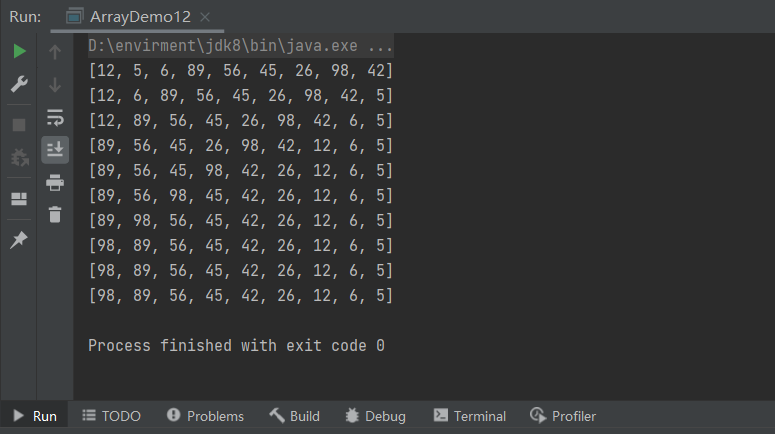
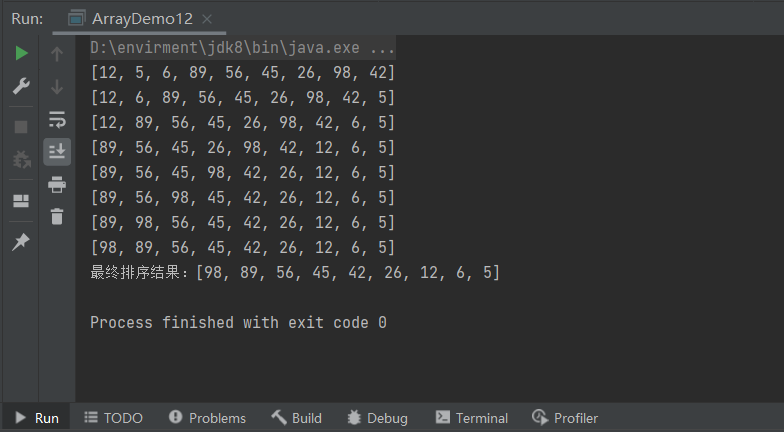
冒泡的代码还是相当简单的,两层循环,外层冒泡轮数,里层依次比较,江湖中人人尽皆知。
我们看到嵌套循环,应该立马就可以得出这个算法的时间复杂度为O(n2)。
1
2
3
4
5
6
7
8
9
10
11
12
13
14
15
16
17
18
19
20
21
22
23
24
25
26
27
28
| package tk.array;
import java.util.Arrays;
public class ArrayDemo12 {
public static void main(String[] args) {
int[] array={12,5,6,89,56,45,26,98,42};
System.out.println(Arrays.toString(array));
int swap=0;
for (int i = 0; i < array.length; i++) {
for (int j = 0; j < array.length-i-1; j++) {
if (array[j]<array[j+1]){
swap=array[j+1];
array[j+1]=array[j];
array[j]=swap;
}
}
System.out.println(Arrays.toString(array));
}
}
}
|
1
2
3
4
5
6
7
8
9
10
11
12
13
14
15
16
17
18
19
20
21
22
23
24
25
26
27
28
29
30
31
32
33
34
35
36
|
package tk.array;
import java.util.Arrays;
public class ArrayDemo12 {
public static void main(String[] args) {
int[] array={12,5,6,89,56,45,26,98,42};
System.out.println(Arrays.toString(array));
int swap=0;
for (int i = 0; i < array.length; i++) {
boolean flag=false;
for (int j = 0; j < array.length-i-1; j++) {
if (array[j]<array[j+1]){
swap=array[j+1];
array[j+1]=array[j];
array[j]=swap;
flag=true;
}
}
if (flag==false){
break;
}
System.out.println(Arrays.toString(array));
}
System.out.println("最终排序结果:"+Arrays.toString(array));
}
}
|
6.稀疏数组
- 当一个数组中大部分元素为0,或者为同一值的数组时,可以使用稀
- 疏数组来保存该数组。稀疏数组的处理方式是:
- 记录数组一共有几行几列,有多少个不同值
- 把具有不同值的元素和行列及值记录在一个小规模的数组中,从而缩小程序的规模。
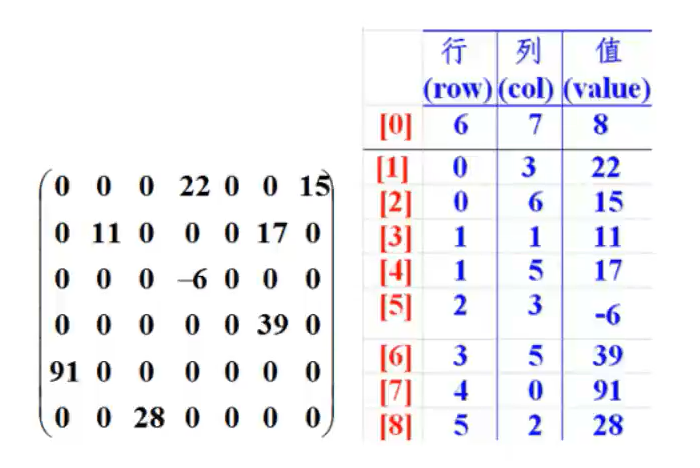
example
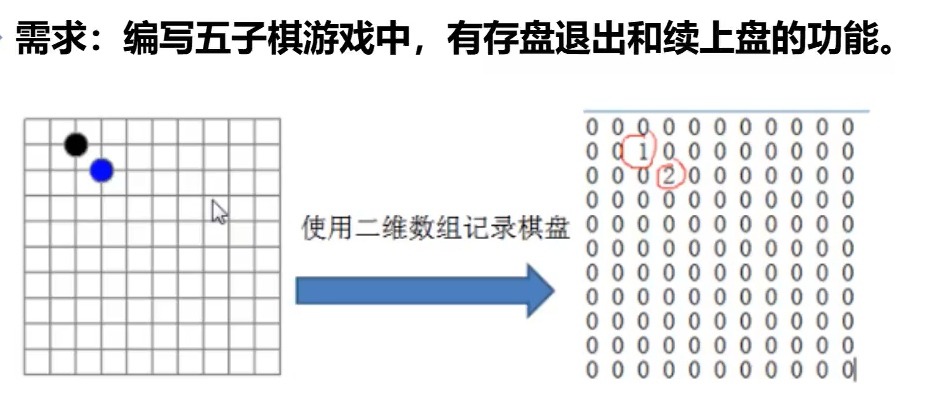
1
2
3
4
5
6
7
8
9
10
11
12
13
14
15
16
17
18
19
20
21
22
23
24
25
26
27
28
29
30
31
32
33
34
35
36
37
38
39
40
41
42
43
44
45
46
47
48
49
50
51
52
53
54
55
56
57
58
59
| package tk.array;
public class ArrayDemo13 {
public static void main(String[] args) {
int[][] array=new int[11][10];
array[1][2]=1;
array[2][3]=2;
for (int i = 0; i < array.length; i++) {
for (int j = 0; j < array[i].length; j++) {
System.out.print(array[i][j]+"\t");
}
System.out.println();
}
System.out.println("============");
int sum=0;
for (int i = 0; i < array.length; i++) {
for (int j = 0; j < array[i].length; j++) {
if (array[i][j]!=0){
sum+=1;
}
}
}
int count=0;
int[][] array01=new int[sum+1][3];
array01[0][0]=array.length;
array01[0][1]=array[0].length;
array01[0][2]=sum;
for (int i = 0; i < array.length; i++) {
for (int j = 0; j < array[i].length; j++) {
if (array[i][j]!=0){
count++;
array01[count][0]=i;
array01[count][1]=j;
array01[count][2]=array[i][j];
}
}
}
for (int i = 0; i < array01.length; i++) {
for (int j = 0; j < array01[i].length; j++) {
System.out.print(array01[i][j]+"\t");
}
System.out.println();
}
System.out.println("==============");
int[][] array02=new int[array01[0][0]][array01[0][1]];
for (int i = 1; i < array01.length; i++) {
array02[array01[i][0]][array01[i][1]]=array01[i][2];
}
for (int i = 0; i < array02.length; i++) {
for (int j = 0; j < array02[i].length; j++) {
System.out.print(array02[i][j]+"\t");
}
System.out.println();
}
}
}
|

六、面向对象编程
Java核心思想,OOP。
1.初始面向对象
面向过程 && 面向对象
什么是面向对象
方法+属性=类!
- 面向对象编程(Object-Oriented Programming, oOP)
面向对象编程的本质就是:以类的方式组织代码,以对象的组织(封装)数据。
- 抽象:核心思想。
- 三大特性:
- 从认识论角度考虑是先有对象后有类。对象,是具体的事物。类,是抽象的,是对对象的抽象。
- 从代码运行角度考虑是先有类后有对象。类是对象的模板。
2.方法回顾和加深
- 方法的定义
- 修饰符
- 返回类型
- break和return的区别
break:跳出switch,结束循环;return:结束方法。
- 方法名
- 参数列表
- 异常抛出
1
2
3
4
5
6
7
8
9
10
11
12
13
14
15
16
17
18
19
20
21
22
23
24
25
| package oop.demo01;
public class Demo01 {
public static void main(String[] args) {
}
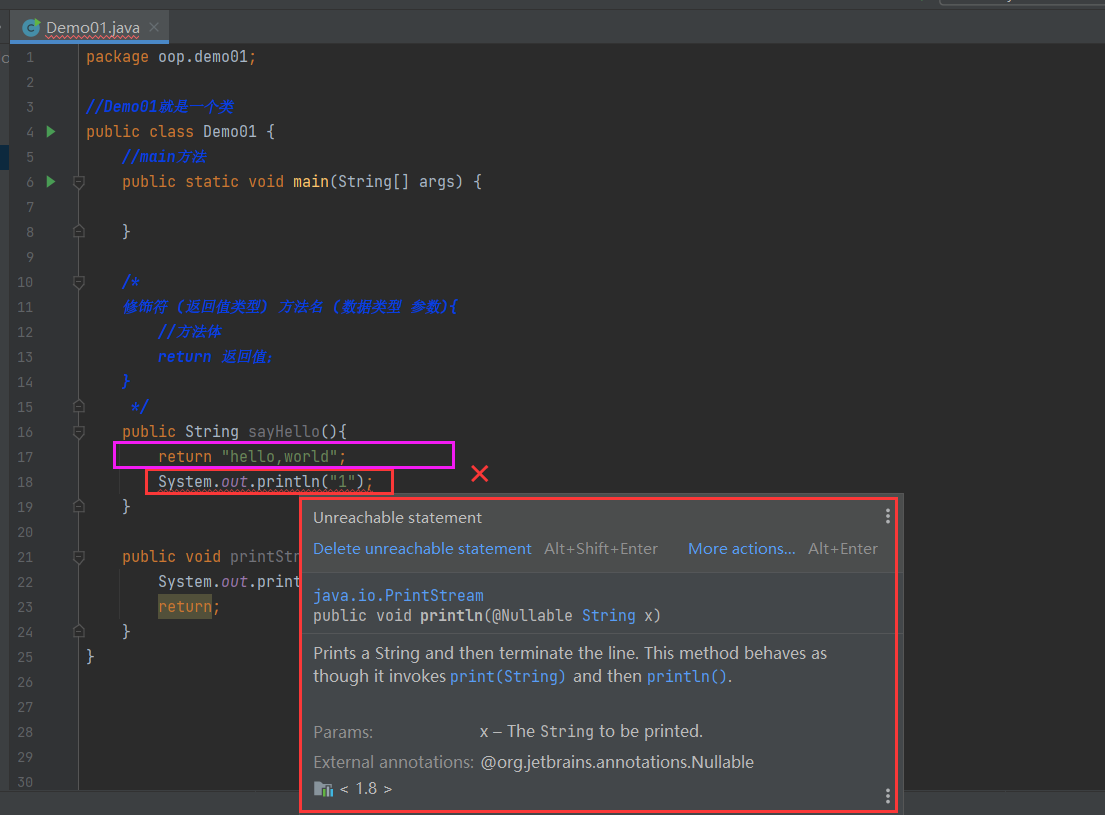
public String sayHello(){
return "hello,world";
}
public void printString(String string){
System.out.println("string!");
return;
}
}
|
return结束方法,后面的代码将不会执行,也不允许执行。
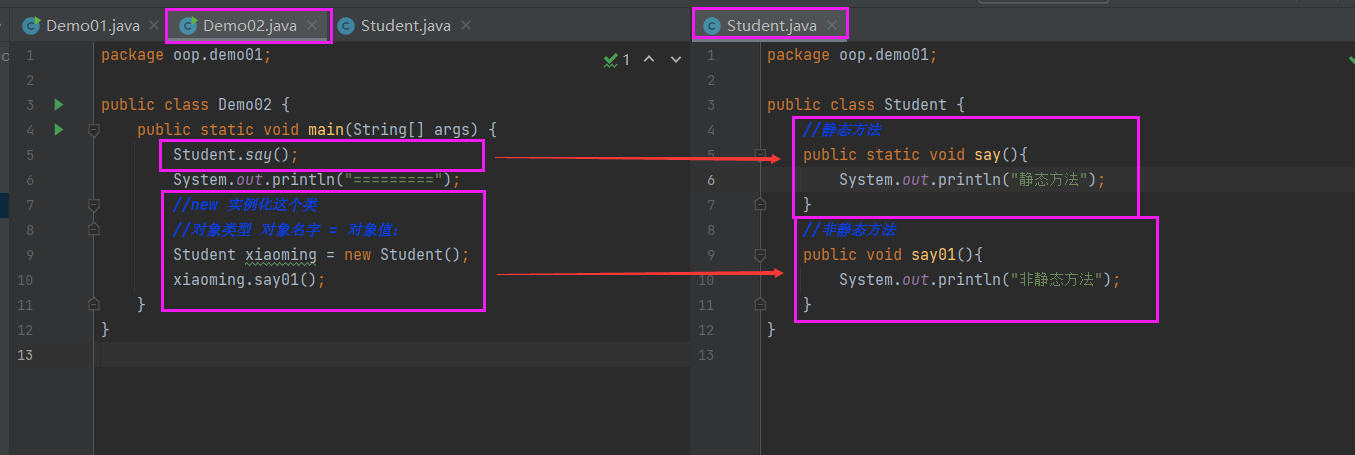
1
2
3
4
5
6
7
8
9
10
11
12
13
14
| package oop.demo01;
public class Demo02 {
public static void main(String[] args) {
public static void g(){
h();
}
public void h(){
}
}
|
- 形参和实参
- 值传递和引用传递
1
2
3
4
5
6
7
8
9
10
11
12
13
14
15
16
17
18
19
20
21
22
23
24
25
26
27
28
29
| package oop.demo01;
public class Demo03 {
public static void main(String[] args) {
int a =1;
change(a);
System.out.println(a);
System.out.println("==========");
Person person = new Person();
change(person);
System.out.println(person.name);
}
public static void change(int a){
a=10;
}
public static void change(Person person){
person.name="白小飞";
}
}
class Person{
String name;
}
|
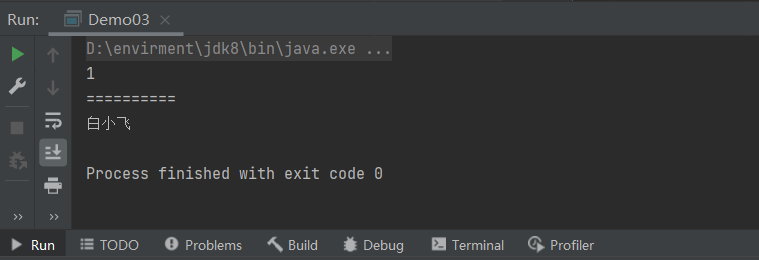
this.代表当前类的,=后面的一般为传过来的值。
1
2
3
4
5
6
7
8
9
10
11
12
13
14
15
| package oop.demo03;
public class Person {
String name;
public Person() {
this.name="王冰冰";
}
public Person(String name) {
this.name=name;
}
}
|
3.创建对象
类与对象的关系
对象,是具体的事物。类,是抽象的,是对对象的抽象。
- 类是一种抽象的数据类型,它是对某一类事物整体描述/定义,但是并不能代表某一个具体的事物.
- 动物、植物、手机、电脑.…….
- Person类、Pet类、Car类等,这些类都是用来描述/定义某一类具体的事物应该具备的特点和行为
- 对象是抽象概念的具体实例
- 张三就是人的一个具体实例,张三家里的旺财就是狗的一个具体实例。
- 能够体现出特点,展现出功能的是具体的实例,而不是一个抽象的概念.
创建与初始化对象
- 使用new关键字创建对象。
- 使用new关键字创建的时候,除了分配内存空间之外,还会给创建好的对象进行默认的初始化以及对类中构造器的调用。
1
2
3
4
5
6
7
8
9
10
11
12
13
14
15
16
|
package oop.demo02;
public class Girlfriend {
String name;
int age;
int height;
public void travel(){
System.out.println(this.name+"和白小飞去游玩了!");
}
}
|
1
2
3
4
5
6
7
8
9
10
11
12
13
14
15
16
17
18
19
20
21
22
23
24
25
26
27
28
29
30
|
package oop.demo02;
public class Application {
public static void main(String[] args) {
Girlfriend no1 = new Girlfriend();
Girlfriend no2 = new Girlfriend();
Girlfriend no3 = new Girlfriend();
System.out.print(no1.name);
System.out.print(no1.age);
System.out.print(no1.height);
System.out.println("=========");
no1.name="王冰冰";
no1.age=31;
no1.height=165;
no2.name="虞书欣";
no3.name="Lisa";
System.out.println("女友一号:"+no1.name+",年龄,"+no1.age+",身高:"+no1.height);
System.out.println("女友二号:"+no1.name);
System.out.println("女友三号:"+no1.name);
}
}
|
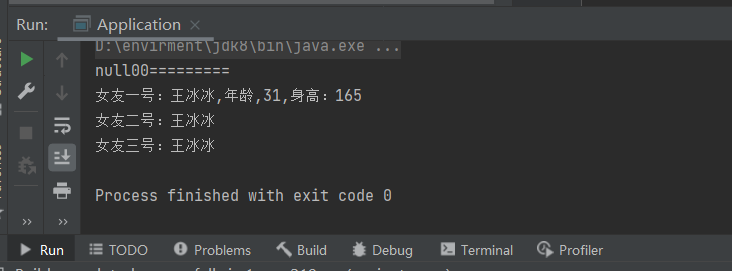
- 类中的构造器也称为构造方法,是在进行创建对象的时候必须要调用的。并且构造器有以下俩个特点:
- 1.必须和类的名字相同
- ⒉.必须没有返回类型,也不能写void
1
2
3
4
5
6
7
8
9
|
package oop.demo03;
public class Person {
String name;
}
|
1
2
3
4
5
6
7
8
9
10
11
12
13
|
package oop.demo03;
public class Application {
public static void main(String[] args) {
Person person = new Person();
System.out.println(person.name);
}
}
|

1
2
3
4
5
6
7
8
9
10
11
12
13
14
15
16
17
18
19
20
21
22
23
24
|
package oop.demo03;
public class Person {
String name;
public Person() {
this.name="王冰冰";
}
public Person(String name) {
this.name=name;
}
}
|
1
2
3
4
5
6
7
8
9
10
11
12
13
14
15
|
package oop.demo03;
public class Application {
public static void main(String[] args) {
Person person = new Person();
System.out.println(person.name);
Person person2 = new Person("虞书欣");
System.out.println(person2.name);
}
}
|
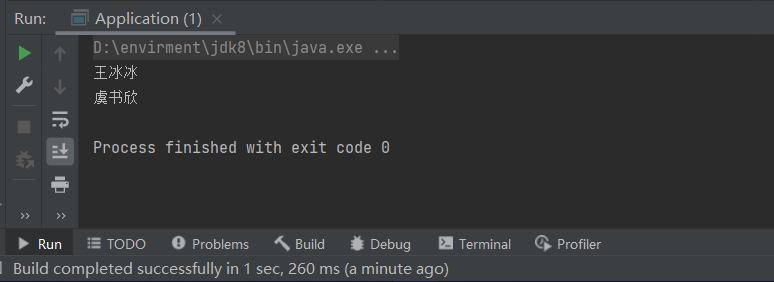
小结
类:
构造器:
作用:
注意点:
- 定义有参构造之后,如果使用无参构造,将会显示没有为该对象定义无参的构造函数。
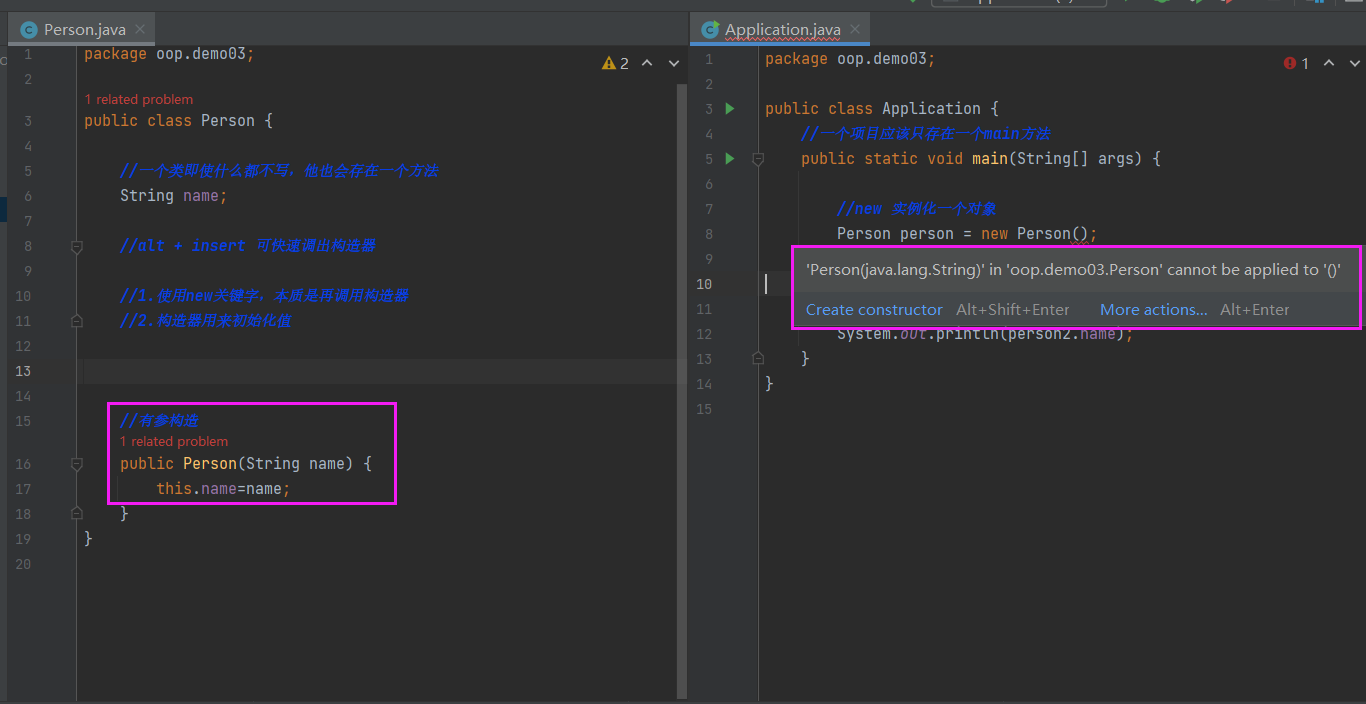
4.对象的创建分析
1
2
3
4
5
6
7
8
9
10
11
12
13
|
package oop.demo04;
public class Pet {
String name;
int age;
public void shout(){
System.out.println(this.age+"岁的"+this.name+"正在叫!");
}
}
|
1
2
3
4
5
6
7
8
9
10
11
12
13
14
|
package oop.demo04;
public class Application {
public static void main(String[] args) {
Pet dog = new Pet();
dog.name="旺财";
dog.age=3;
dog.shout();
Pet cat = new Pet();
}
}
|
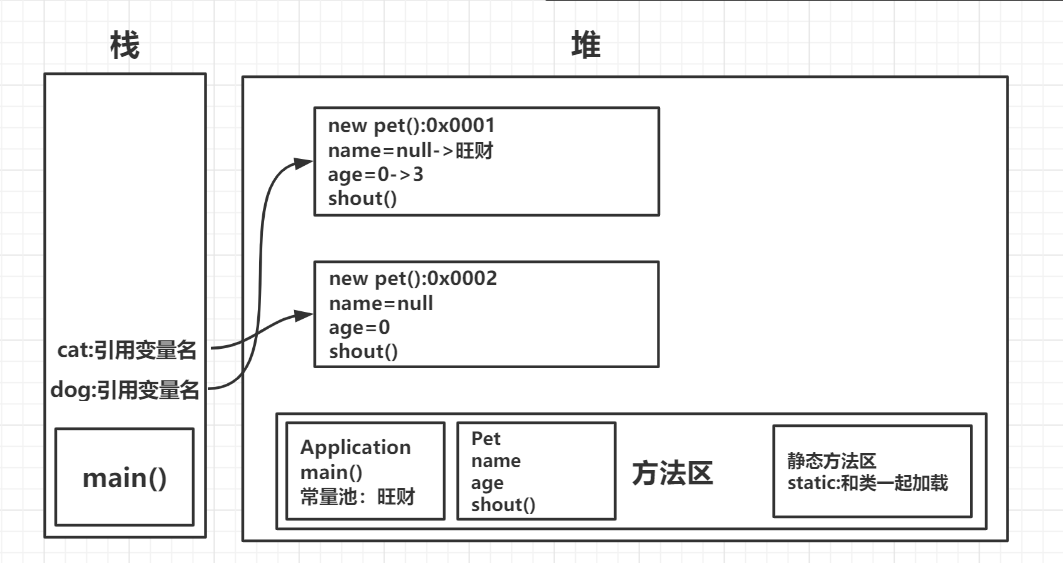
对象的引用:
- 引用类型:基本类型(8种)
- 对象是通过引用来操作的,栈—>堆(内存地址)
5.面向对象的三大特征
封装
- 该露的露,该藏的藏
- 我们程序设计要追求 “高内聚,低耦合”。高内聚就是类的内部数据操作细节自己完成,不允许外部干涉;低耦合:仅暴露少量的方法给外部使用。
- 封装(数据的隐藏)
- 通常,应禁止直接访问一个对象中数据的实际表示,而应通过操作接口来访问,这称为信息隐藏。
- 记住这句话就够了: 属性私有,get/set
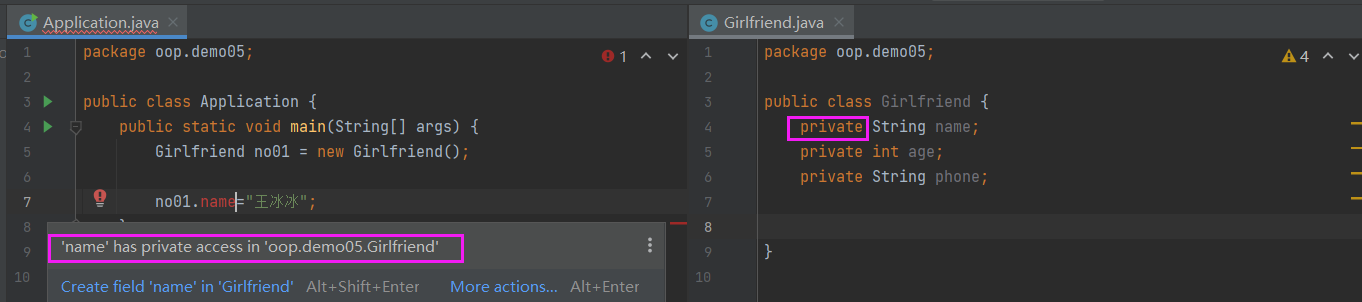
1
2
3
4
5
6
7
8
9
10
11
12
13
14
15
16
17
18
19
20
21
22
23
24
25
26
27
28
29
30
31
32
33
34
35
36
37
38
39
40
41
42
43
44
45
46
47
|
package oop.demo05;
public class Girlfriend {
private String name;
private int age;
private String phone;
public void setName(String name){
this.name=name;
}
public String getName(){
return this.name;
}
public int getAge() {
return age;
}
public void setAge(int age) {
if (age!=18){
System.out.println("冰冰永远18岁!");
this.age=18;
}else {
this.age = age;
}
}
public String getPhone() {
return phone;
}
public void setPhone(String phone) {
this.phone = phone;
}
}
|
1
2
3
4
5
6
7
8
9
10
11
12
13
14
15
|
package oop.demo05;
public class Application {
public static void main(String[] args) {
Girlfriend no01 = new Girlfriend();
System.out.println(no01.getName());
System.out.println("========");
no01.setName("王冰冰");
no01.setAge(31);
System.out.println("=========");
System.out.println(no01.getName()+"の年龄是"+no01.getAge()+"岁!");
}
}
|
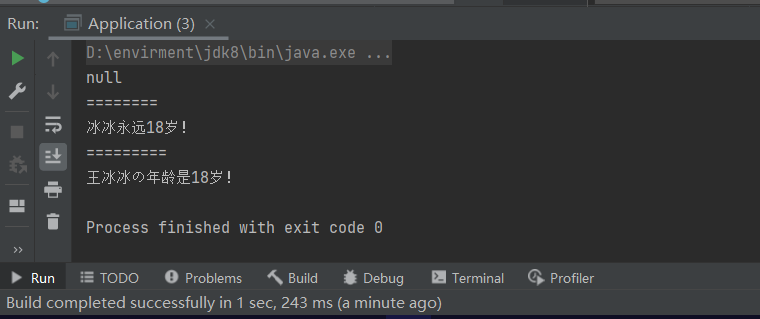
封装的好处:
- 提高程序的交全性,保护数据
- 隐藏代码的实现细节
- 统一接口
- 系统可维护增加了
继承
final定义的类无法被继承!
- 继承的本质是对某一批类的抽象,从而实现对现实世界更好的建模。
- extands的意思是“扩展”。子类是父类的扩展。
- JAVA中类只有单继承,没有多继承!
- 继承是类和类之间的一种关系。除此之外,类和类之间的关系还有依赖、组合、聚合等。
- 继承关系的俩个类,一个为子类(派生类),一个为父类(基类)。子类继承父类,使用关键字extends来表示。
- 子类和父类之间,从意义上讲应该具有”is a”的关系.
1
2
3
4
5
6
7
8
9
10
11
12
13
14
15
16
17
18
19
20
21
22
23
24
25
26
27
|
package oop.demo06;
public class Person {
private String name;
public int money=100_0000;
public void study(){
System.out.println(this.name+"在学习");
}
public String getName() {
return name;
}
public void setName(String name) {
this.name = name;
}
}
|
1
2
3
4
5
6
7
|
package oop.demo06;
public class Bai extends Person {
}
|
1
2
3
4
5
6
7
8
9
10
11
|
package oop.demo06;
public class Application {
public static void main(String[] args) {
Bai bai = new Bai();
bai.setName("白小飞");
bai.study();
System.out.println(bai.money);
}
}
|


super调用父类属性
1
2
3
4
5
6
7
8
|
package oop.demo07;
public class Pet {
String name="宠物";
}
|
1
2
3
4
5
6
7
8
9
10
11
12
|
package oop.demo07;
public class Cat extends Pet{
String name="小猫";
public void shout(String name){
System.out.println(name);
System.out.println(this.name);
System.out.println(super.name);
}
}
|
1
2
3
4
5
6
7
8
9
|
package oop.demo07;
public class Application {
public static void main(String[] args) {
Cat cat1 = new Cat();
cat1.shout("旺财");
}
}
|

super调用父类方法
1
2
3
4
5
6
7
8
9
10
11
|
package oop.demo07;
public class Pet {
protected String name="宠物";
public void print(){
System.out.println("Pet");
}
}
|
1
2
3
4
5
6
7
8
9
10
11
12
13
14
15
16
17
18
19
20
21
22
23
|
package oop.demo07;
public class Cat extends Pet{
private String name="小猫";
public void shout(String name){
System.out.println(name);
System.out.println(this.name);
System.out.println(super.name);
}
public void print(){
System.out.println("Cat");
}
public void test01(){
print();
this.print();
super.print();
}
}
|
1
2
3
4
5
6
7
8
9
10
|
package oop.demo07;
public class Application {
public static void main(String[] args) {
Cat cat1 = new Cat();
cat1.shout("旺财");
cat1.test01();
}
}
|
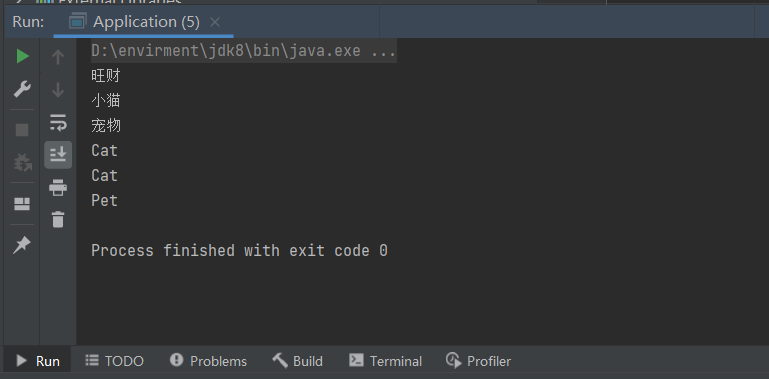
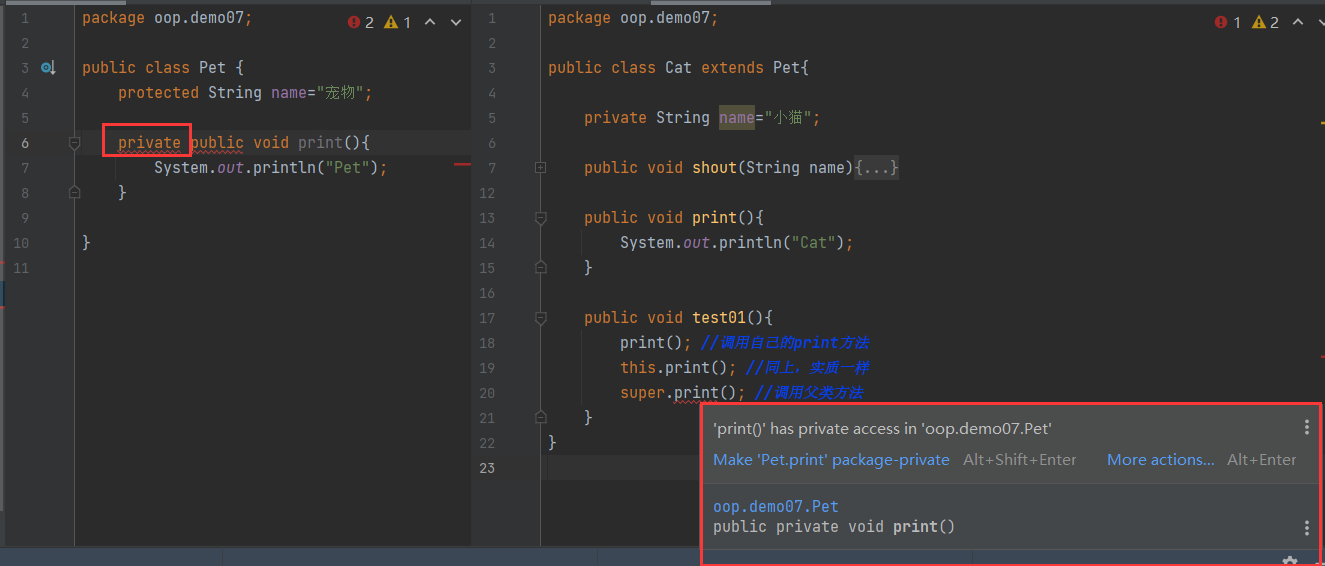
但是当父类的方法设为私有时将无法通过super调用,同理,私有属性也无法调用!
无参构造器
1
2
3
4
5
6
7
8
9
|
package oop.demo08;
public class Pet {
public Pet() {
System.out.println("Pet的无参构造器被执行了!");
}
}
|
1
2
3
4
5
6
7
8
9
10
11
|
package oop.demo08;
public class Cat extends Pet{
public Cat() {
super();
System.out.println("Cat的无参构造器被执行了!");
}
}
|
1
2
3
4
5
6
7
8
|
package oop.demo08;
public class Application {
public static void main(String[] args) {
Cat cat = new Cat();
}
}
|
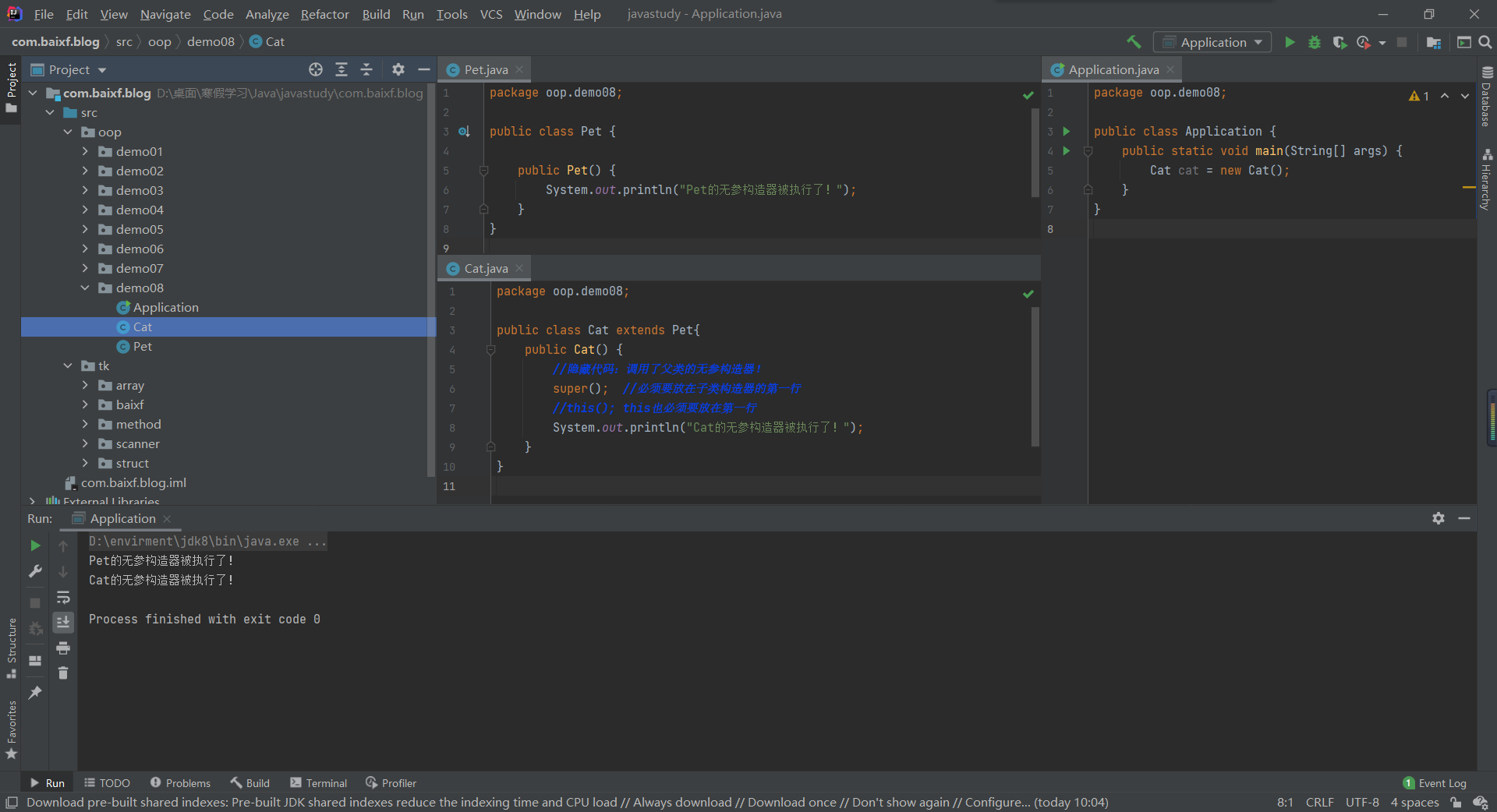
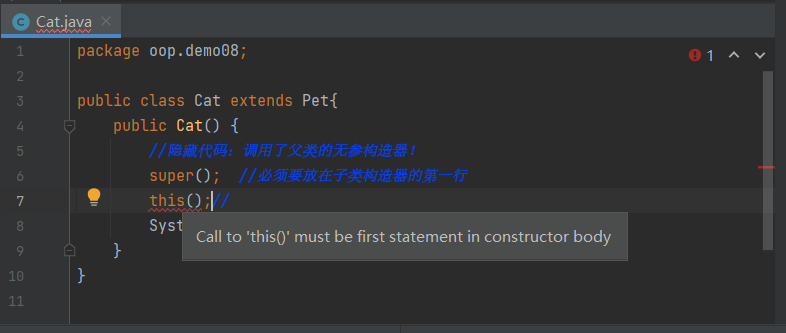
子类中隐藏存在着无参构造,在子类的无参构造中也隐藏存在着super()关键字,且super()只能放在第一行。
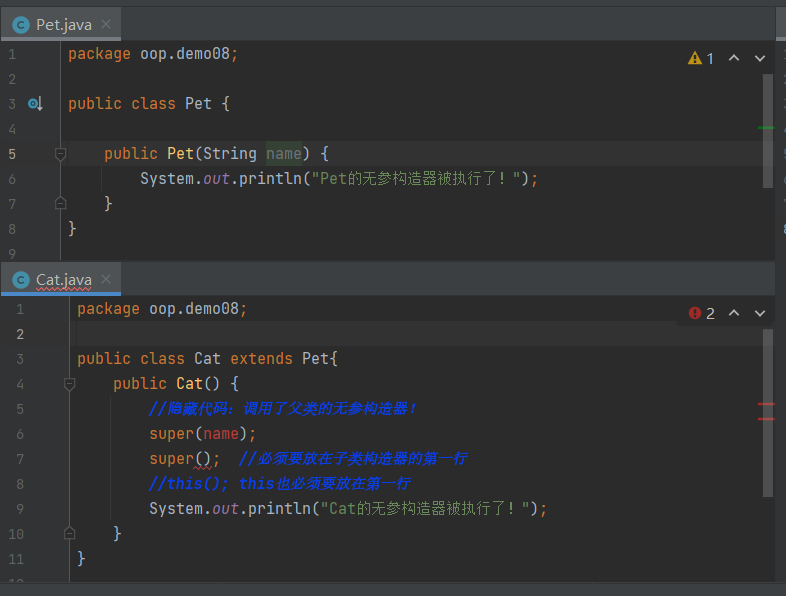
如果父类中不存在无参构造,那个子类也将不允许出现无参构造(因为子类的无参构造中隐藏着super()对父类的无参调用);父类只存在有参构造器时,可以通过super(参数)来使用。
小结
super注意点:
- super调用父类的构造方法,必须在构造方法的第一个
- super必须只能出现在子类的方法或者构造方法中!
- super和 this不能同时调用构造方法!
vs this:
- 代表的对象不同:
- this:本身调用者这个对象
- super:代表父类对象的应用前提
- this:没哟继承也可以使用
- super:只能在继承条件才可以使用构造方法
- this():本类的构造
- super():父类的构造!
静态方法重写
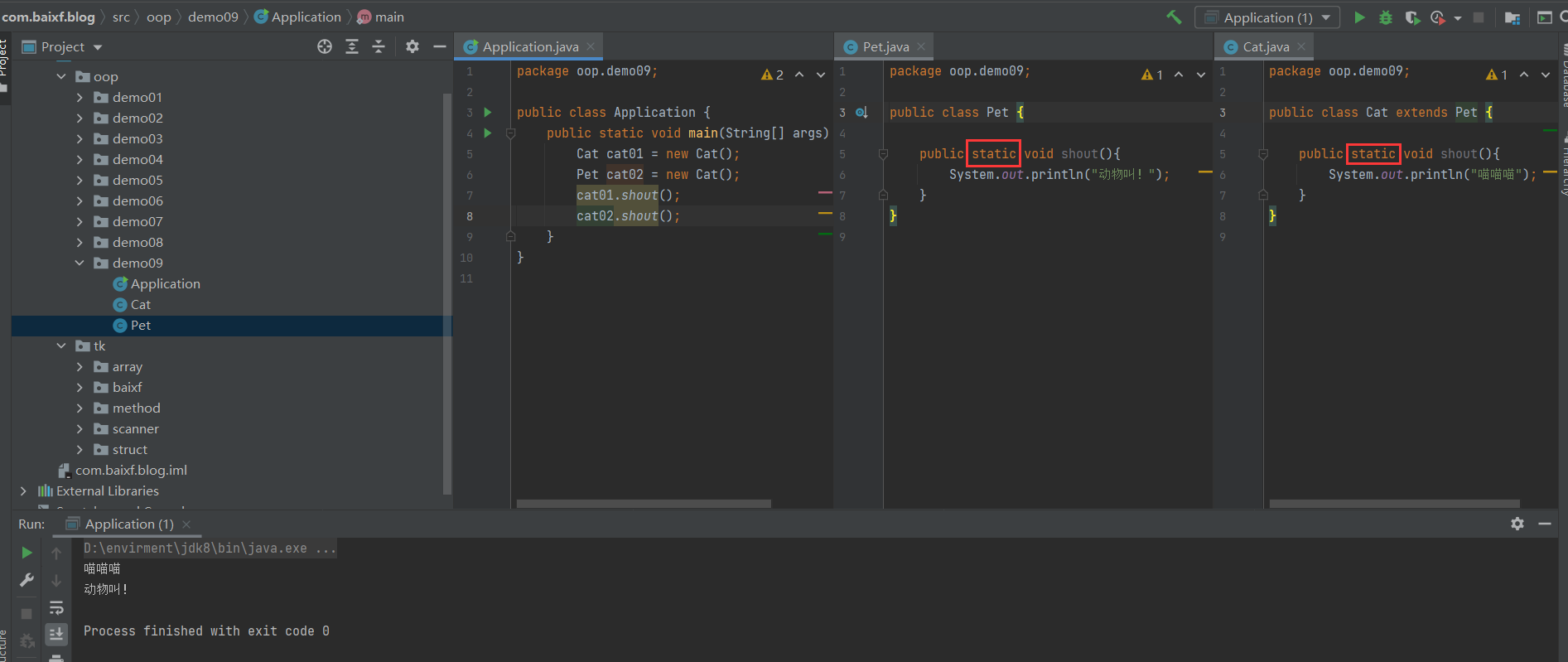
非静态方法重写
1
2
3
4
5
6
7
8
9
|
package oop.demo09;
public class Pet {
public void shout(){
System.out.println("动物叫!");
}
}
|
1
2
3
4
5
6
7
8
9
10
11
12
13
|
package oop.demo09;
public class Cat extends Pet {
@Override
public void shout() {
super.shout();
}
}
|
1
2
3
4
5
6
7
8
9
10
11
12
13
14
15
16
|
package oop.demo09;
public class Application {
public static void main(String[] args) {
Cat cat01 = new Cat();
Pet cat02 = new Cat();
cat01.shout();
cat02.shout();
}
}
|
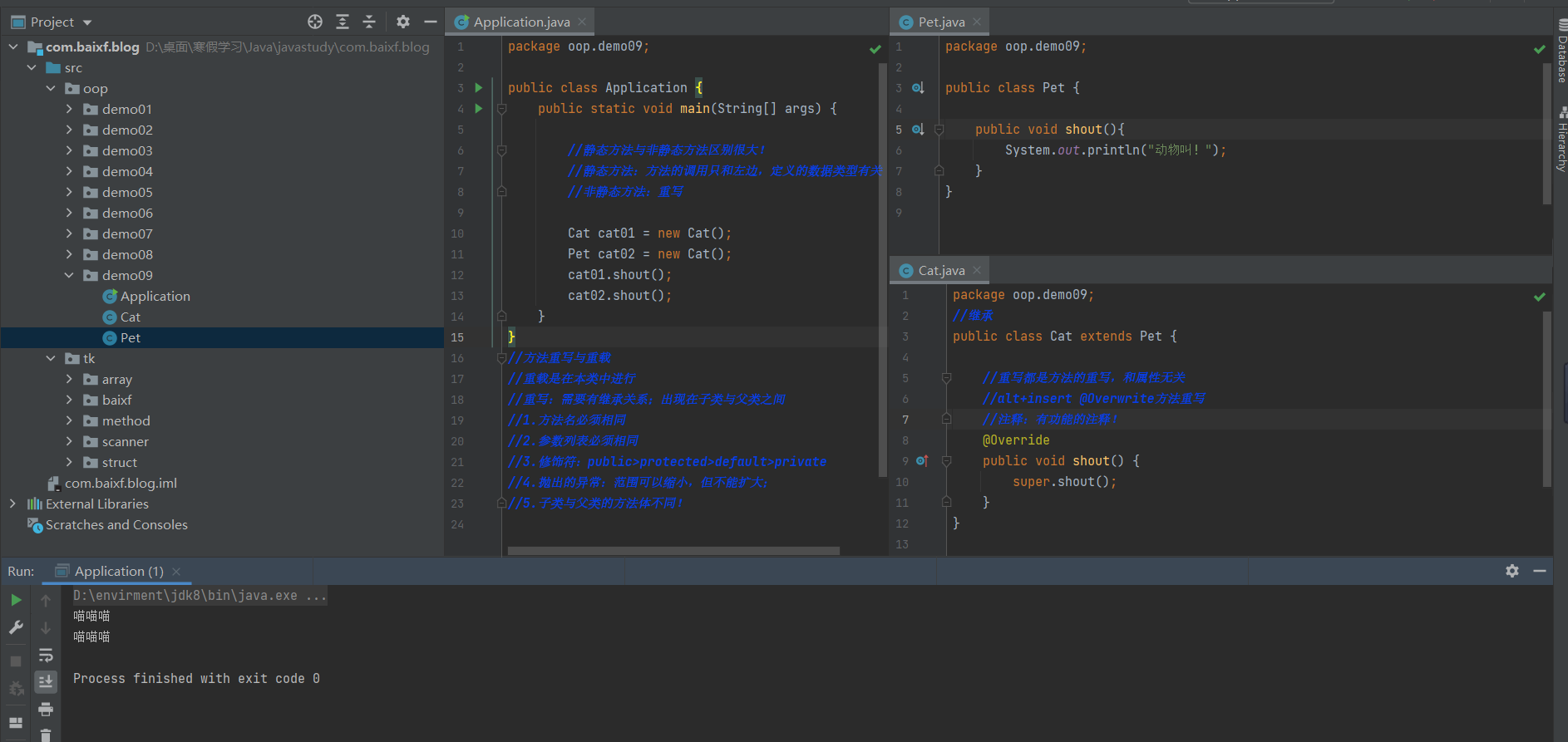
方法重写与重载
重载是在本类中进行;重写需要有继承关系;出现在子类与父类之间。
方法重写:overwrite
1.方法名必须相同
2.参数列表必须相同
3.修饰符:public>protected>default>private
4.抛出的异常:范围可以缩小,但不能扩大;
5.子类与父类的方法体不同!
为什么需要方法重写
父类的功能,子类可能不需要,或者不一定满足。
多态
1
2
3
4
5
6
7
8
|
package oop.demo10;
public class Person {
public void run(){
System.out.println("father");
}
}
|
1
2
3
4
5
6
7
8
9
10
11
12
13
|
package oop.demo10;
public class Student extends Person{
@Override
public void run() {
System.out.println("son");
}
public void eat(){
System.out.println("eat");
}
}
|
1
2
3
4
5
6
7
8
9
10
11
12
13
14
15
16
17
18
19
20
21
22
23
24
25
26
|
package oop.demo10;
public class Application {
public static void main(String[] args) {
Student student01 = new Student();
Person student02 = new Student();
student01.run();
student02.run();
student01.eat();
((Student) student02).eat();
}
}
|
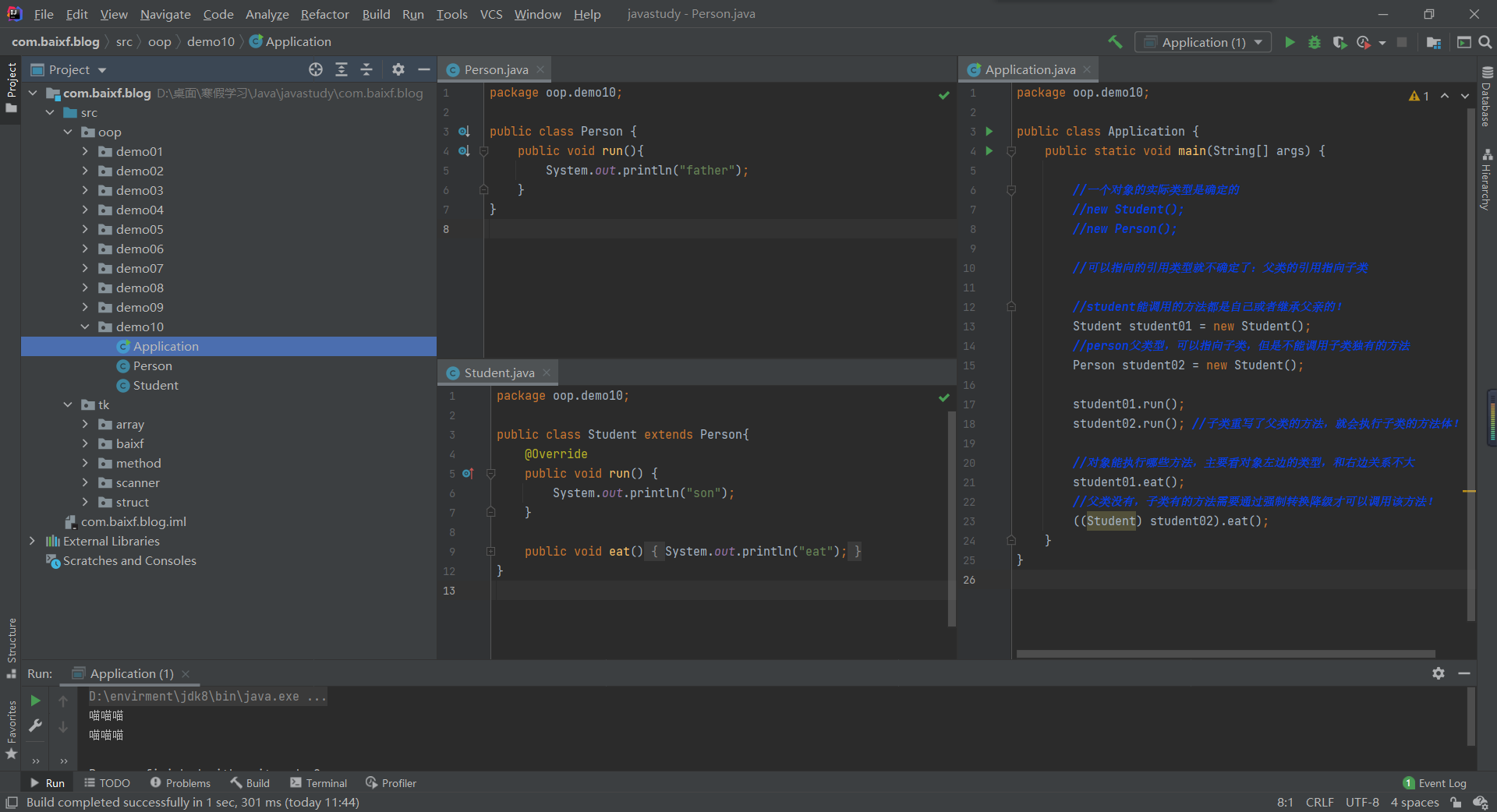
多态注意事项:
1.多态是方法的多态,属性没有多态。
2.父类和子类有联系 类型转换异常 ClassCastException!
3.存在条件:继承关系,方法需要重写,父类引用指向子类!Father f1=new Son();
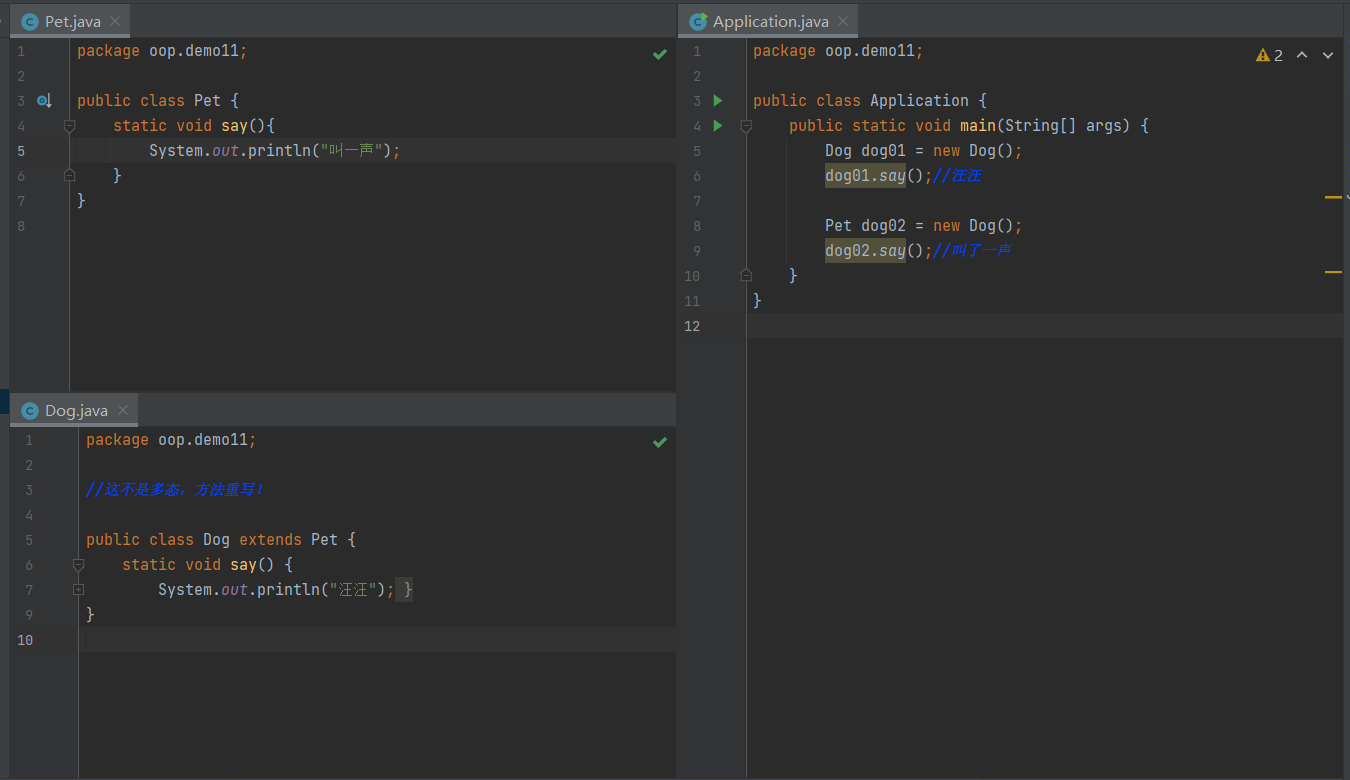
不可以继承的方法
1.static 方法,属于类,他不属于实例
2.final 常量;
3.private方法;
1
2
3
4
5
6
7
8
9
10
11
12
13
14
15
16
17
18
19
20
21
22
23
24
25
26
27
28
29
30
31
32
33
34
| package oop.demo12;
import oop.demo06.Person;
public class Application {
public static void main(String[] args) {
Student stu01 = new Student();
Teacher tea01 = new Teacher();
Person per01 = new Person();
Object obj01 = new Student();
System.out.println(stu01 instanceof oop.demo12.Person);
System.out.println(tea01 instanceof oop.demo12.Person);
System.out.println(stu01 instanceof Object);
System.out.println(tea01 instanceof Object);
System.out.println(per01 instanceof Object);
System.out.println(stu01 instanceof oop.demo12.Person);
System.out.println(stu01 instanceof oop.demo12.Person);
System.out.println(obj01 instanceof String);
System.out.println(obj01 instanceof oop.demo12.Person);
}
}
|
对象的类型转换
1
2
3
4
5
6
7
8
|
package oop.demo12;
public class Person {
public static void run(){
System.out.println("run");
}
}
|
1
2
3
4
5
6
7
8
|
package oop.demo12;
public class Student extends Person{
public static void study(){
System.out.println("study");
}
}
|
1
2
3
4
5
6
7
8
9
10
11
12
13
14
15
16
17
18
19
20
21
22
23
24
25
|
package oop.demo12;
public class Application {
public static void main(String[] args) {
Person student = new Student();
student.run();
((Student) student).study();
Student stu1 = new Student();
Person per1 = stu1;
((Student)stu1).study();
}
}
|
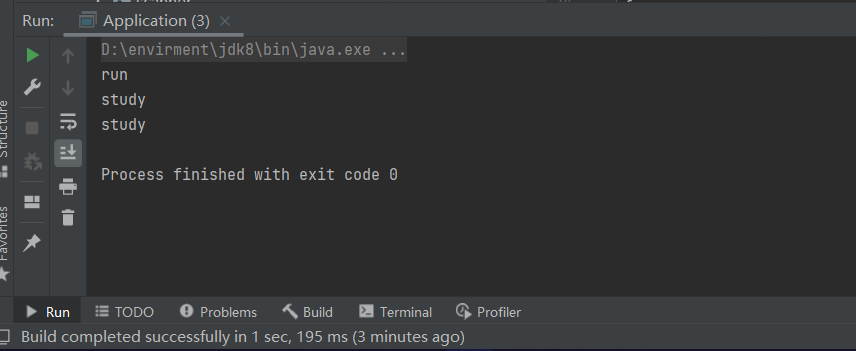
小结
1.父类引用指向子类的对象
2.把子类转换为父类,向上转型,直接新建一个父类对象,直接赋值即可。
3.把父类转为子类,向下转型,需要强制转换。
4.方便方法的抽象,减少重复的代码,简洁。
6.stastic
1
2
3
4
5
6
7
8
9
10
11
12
13
14
15
16
17
18
19
20
21
22
23
24
25
26
27
28
29
30
31
32
33
34
| package oop.demo13;
public class Student {
public static String name;
public int age;
public static void run(){
System.out.println("run");
}
public void say(){
System.out.println("say");
}
public static void main(String[] args) {
Student student = new Student();
System.out.println(Student.name);
System.out.println(student.name);
System.out.println(student.age);
System.out.println("===============");
student.say();
student.run();
Student.run();
}
}
|
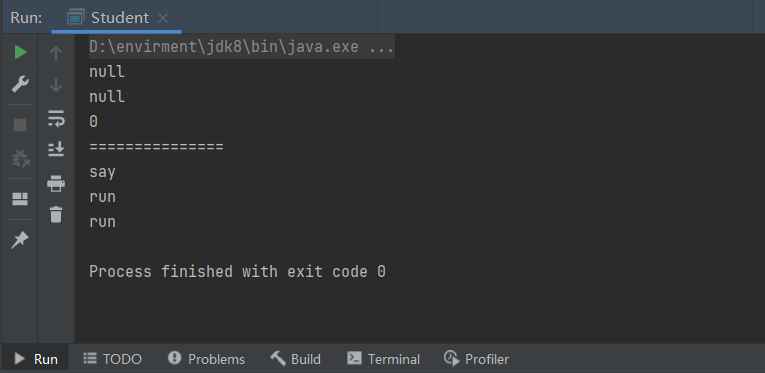
匿名代码块、静态代码块与内存分析
1.静态代码块只执行一次,和类一起加载
2.匿名代码块和对象一起产生,但是在方法前执行!用来赋初始值~
3.构造器(类的方法,创建对象时生成,但是执行晚于匿名代码块)
1
2
3
4
5
6
7
8
9
10
11
12
13
14
15
16
17
18
19
20
21
22
23
24
25
26
27
| package oop.demo13;
public class Teacher {
static {
System.out.println("静态代码块");
}
{
System.out.println("匿名代码块");
}
public Teacher() {
System.out.println("构造器");
}
public static void main(String[] args) {
Teacher teacher = new Teacher();
System.out.println("===============");
Teacher teacher1 = new Teacher();
}
}
|
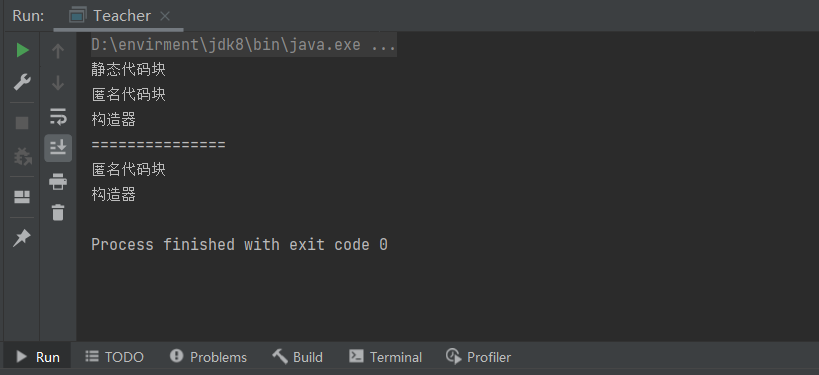
静态导入包
1
2
3
4
5
6
7
8
9
10
11
12
13
14
15
16
17
| package oop.demo13;
import static java.lang.Math.PI;
import static java.lang.Math.random;
public class APP {
public static void main(String[] args) {
System.out.println(Math.random());
System.out.println(PI);
System.out.println(random());
}
}
|
7.抽象类
1
2
3
4
5
6
7
8
9
10
11
12
13
|
package oop.demo14;
public abstract class A {
public void run(){
System.out.println("A");
}
public abstract void say();
}
|
1
2
3
4
5
6
7
8
9
10
11
|
package oop.demo14;
public class B extends A{
@Override
public void say() {
System.out.println("say");
}
}
|
小结
实质:抽象的抽象!
1.不能new这个抽象类
2.抽象类中可以写普通的方法
3.抽象方法必须在抽象类中
4.抽象类不可以被new为一个对象
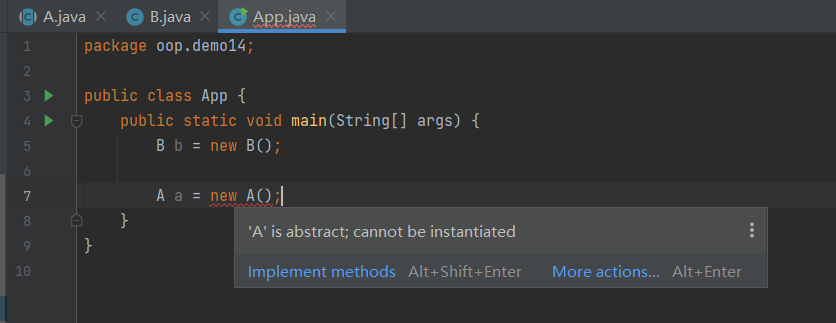
思考:抽象类是否存在构造器?存在!
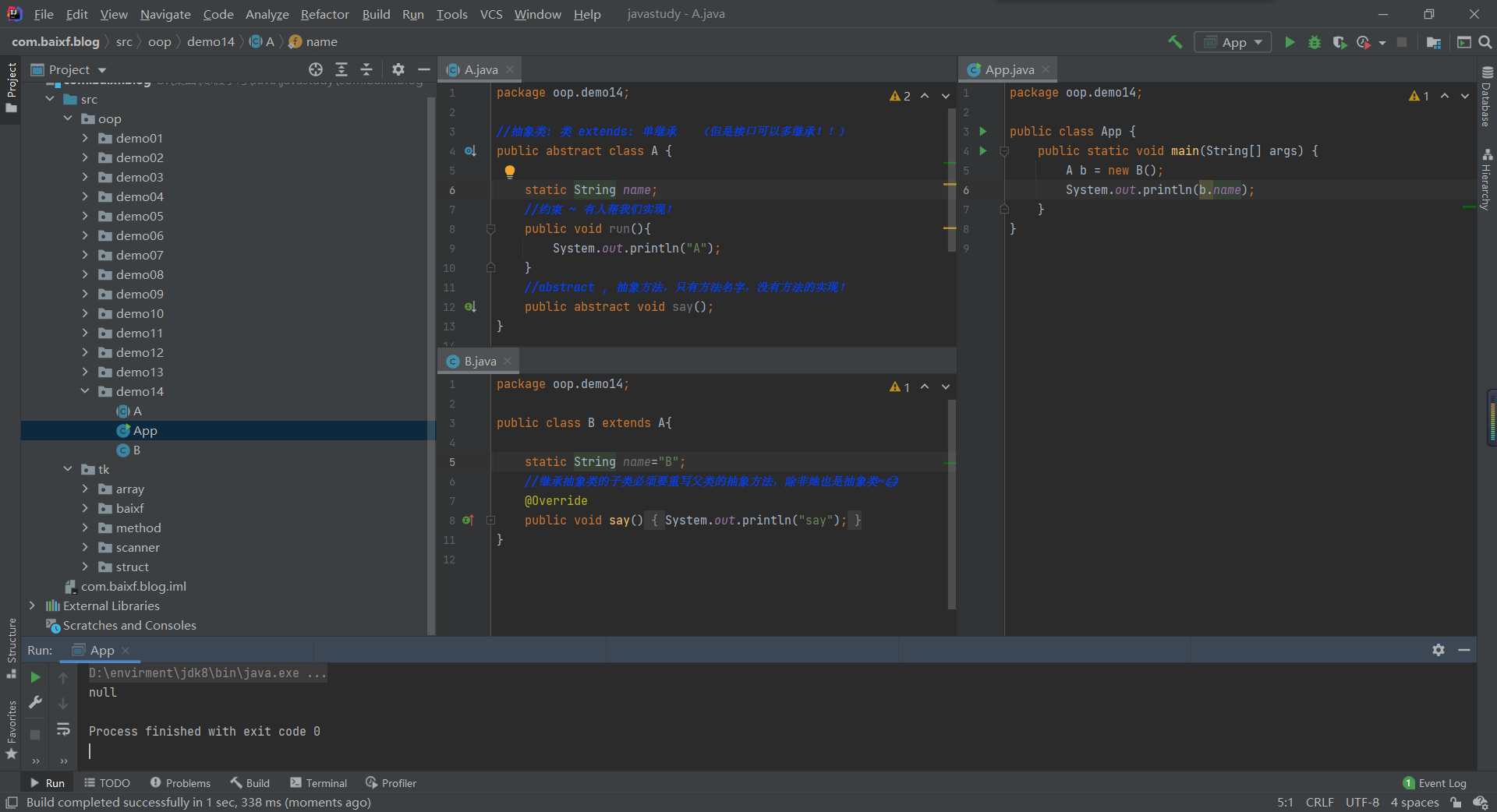
抽象类存在的意义?提高开发效率
8.接口
普通类:只有具体实现
抽象类:具体实现和规范(抽象方法)都有!
接口:只有规范!
- 接口就是规范,定义的是一组规则。
- 接口的本质是契约!
- OO的精髓是,是对对象的抽象,最能体现这一点的是接口。
- 声明类的关键字是class;声明接口的关键字是interface。
- 接口实现了约束和实现的分离,面向接口编程!
1
2
3
4
5
6
7
8
9
10
11
12
13
14
15
|
package oop.demo15;
public interface UserService {
int age=99;
void add();
void delete();
void query();
void update();
}
|
1
2
3
4
5
6
|
package oop.demo15;
public interface TimeService {
void timmer();
}
|
1
2
3
4
5
6
7
8
9
10
11
12
13
14
15
16
17
18
19
20
21
22
23
24
25
26
27
28
29
30
31
32
33
34
|
package oop.demo15;
public class UserServiceImpl implements UserService,TimeService{
@Override
public void add() {
}
@Override
public void delete() {
}
@Override
public void query() {
}
@Override
public void update() {
}
@Override
public void timmer() {
}
}
|
作用
1.接口是一个约束,实现了约束和实现的分离!
2.定义了一些方法,让不同的人实现。
3.接口中的所有定义的方法其实public abstract。
4.接口中的属性默认 public static final。
5.接口不能被实例化。
6.通过implement可以实现接口多继承!
9.内部类
内部类就是在一个类的内部在定义一个类,比如,A类中定义一个B类,那么B类相对A类来说就称为内部类,而A类相对B类来说就是外部类了。
成员内部类
1
2
3
4
5
6
7
8
9
10
11
12
13
14
15
16
17
18
19
20
21
22
23
24
25
26
|
package oop.demo16;
import java.sql.SQLOutput;
public class Outer {
private String name="IU知恩";
public void out(){
System.out.println("这是外部类的方法!");
}
public class inner{
public void in(){
System.out.println("这是内部类方法!");
}
public void getPri(){
System.out.println(name);
}
}
}
|
1
2
3
4
5
6
7
8
9
10
11
12
13
14
15
16
|
package oop.demo16;
public class App {
public static void main(String[] args) {
Outer outer = new Outer();
outer.out();
Outer.inner inner = outer.new inner();
inner.in();
inner.getPri();
}
}
|
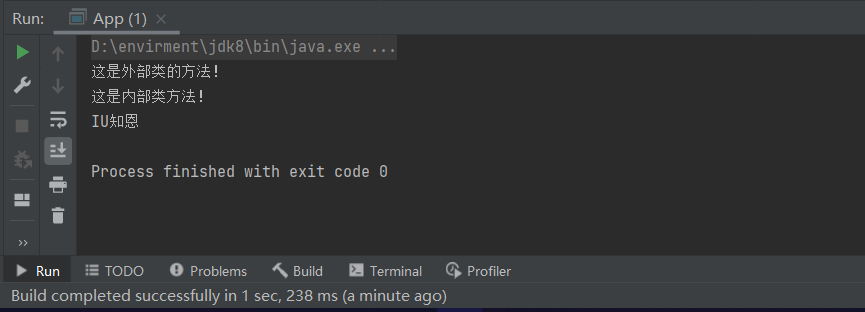
静态内部类
static是随class创建时产生的,所以内部类是无法调用外部类的属性值的,他们的创建是在class之后的。
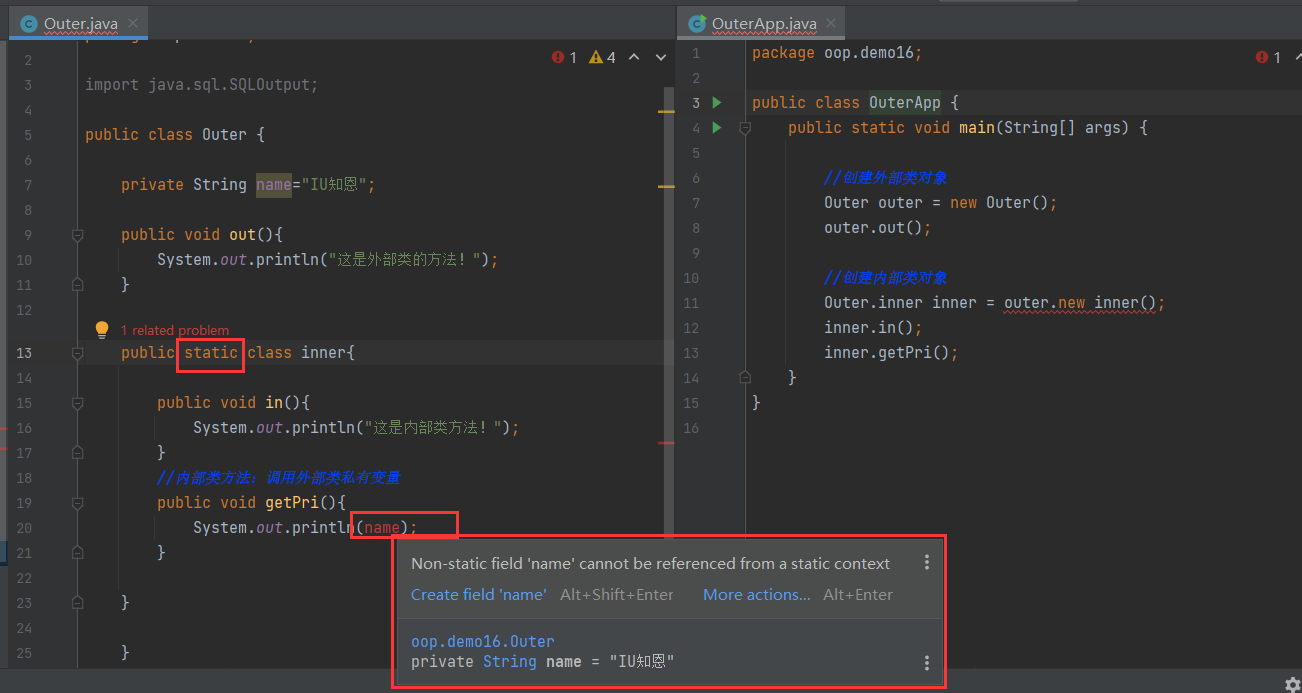
而且 Java 中普通内部类为何不能有static数据和static字段,也不能包含嵌套类。
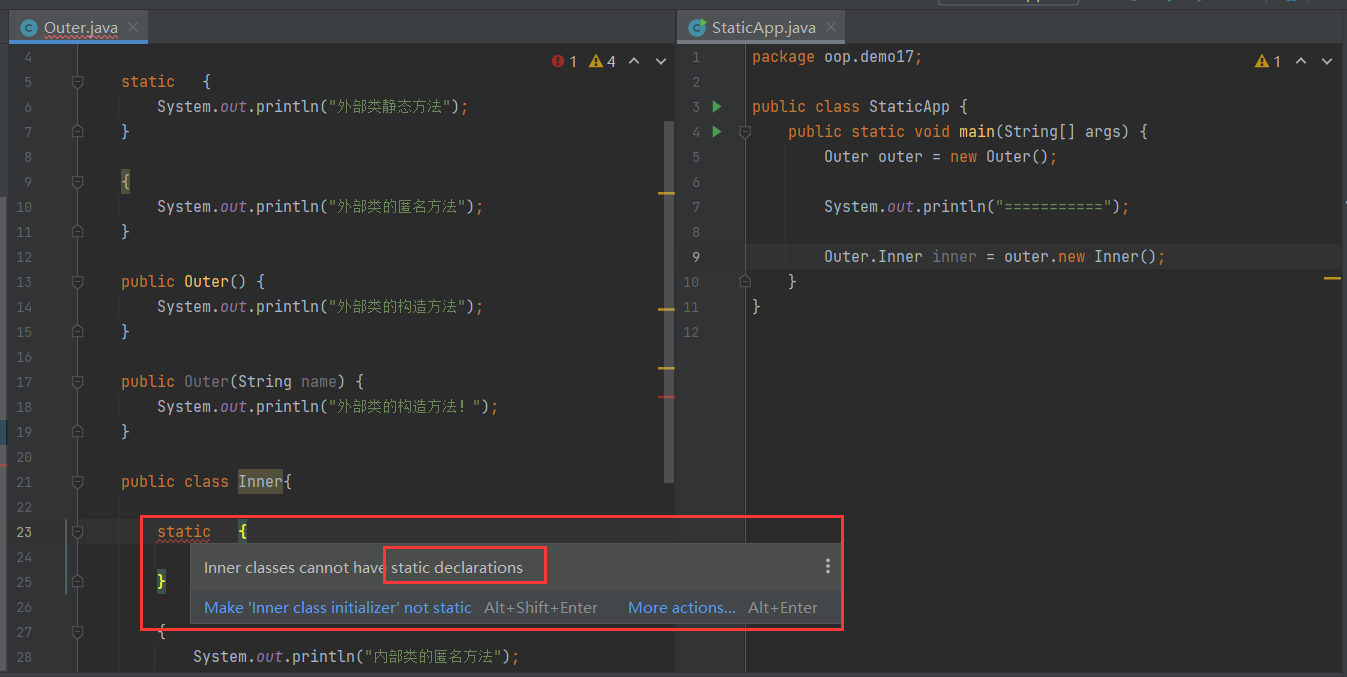
局部内部类
1
2
3
4
5
6
7
8
9
10
11
12
13
14
15
16
17
18
| package oop.demo19;
public class Outer {
public void run(){
System.out.println("run");
class A{
public void say(){
System.out.println("hello");
}
}
}
public static void main(String[] args) {
Outer outer = new Outer();
outer.run();
}
}
|
匿名内部类
1
2
3
4
5
6
7
8
9
10
11
12
13
14
15
16
17
18
19
20
21
22
23
24
25
26
27
28
29
| package oop.demo19;
public class APP {
public static void main(String[] args) {
new A().pr();
UserService hello = new UserService() {
@Override
public void pr() {
System.out.println("hello");
}
};
hello.pr();
}
}
class A{
public void pr() {
System.out.println("hi");
}
}
interface UserService{
void pr();
}
|
拓展
- 一个Java类中可以有多个class类,但只能有一个public class。
- 一般用于测试 main()。
1
2
3
4
5
6
7
8
9
10
11
12
13
| package oop.demo18;
public class Outer {
}
class A{
public static void main(String[] args) {
}
}
|
七、异常机制
1.什么是异常
- 实际工作中,遇到的情况不可能是非常完美的。比如:你写的某个模块,用户输入不一定符合你的要求、你的程序要打开某个文件,这个文件可能不存在或者文件格式不对,你要读取数据库的数据,数据可能是空的等。我们的程序再跑着,内存或硬盘可能满了。等等。
- 软件程序在运行过程中,非常可能遇到刚刚提到的这些异常问题,我们叫异常,英文是:Exception,意思是例外。这些,例外情况,或者叫异常,怎么让我们写的程序做出合理的处理。而不至于程序崩溃。
- 异常指程序运行中出现的不期而至的各种状况,如:文件找不到、网络连接失败、非法参数等。
- 异常发生在程序运行期间,它影响了正常的程序执行流程。
1
2
3
4
5
6
7
| package Exception.demo01;
public class App {
public static void main(String[] args) {
System.out.println(9/0);
}
}
|
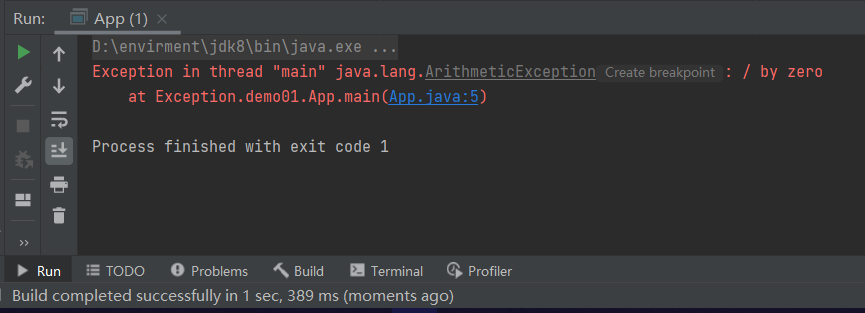
1
2
3
4
5
6
7
8
9
10
11
12
13
| package Exception.demo01;
public class App {
public static void main(String[] args) {
new App().a();
}
public void a(){
b();
}
public void b(){
a();
}
}
|
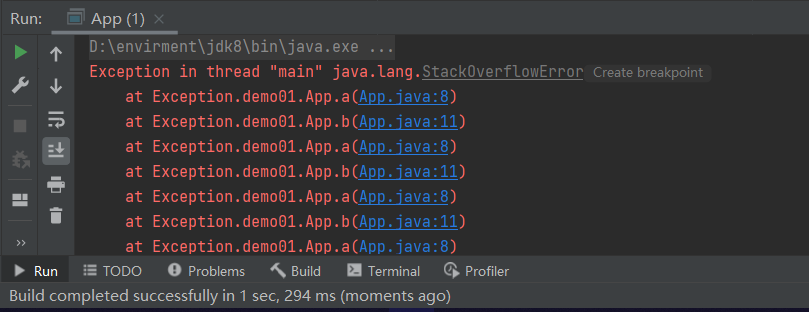
异常分类
检查性异常
语法异常,编译异常…..
运行时异常
异常
2.异常体系结构
- Java把异常当作对象来处理,并定义一个基类java.lang.Throwable作为所有异常的超类。
- 在Java API中已经定义了许多异常类,这些异常类分为两大类,错误Error和异常Exception。
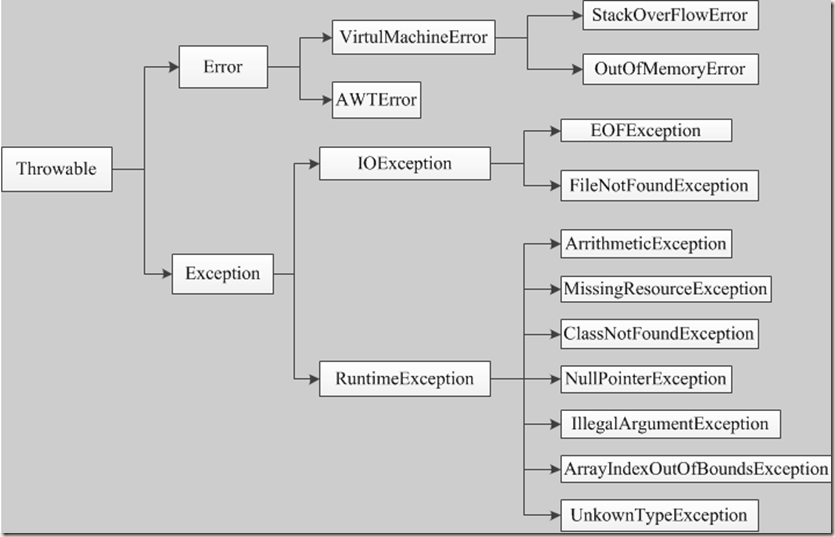
错误(Error)
- Error类对象由Java虚拟机生成并抛出,大多数错误与代码编写者所执行的操作无关。
- Java虚拟机运行错误(Virtual MachineError),当JVM不再有继续执行操作所需的内存资源时,将出现 OutOfMemoryError。这些异常发生时,Java虚拟机(JVM)一般会选择线程终止;
- 还有发生在虚拟机试图执行应用时,如类定义错误(NoClassDefFoundError)、链接错误(LinkageError)。这些错误是不可查的,因为它们在应用程序的控制和处理能力之外,而且绝大多数是程序运行时不允许出现的状况。
Exception
小结
Error和Exception的区别: Error通常是灾难性的致命的错误,是程序无法控制和处理的,当出现这些异常时,Java虚拟机(JVM)一般会选择终止线程;Exception通常情况下是可以被程序处理的,并且在程序中应该尽可能的去处理这些异常。
3.Java异常处理机制
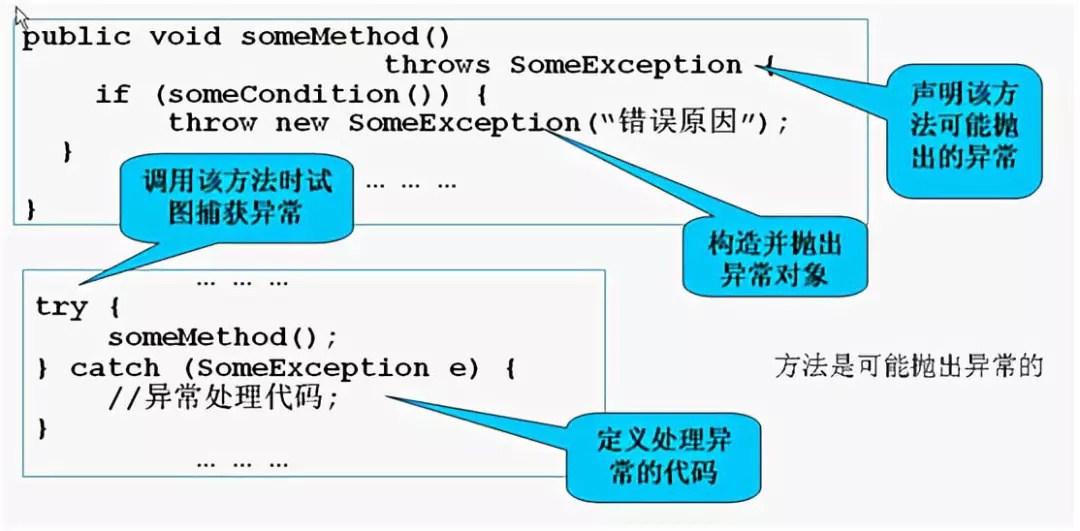
4.处理异常
异常处理五个关键字
1
2
3
4
5
6
7
8
9
10
11
12
13
14
15
16
17
18
19
20
21
22
23
24
25
26
27
28
| package Exception.demo01;
public class App {
public static void main(String[] args) {
try {
new App().a();
} catch (Error e) {
System.out.println("ERROR");
}catch (Exception e) {
System.out.println("Exception");
}catch (Throwable e) {
System.out.println("Throwable");
} finally {
System.out.println("完成");
}
}
public void a(){
b();
}
public void b(){
a();
}
}
|
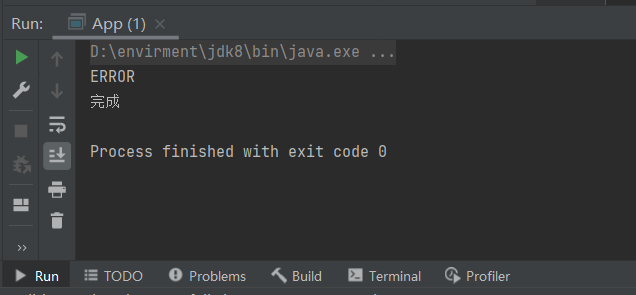
主动的抛出异常。一般在方法中使用
1
2
3
4
5
6
7
8
9
10
11
12
13
14
15
16
|
package Exception.demo02;
public class App {
public static void main(String[] args) {
App app = new App();
app.divide(2,0);
}
public void divide(int a,int b){
if (b == 0) {
throw new ArithmeticException();
}
}
}
|
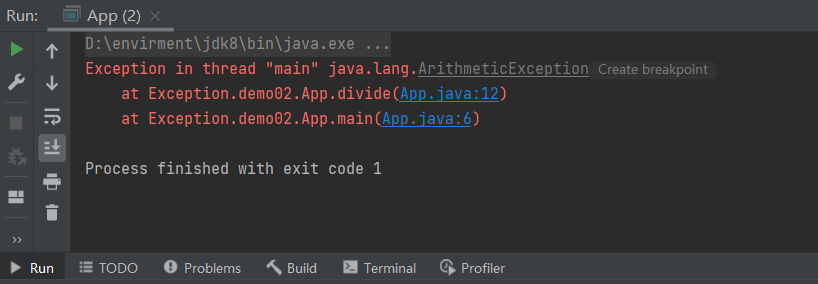
1
2
3
4
5
6
7
8
9
10
11
12
13
14
15
16
17
18
| package Exception.demo03;
public class App {
public static void main(String[] args) {
try {
new App().divide(1,0);
} catch (ArithmeticException e) {
e.printStackTrace();
}
}
public void divide(int a,int b) throws ArithmeticException{
if (b == 0) {
throw new ArithmeticException();
}
}
}
|
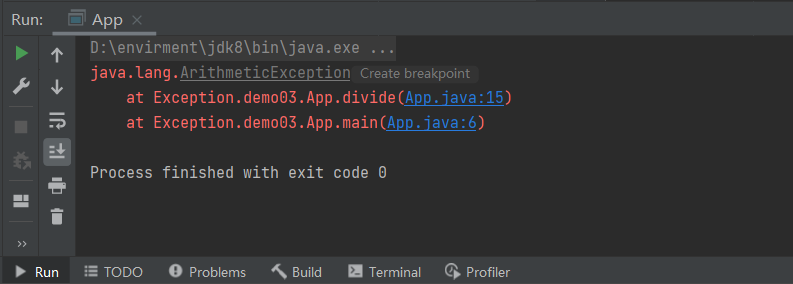
5.总结
- 处理运行时异常时,采用逻辑去合理规避同时辅助try-catch处理
- 在多重catch块后面,可以加一个catch (Exception)来处理可能会被遗漏的异常
- 对于不确定的代码,也可以加上try-catch,处理潜在的异常
- 尽量去处理异常,切忌只是简单地调用printStackTrace()去打印输出
- 具体如何处理异常,要根据不同的业务需求和异常类型去决定
- 尽量添加finally语句块去释放占用的资源
八、总结

参考文章